


They say if you aren't paying for the product, you are the product. With Gmail that's literally true — Google reads your receipts, your travel, and your conversations to build an advertising profile, and in 2026 it also wants to run an AI model across your entire mailbox.
Fastmail offers the inverse: you pay them, and they work for you. No ads, no tracking, no model quietly reading your mail. This Fastmail review has been updated for August 2026 with two developments that genuinely change the assessment — EU data residency, which resolves the biggest privacy caveat this review previously carried, and offline support finally arriving in the apps.
- EU data residency is live. Fastmail opened its own Amsterdam data centre, and from August 2026 European customers can have the primary copy of their data stored inside the EU. This is the single biggest change since our last update.
- Masked Email remains the killer feature. A unique disposable address for every signup, built natively into 1Password and Bitwarden. It's the thing I'd miss most if I switched away.
- Offline mode is finally in beta. Fastmail's most-requested feature for years is now available for public beta testing in the app.
- No AI in your inbox — by choice. Instead of bolting on a chatbot, Fastmail shipped an MCP server so you can connect your own AI client, with OAuth scopes you control.
- Still not zero-knowledge. Fastmail holds the keys. That's what makes instant search and normal app support work, and it's the honest trade against Proton.
Quick Summary
Email, Solved
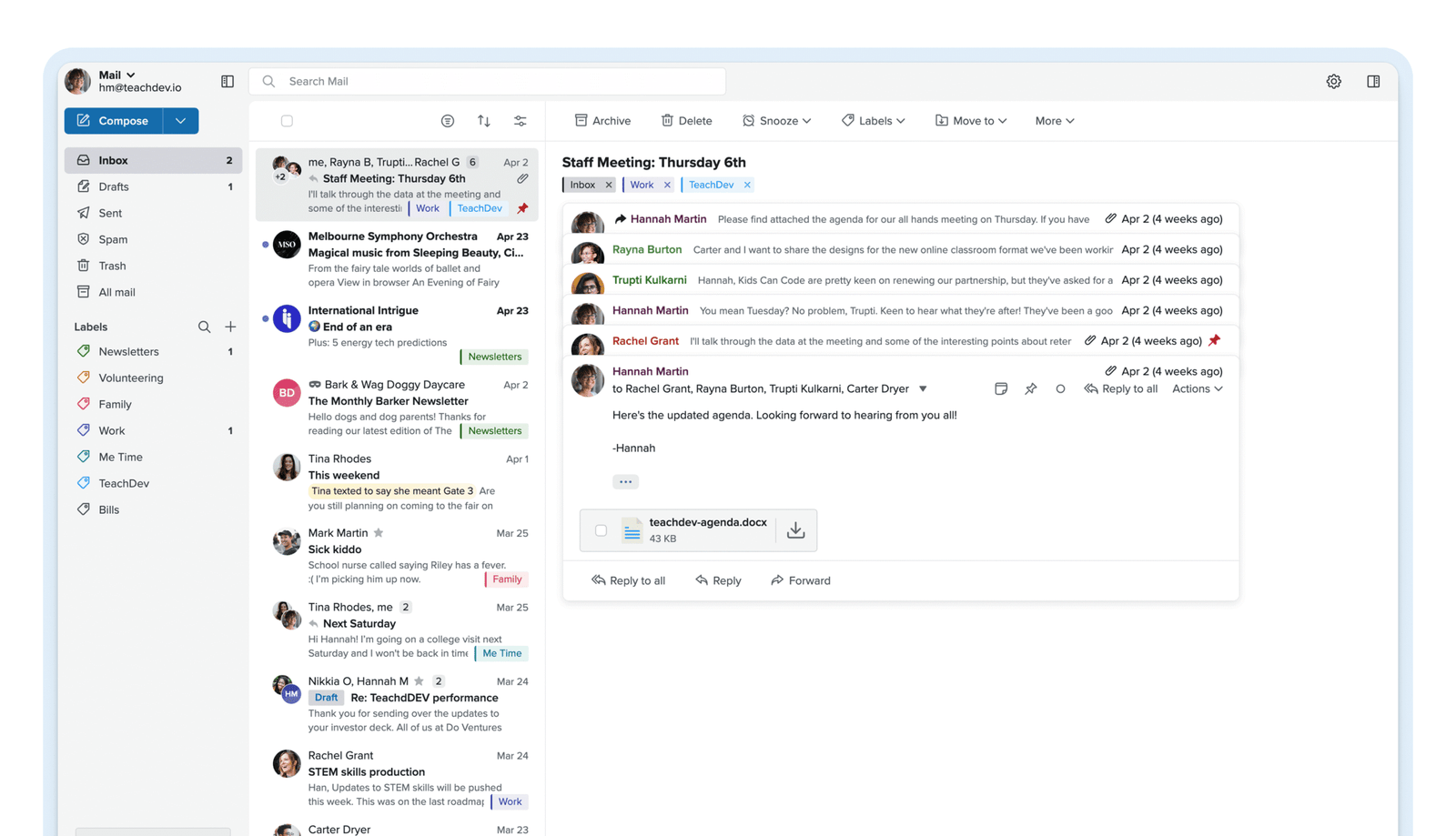
Fastmail lives up to its name. The interface is instant, search is genuinely powerful, and Masked Email kills spam at the source rather than filtering it after the fact. It remains the middle ground between Gmail's surveillance and Proton's friction — and in 2026 it made two decisions that most competitors didn't: refusing to run AI across your inbox while still handing you an open API to connect your own, and building its own European data centre so you can choose where your mail physically lives. It isn't end-to-end encrypted, and that remains the one real trade.
Quick Pros & Cons
- Blazing fast interface — genuinely feels instant.
- Masked Email stops spam at the source, permanently.
- EU or US data residency, switchable in settings.
- Custom domains included from the entry personal plan.
- Official MCP server: connect Claude or ChatGPT on your terms.
- No AI trained on or run across your mailbox.
- Support answered by actual engineers, not scripts.
- Not end-to-end encrypted like Proton or Tuta.
- No free tier — 30-day trial only.
- Prices rose last cycle (Standard $5 → $6 monthly).
- Business Basic blocks custom domains and third-party apps.
- Offline support is still in public beta, not final.
- No bundled documents or spreadsheets.
What Fastmail Actually Does
Fastmail is an independent email host that replaces Gmail or Outlook outright. You can use its web, mobile, and desktop apps, or connect it to Apple Mail, Outlook, or Thunderbird. Unlike Proton Mail — which encrypts so heavily that third-party clients need a bridge — Fastmail speaks standard open protocols, just faster and far more privately than the big platforms.
It's more than an inbox at this point. Every plan bundles mail, calendar, contacts, notes, and file storage. The Individual plan gives you 60 GB total — 50 GB for mail, calendar and contacts, plus 10 GB of files — and you can buy up to 300 GB per user if you need it. Every tier includes two-factor authentication, free migration tools, undo send, scheduled send, snooze, and advanced spam filtering, with no feature held back to force an upgrade beyond the documented plan differences.
New in 2026: Choose Where Your Data Lives
This is the most significant change to Fastmail since we first reviewed it, and it directly supersedes a caveat this article previously carried. Until now, every Fastmail account was stored entirely in the United States — which was a genuine sticking point for European businesses navigating GDPR and data-governance requirements.
In July 2026 Fastmail announced a dedicated European data centre in Amsterdam, available from August. These are Fastmail's own servers, co-located in a secure facility and installed by their own engineers, built to the same standard as their US infrastructure — not rented capacity from a hyperscaler. European customers can now have the primary copy of their mail and files stored inside the EU, replicated to the US for resilience.
Why it matters beyond compliance paperwork: data residency is one of the few privacy questions where the answer is binary and verifiable, rather than a matter of trusting a policy document. For a regulated business, "our email is hosted in the EU" is a sentence you can put in a vendor assessment. For everyone else it's a meaningful reduction in how many jurisdictions have a claim on your correspondence.
Reported from Fastmail's announcement and release notes — my own account has a non-EU billing address, so I haven't personally switched regions. If you're evaluating this for compliance purposes, confirm the specifics with Fastmail directly rather than taking a review's word for it.
The Masked Email Workflow (How I Actually Use It)
The feature that makes Fastmail worth paying for is Masked Email. Here's the exact workflow I run on TrakSource's domain:
Step 1: The setup
I linked Fastmail to 1Password. Bitwarden works natively too — the integration lives inside the password manager rather than requiring a browser extension of its own.
Step 2: The signup
Registering for a new tool, I click the email field and 1Password offers "Create Masked Email" inline. No tab switching, no visiting Fastmail's settings.
Step 3: The result
It generates a unique random address routed to my inbox, tagged with the service's name — so months later I know precisely which vendor an address belongs to.
Step 4: The payoff
When a vendor sells its list or gets breached, spam arrives at exactly one dead-endable address. I kill it in one click. My real address stays untouched — and, more importantly, unknown.
This is the part that becomes addictive. Every signup gets its own identity, so every breach is contained to a single disposable address. You shouldn't have to expose your whole digital identity just to try a piece of software.
An MCP Server, Not an AI Chatbot
Every email provider spent 2026 racing to bolt AI onto your inbox. Fastmail did the opposite, and it's still the most interesting decision in the category.
There's no chat panel in the corner, no "summarise this" button, and your mail isn't being piped through a model in the background. Instead, in April 2026 Fastmail shipped an official MCP server — an open-standard API sitting alongside IMAP, CalDAV and CardDAV, but designed for AI clients to use directly. You point your client at https://api.fastmail.com/mcp, complete an OAuth consent screen, and choose the scope:
The philosophical difference matters. The industry default is that your provider picks an AI, builds it in, and your data stays inside their system — which is very convenient when your provider is also the largest advertiser targeting you. Fastmail's position is that it's your mail, so pick your own AI and connect it, or don't.
Also New: Offline Support Enters Public Beta
Fastmail has long supported any standards-based mail client, many of which work offline — but offline support inside Fastmail's own app has been its most requested feature for years. As of August 2026 it's available for public beta testing.
Fastmail runs a beta channel for users who want early access before features are finished; things break occasionally, but it's generally stable. If you're on a plane, a train, or anywhere with unreliable connectivity often enough for it to matter, this is worth opting into. If your mail app needs to be boringly reliable, wait for the stable release.
Core Features
Fastmail Pricing & Plans (Verified August 2026)
Personal users choose between Individual, Duo, and Family; Basic, Standard, and Professional are the per-user business plans. There's no free tier — just a 30-day trial with no credit card. Paying 12 months up front saves money, and 24- and 36-month terms carry deeper discounts at checkout. All prices are tax-exclusive.
Personal Plans
Individual
- 60 GB total (50 GB mail + 10 GB files)
- Custom domains included
- Masked Email, Scheduled Send, Snooze
- Works with Outlook, Apple Mail, Thunderbird
Duo
- 120 GB total (60 GB per person)
- Two fully private, separate inboxes
- Shared domains and calendars
- Cheaper than two Individual plans
Family
- Up to 360 GB total (60 GB per person)
- A private inbox for every member
- Shared family calendars & address books
- Roughly $2.33 per person
Business Plans (per user)
Basic
- 6 GB per user (5 GB mail + 1 GB files)
- Shared calendars & company address book
- Webmail and mobile apps only
- No custom domains, no third-party apps
Standard
- 60 GB per user (50 GB mail + 10 GB files)
- Custom business domains
- Shared addresses like sales@yourdomain
- Third-party apps, Scheduled Send, Snooze
Professional
- 150 GB per user (100 GB mail + 50 GB files)
- Everything in Standard
- Email retention archive for compliance
- Best for regulated industries
Verified August 2026 against Fastmail's live pricing page. You can mix and match business tiers on one account — owner on Professional, staff on Standard, contractors on Basic. Fastmail now bills in 20+ local currencies, so your converted rate may differ from the USD figures above.
- Prices went up last cycle. The old $3/$5 tiers are gone — entry business is now $4 and Standard $6 month-to-month. Long-time users noticed, and it's a fair criticism.
- Storage went up too. The trade-off is real: Basic moved from 2 GB to 5 GB and Standard from 30 GB to 50 GB, and existing users were upgraded at no extra cost.
- Business Basic is more limited than it looks. No custom domains, no Outlook or Apple Mail, no Scheduled Send or Snooze. It is genuinely just cheap internal webmail.
- Use the full 30 days. Plan changes are handled as pro-rated account credit rather than cash back, so the trial is where you should make your decision. Confirm current refund terms at checkout.
- Local currency billing. Some users outside the US report the converted rate landing above the headline USD price. Check what you're actually charged.
Google Workspace comparison uses an approximate Business Starter rate of around $86 per user per year; verify current Workspace pricing before relying on the comparison, as Google adjusts it periodically.
Migrating From Gmail: The Checklist
This is the order I moved TrakSource's domain across. Doing it in this sequence means no mail is ever in flight without somewhere to land.
- Start the 30-day trial (no card needed) before touching your real domain.
- Run the built-in import tool to pull mail, contacts, and calendars from Gmail.
- Add your custom domain and update MX records via the setup wizard.
- Set up SPF, DKIM, and DMARC so your mail authenticates properly.
- Connect 1Password or Bitwarden for Masked Email.
- Set up a catch-all subdomain for future signups.
- Leave a Gmail forward running for 30 days to catch stragglers.
- Choose your data region if you're in the EU, and your MCP scope if connecting an AI client.
How Fastmail Compares (vs Proton & Gmail)
| Feature | Fastmail | Proton Mail | Gmail (Free) |
|---|---|---|---|
| Privacy Model | High — no ads, no AI scanning | Maximum — zero-knowledge E2EE | Low — ad profiling |
| Data Residency Choice | EU or US, switchable | Switzerland | Google's discretion |
| Speed | Fastest (JMAP) | Slower (decryption overhead) | Fast |
| Third-Party Apps | Native IMAP/JMAP | Requires Proton Bridge | Yes |
| Official AI/MCP API | Yes — OAuth, scoped | No | Google's own AI, on Google's terms |
| Entry Cost | $5/mo (Individual, annual) | ~$4.99/mo (Mail Plus) | Free — you pay with data |
Who Fastmail Is Best For
- Privacy-conscious professionals: people who want to de-Google their life while keeping a completely normal email experience.
- Custom domain users: it handles multiple domains and aliases better than any other provider — up to 100 on one account.
- 1Password and Bitwarden users: the Masked Email integration is seamless and, honestly, addictive.
- European businesses: EU data residency plus GDPR-friendly hosting removes a real procurement objection that existed until this month.
- Families and small teams: the Family plan at roughly $2.33 a head is the best per-person value in private email.
- AI-curious professionals: you want your assistant reaching your inbox on an open standard with scopes you control, not because your provider decided for you.
Who Should Avoid Fastmail
- Whistleblowers and high-risk users: Fastmail encrypts at rest but holds the keys, so it can produce your mail if legally compelled. If you need zero-knowledge, use Proton or Tuta.
- Anyone who won't pay for email: there is no free tier, only a 30-day trial. That's the business model that makes the privacy possible.
- Suite users: no bundled docs or spreadsheets. It's mail, calendar, contacts, notes and files — deliberately.
- Phone support fans: support is email-based and genuinely excellent — actual engineers reply — but there's no phone line or live chat.
Limitations & Reality Check
- No zero-knowledge encryption. Fastmail manages your keys. That enables instant search, strong spam filtering, and normal app support — but it means they theoretically could hand over your mail under legal compulsion. Proton cannot. This is the one genuine trade.
- Jurisdiction is now a choice, not a fixed constraint. Fastmail is an Australian company, and until August 2026 all data sat on US servers. EU customers can now keep the primary copy in Amsterdam, replicated to the US. If jurisdiction matters to your threat model, this materially improves the picture without eliminating the question.
- Spam filtering is very good, not world-champion. Google's filter still edges it. Expect a stray extra spam message or two a month.
- Offline mode is beta. It's the most-requested feature finally shipping, but public beta means occasional breakage. Opt in accordingly.
- Business Basic is more limited than the price suggests. Genuinely just internal webmail — check the feature list before assuming it covers your team.
- Smaller ecosystem. Fewer add-ons than the Gmail universe, though CalDAV, CardDAV and JMAP mean anything standards-based works.
Best Practice: The Catch-All Strategy
Don't just use one email address. That's the whole point of paying for this.
@logins.yourname.com and turn on Catch-All. You can now sign up for anything as [email protected] or [email protected] without creating the alias first — it just works, and every address is instantly filterable and killable. Keep your real address for humans only. Layer Masked Email on top for anything you don't trust at all, and your primary inbox stays permanently clean. The payoff arrives eighteen months later when spam starts hitting one specific address and you know precisely which company sold your data — then kill that address in a single click and carry on. If you're in the EU, set your data region during setup too; changing it later is possible but doing it once, at the start, is tidier.Frequently Asked Questions
How much does Fastmail cost in 2026?
Personal plans are Individual at $6/mo ($5 billed annually, $60/year), Duo at $10/mo for two users, and Family at $14/mo for up to six. Business plans are per user: Basic $4, Standard $6 ($60/user/year), and Professional $10 ($108/user/year). There's no free tier, but every plan has a 30-day trial with no credit card. Paying for 12, 24, or 36 months up front saves more.
Can I choose where Fastmail stores my data?
Yes, as of August 2026. Fastmail opened its own data centre in Amsterdam, so European customers can have the primary copy of their mail and files stored inside the EU, replicated to the US for resilience. Existing customers with a European billing address are moved across automatically, new European signups can select it at registration, and the region can be changed in settings. Outside Europe, US hosting remains the default.
Is Fastmail secure?
Yes. It uses strong encryption in transit and at rest, supports two-factor authentication, and never scans your mail for ads or AI training. It is not zero-knowledge like Proton Mail, however — Fastmail holds the keys, which is precisely what makes fast search and normal app support possible. That's the trade you're accepting.
Does Fastmail use AI on my email?
No. Fastmail has not integrated AI into the inbox — there's no chatbot bolted on and your mail isn't processed by a model in the background. Instead it offers an optional MCP server so you can connect your own AI client such as Claude or ChatGPT, with OAuth scopes you choose.
How do I connect Claude or ChatGPT to Fastmail?
Add https://api.fastmail.com/mcp to your AI client's MCP server list and authenticate via OAuth with your Fastmail credentials. You then pick access levels: read-only, write, and/or send. Note that anything the AI client accesses is governed by that provider's privacy policy, not Fastmail's.
Does Fastmail work offline?
Offline support in Fastmail's own app entered public beta in August 2026 — it had been the most-requested feature for years. Fastmail runs a beta channel for early access, so it's available now with the usual caveat that beta features can occasionally break. Standards-based third-party clients have always supported offline use.
Can I use my own domain?
Yes, on every personal plan (Individual, Duo, Family) and on Business Standard and Professional. The exception is Business Basic, which does not support custom domains. You can add up to 100 domains on one account, and the setup wizard walks you through the DNS changes.
Is it easy to migrate from Gmail?
Yes. Fastmail provides an import tool, a full migration guide, and free migration support if you get stuck. It pulls old mail, folders, contacts and calendar events across in the background. Start the trial before touching your live domain, and leave a Gmail forward running for a month to catch stragglers.
Is there a free version of Fastmail?
No. Fastmail is paid-only by design — that's the business model that lets it avoid ads and data mining. Every plan starts with a 30-day free trial requiring no credit card, and since plan changes are handled as pro-rated account credit rather than cash refunds, the trial is the right place to make your decision.
Final Verdict
If you're genuinely worried about state-level adversaries, use Proton Mail. Its zero-knowledge encryption is a different category of protection, and Fastmail doesn't pretend otherwise.
But if you want fast, private, professional email that respects your data, works in every app you already use, and — uniquely in 2026 — refuses to run AI across your inbox while still handing you an open API to connect your own, Fastmail is the best choice on the market. The addition of EU data residency this month removes the strongest remaining objection for European businesses, and it's the first time I've been able to write that this review's jurisdiction caveat is genuinely smaller than it was. Prices have crept up, and that's a fair gripe. It's still the service hosting TrakSource's email, and the Family plan at roughly $2.33 a head remains the best deal in private email.
Start Your 30-Day Free Trial →