

The standard creator monetization playbook has historically been highly fragmented. Creators build an audience on TikTok or Instagram, then route them to a basic link-in-bio page that bounces traffic to multiple external websites. This often means paying a flat monthly fee for a digital product host, another subscription for an email marketing tool, and spending hours manually updating media kits to pitch brand sponsors.
Beacons.ai was engineered to consolidate this stack. Operating as a unified "Creator Operating System," it transforms a simple bio link into a functional digital storefront, email capture engine, and automated media kit. But does it actually replace dedicated e-commerce tools, or is it just a heavily featured landing page? In this Beacons technical audit, we examine their mobile checkout flows, API integrations, and transaction fee economics to find out.
- Consolidated Stack: Designed to replace standard routing pages, digital download hosts, and basic email broadcast tools in a single interface.
- Live API Media Kits: Automatically pulls real-time analytics from YouTube, Instagram, and TikTok to generate up-to-date brand pitch kits.
- Low-Friction Checkout: Digital products (PDFs, courses, coaching calls) can be purchased within the Instagram/TikTok browser without forcing users to open an external browser.
- Cost Economics: Offers a viable free tier to start, with a flat ~$30/month Pro tier that removes platform transaction fees on digital sales.
1. Quick Summary
2. The TL;DR Verdict
Streamline Your Traffic Funnel
Beacons.ai offers an efficient operational shift for creators. By removing the friction of redirecting users to separate external websites, it allows followers to buy digital products, book 1-on-1 coaching, and join email lists natively. If you are aiming to treat your audience like an active customer base, migrating from a static link directory to a platform like Beacons is a mathematically sensible decision.
Claim Your Free Beacons Profile →3. Pros & Cons
- Consolidates link routing, digital sales, and email marketing into one dashboard.
- Accessible free tier allows new creators to test monetization without upfront costs.
- Live API Media Kits streamline the process of pitching to brand sponsors.
- Mobile-first checkout UI helps reduce cart abandonment on social platforms.
- The ~9% transaction fee on the free plan impacts margins for mid-volume sellers.
- Mobile block editor can feel restrictive when creating complex page designs.
- Relying on partner APIs means tracking metrics can face synchronization delays.
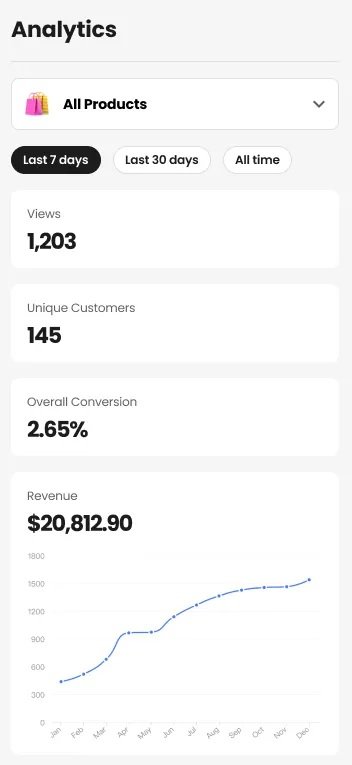
4. How We Evaluated Beacons.ai
To ensure an objective operational audit, we deployed Beacons in a live creator environment over a 30-day testing cycle. Our evaluation process included:
- Checkout Friction Testing: We built a digital product storefront and simulated purchases through Instagram and TikTok’s in-app browsers to measure load speeds and cart abandonment risks.
- Media Kit Telemetry: Connecting YouTube and TikTok APIs to test the automated updating speed and accuracy of the native analytics.
- Email Integration: Building a "Freebie Opt-in" funnel to test Beacons' native email marketing broadcast tools against external providers.
- Cost Analysis: Modeling the Total Cost of Ownership (TCO) and transaction fee impact compared to using a fragmented stack.
5. What Beacons.ai Actually Does
Beacons functions as a centralized hub for a creator's monetization strategy.
Rather than merely hosting a list of links, it acts as a lightweight, mobile-first website builder utilizing a modular "Block" system. You can insert an "Email Capture Block" to collect leads, a "Store Block" to let users buy a digital guide instantly via Apple Pay, or a "Video Block" to embed a recent upload. The primary goal is to keep the user engaged in a single ecosystem rather than bouncing them to a third-party checkout page.
6. Core Features Matrix
7. The Data: The Cost of Fragmented Software
Managing multiple subscriptions can quietly erode profit margins. Here is a baseline look at the cost of maintaining a fragmented stack versus a consolidated platform.
8. Technical Setup: The Block Builder
The Beacons UI is optimized heavily for mobile screens, matching the browsing habits of most social media audiences. Building your page does not require coding knowledge. To sell an eBook, you add the "Store Block," upload the PDF, set a price, and connect Stripe. The checkout process supports mobile wallets (Apple Pay/Google Pay), which is designed to reduce cart abandonment typical in standard e-commerce funnels. (Note: If your business scales into complex B2B sales pipelines, you may eventually require a heavier CRM. See our GoHighLevel review for advanced automation.)
9. Beacons vs Linktree: Which is Better?
The most common comparison is between Beacons and Linktree. While Linktree pioneered the "link-in-bio" category, it remains primarily a routing directory designed to send traffic away from the platform. Beacons operates as a destination in itself.
- Native digital product hosting and checkout workflows.
- Built-in email capture and broadcast marketing tools.
- Automated media kits running on live API infrastructure.
- Slightly simpler, less cluttered interface for basic linking.
- Familiar consumer presence across social platforms.
- Faster initial setup if no commerce features are needed.
10. Beacons vs Stan Store: The E-commerce Battle
Stan Store popularized the "buy it in my bio" concept, focusing heavily on digital sales. Beacons replicated this functionality but integrated it with a more flexible pricing model for beginners. Stan Store charges a flat $29/month with no free tier. Beacons offers a Free tier but charges a 9% transaction fee.
Conclusion: If you sell less than ~$300/mo, Beacons Free is cheaper. If you sell more, Beacons Pro and Stan Store cost roughly the same, but Beacons offers more native features (Media Kits, advanced email).
12. Workflow & Deployment Timeline
Here is what the execution pipeline looks like for setting up a creator business profile:
Step 1: AI Page Generation
Input your social handles. The system analyzes your content style and generates a base branded page design.
Step 2: The Freebie Funnel
Add an "Email Capture" block. Offer a template or checklist. Beacons delivers the file and logs the email in your CRM. (Need help drafting engaging newsletters? We reviewed HyperWrite AI as a predictive drafting co-pilot.)
Step 3: The Digital Product
Upload a paid digital product (e.g., a guide or course). Connect Stripe so funds route to your bank account.
Step 4: The Brand Pitch
Connect YouTube and TikTok APIs to generate a live Media Kit URL displaying your engagement rates to sponsors.
13. Feature Focus: Automated Media Kits
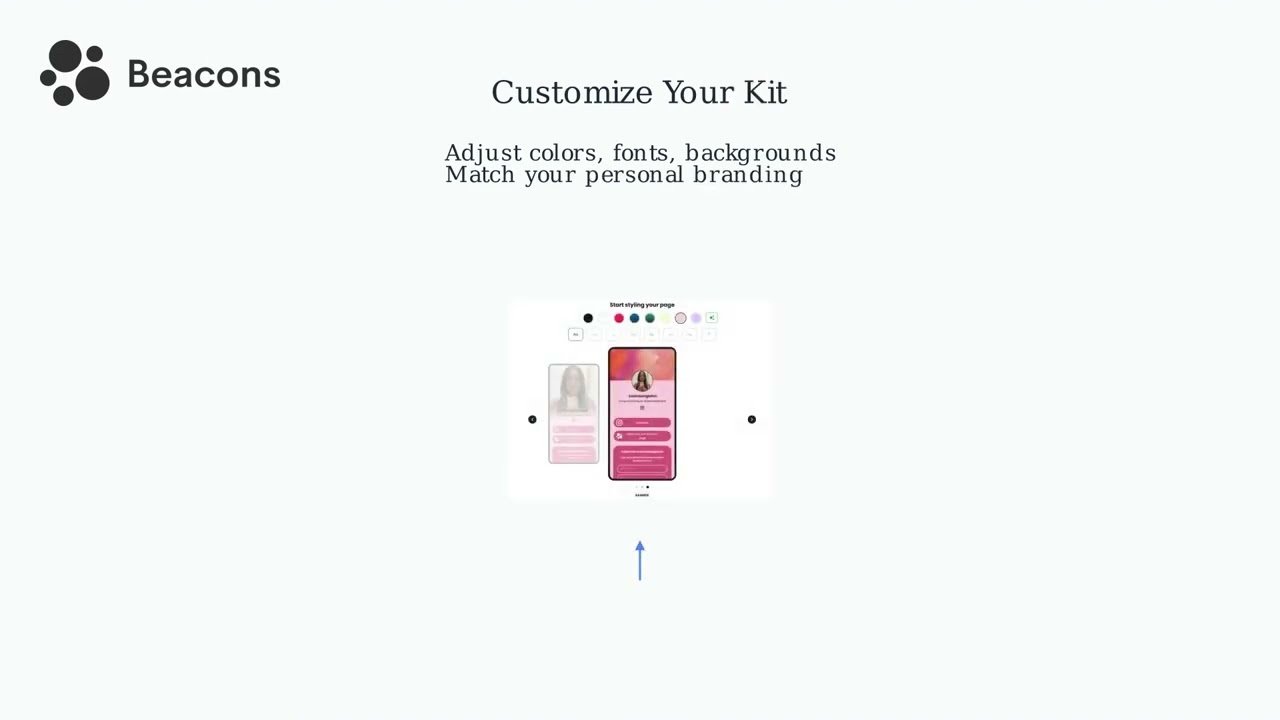
For creators pursuing brand deals, sending static PDF media kits can appear outdated. The Beacons Media Kit connects to your social APIs to pull live subscriber counts, average video views, and audience demographic data into a sharable web page. You can list standard sponsored video rates directly, providing transparency that can streamline initial negotiations.
14. Feature Focus: Native Email Marketing
Relying exclusively on social algorithms carries inherent platform risk. Beacons encourages building an owned audience through its native email marketing engine. Users can design newsletters, establish automated welcome sequences for new subscribers, and broadcast updates without immediately needing an external marketing provider.
15. Example Use Cases
16. Operational Advantages
Processing payments inside the in-app browser with mobile wallets reduces friction compared to external web redirects.
Collecting emails locally ensures you retain access to your audience list independent of social media platform algorithms.
17. Who Beacons.ai Is Best For
- Digital Product Sellers: Creators whose revenue primarily relies on templates, eBooks, or pre-recorded courses.
- Influencers Pitching Brands: Those who require professional media kits and invoicing tools to manage sponsorships.
- Coaches & Consultants: Professionals who need an easy way to collect payments and schedule calendar bookings in a mobile-friendly view.
18. Who Should Avoid Beacons.ai
- Physical E-commerce Stores: If you are shipping physical inventory or dropshipping merch (see our Gelato review for physical POD), Beacons lacks advanced inventory and shipping logic. You need Shopify or WooCommerce.
- Enterprise Agencies: Built for individual creator brands. Large agencies managing complex client funnels require robust CRM infrastructure.
19. Real User Sentiment
Across creator forums and review aggregates, Beacons generally maintains positive feedback from its target demographic:
- The Praise: Many users highlight the extensive feature set available on the free tier compared to basic link routers. The aesthetic customization and Stripe integration are frequently noted as strong points.
- The Complaints: Some users report that the mobile block editor can feel cramped when designing complex page layouts on a smartphone screen, suggesting that heavy setup is best done on a desktop.
20. Pricing Realities & Feature Tiers
Beacons uses a freemium model. Analyzing their transaction fees is critical for determining when to upgrade.
Free Plan
- Unlimited links & social icons
- Sell digital products (with a ~9% fee)
- Basic email collection
- Standard Beacons branding
Pro Plan
- 0% Platform Transaction Fees
- Custom Domain (yourname.com)
- Advanced Media Kits & Invoicing
- Remove Beacons logo
21. The Hidden Costs & Transaction Fees
If you intend to sell digital goods, calculate your volume. On the Free plan, Beacons assesses a transaction fee (approximately 9%) on top of standard Stripe processing fees. If a creator sells more than $300–$400 worth of digital products monthly, the cost of that 9% fee exceeds the price of the Pro plan. At that threshold, upgrading to Pro (~$30/mo) becomes a logical step to achieve 0% platform fees and retain higher margins.
22. Best Practices: "The Alpha Plan"
To effectively leverage the platform, consider a structured approach to audience capture rather than just listing social links.
23. Security & Compliance
Beacons does not directly handle payment funds. The platform integrates with Stripe and PayPal, meaning that customer credit card data is processed through established, PCI-compliant financial infrastructure. Funds are deposited directly into the creator's connected accounts.
24. Is Beacons Worth It in 2026?
For the vast majority of digital creators, coaches, and influencers, Beacons represents a practical asset. If you currently pay separately for an external link router, an entry-level email sender, and a digital download host, consolidating into Beacons Pro for around $30/month offers a clear financial advantage while providing a more cohesive experience for your followers. However, if you run a physical retail e-commerce brand, you will likely find its e-commerce framework too limited.
25. Frequently Asked Questions
Is Beacons better than Linktree?
It depends on your goals. Linktree is simpler if you just want a list of links. However, Beacons is more robust for monetization, offering native digital product sales, email collection, and invoicing tools that Linktree lacks natively.
How does Beacons compare to Stan Store?
Stan Store and Beacons are very similar in e-commerce functionality. Beacons offers a Free tier (Stan Store does not) and includes tools for brand sponsorships like auto-updating Media Kits, making it slightly more comprehensive for influencers.
What are the transaction fees?
On the Free plan, Beacons takes a roughly 9% fee on digital product sales (plus standard Stripe processing fees). If you upgrade to the Pro plan (~$30/mo), the Beacons transaction fee drops to 0%.
Can I use my own custom domain?
Yes. By upgrading to the Pro tier, you can remove the beacons.ai branding and connect your own custom domain (e.g., yourname.com), which presents a more professional image.
How do I get paid?
Beacons integrates with Stripe and PayPal. When a customer purchases a product on your page, the transaction is processed securely, and funds are deposited into your connected bank account.
What is an Auto-Updating Media Kit?
Beacons connects to YouTube, Instagram, and TikTok via API to create a web page that constantly pulls live follower counts and entertainment metrics, allowing creators to send accurate data to sponsors easily.
Does it include email marketing?
Yes. You can add an email capture block to build a subscriber list and use the Beacons dashboard to send broadcast emails, potentially replacing entry-level third-party email tools.
Can I sell physical products?
While you can link to external physical products, Beacons is optimized primarily for digital downloads, coaching, and memberships. Dedicated physical e-commerce is better handled by platforms like Shopify.
26. Final Conclusion
Relying on multiple links that force users to navigate away from their social media apps introduces unnecessary friction. For creators treating their online presence as a business, minimizing the steps between content discovery and a transaction is vital.
Beacons.ai serves as a highly capable infrastructure for the creator economy. By bringing the link directory, digital storefront, email collection, and media kits into a unified, mobile-optimized environment, it offers significant operational efficiency. For those looking to streamline their software stack and build a cohesive audience funnel, Beacons is a strong platform choice.
Launch Your Creator Storefront Today →