

The fatal flaw of most AI writing tools (like Jasper or ChatGPT) is that they exist in a silo. You write a prompt in a dashboard, wait for the output, copy the text, switch tabs, and paste it into your actual workspace. This friction slows down the very productivity the AI was supposed to enhance.
HyperWrite AI was engineered to destroy this copy-paste workflow. Operating primarily as a highly integrated Chrome extension, it claims to natively predict and write your emails, documents, and code directly inside the web apps you already use (Gmail, Google Docs, etc.). But does its predictive engine actually learn your personal tone, or is it just another generic text spinner? In this HyperWrite technical audit, we strip down its features and Chrome integration to find out.
- Native Browser Integration: The Chrome extension embeds the AI directly into Gmail, Google Docs, WordPress, and ChatGPT.
- TypeAhead Engine: Learns your writing patterns and autocompletes sentences in real-time as you type, acting as an advanced grammar and phrasing co-pilot.
- Custom Personas: Train the AI on your specific brand voice to ensure output doesn't sound robotic or generic.
- Cost-Effective: At $19.99/month (or $16/mo billed annually), it is significantly cheaper than heavy marketing suites like Jasper. Students get an instant 50% discount.
1. Quick Summary
2. The TL;DR Verdict
The End of the Blank Page
HyperWrite AI is an excellent, lightweight writing assistant that shines in short-form daily drafting. By embedding predictive suggestions directly into your browser, it eliminates tool-switching. If you spend hours a day answering emails or drafting initial proposals in Google Docs, the $19.99/mo Premium tier is a highly rational investment to reclaim your time. However, high-volume SEO writers needing deep keyword clustering should look elsewhere.
Start Generating Content Free →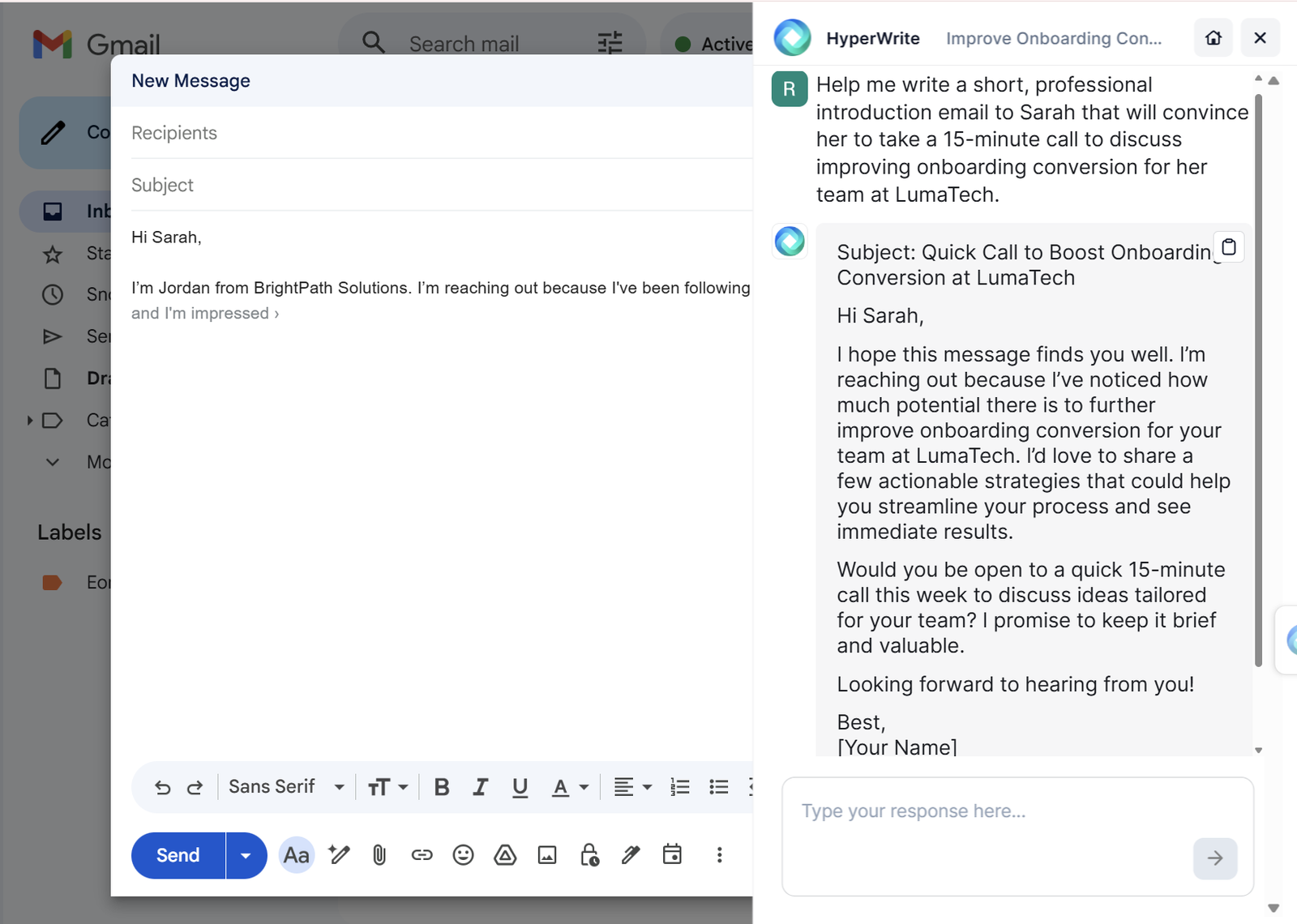
3. How We Evaluated HyperWrite AI
To ensure an objective operational audit, we installed the HyperWrite Chrome extension and stress-tested its generation models across a 30-day period. Our evaluation process included:
- Browser Friction: Testing the TypeAhead functionality natively inside Gmail, Google Docs, and WordPress to measure lag and UI intrusion.
- Tone Analysis: Utilizing the "Custom Personas" feature to test if the AI could accurately replicate a casual, B2B brand voice without sounding overly formal.
- Scholar AI Accuracy: Stress-testing the research assistant to ensure citations were pulled from legitimate academic databases rather than hallucinating URLs.
- Output Limitations: Pushing the tool to generate 2,000+ word essays to evaluate its long-form coherence and contextual memory.
4. What HyperWrite Actually Does
HyperWrite acts as an omnipresent predictive intelligence layer over your web browser.
Rather than requiring you to log into a separate platform to generate text, it watches you type in your current window. As you draft an email or a report, it analyzes your sentence structure and injects subtle gray text ahead of your cursor to finish your thought. If the suggestion aligns with what you meant to say, you press the "Tab" key to instantly accept it, saving you the mechanical effort of typing the sentence.
5. Core Features Matrix
6. The Data: The Cost of Manual Drafting
Professionals spend an exorbitant amount of time drafting routine emails and rewriting clumsy sentences. Here is the operational shift when deploying an inline predictive assistant.
7. Technical Setup: Browser Integration
The entire ecosystem relies heavily on the Chrome Web Store extension. Once installed, it requires permissions to read your website content (which is standard, as it needs to analyze the text you are writing to predict the next word). It overlays seamlessly into Gmail, Google Docs, and ChatGPT.
If you operate entirely outside of a Chromium browser or in strict offline environments, you will lose the primary value proposition of the tool, though you can still use their standalone web-based dashboard for writing.
8. Workflow & Deployment Timeline
Here is what the execution pipeline looks like for handling daily inbox zero:
Step 1: Extension Activation
Open an incoming email in Gmail. The HyperWrite icon will appear near the reply box.
Step 2: Context Parsing
The Email Responder tool automatically reads the incoming email to understand the context.
Step 3: Brief Instruction
Provide a short command (e.g., "Politely decline the meeting but ask to touch base next month").
Step 4: Instant Generation
The AI generates the full reply in your custom tone. You hit "Tab" to accept it and hit send, bypassing the blank-page block.
9. Feature Focus: TypeAhead (Predictive Text)
This is HyperWrite's fastest-growing and most heavily utilized feature. Unlike generic autocorrect, TypeAhead uses advanced AI models to predict entire sentences based on the context of the paragraphs above it. It subtly displays the prediction in gray text; if you like it, press Tab to inject it. It drastically reduces physical keystrokes and acts as a momentum-builder when writer's block hits.
10. Feature Focus: Custom Personas
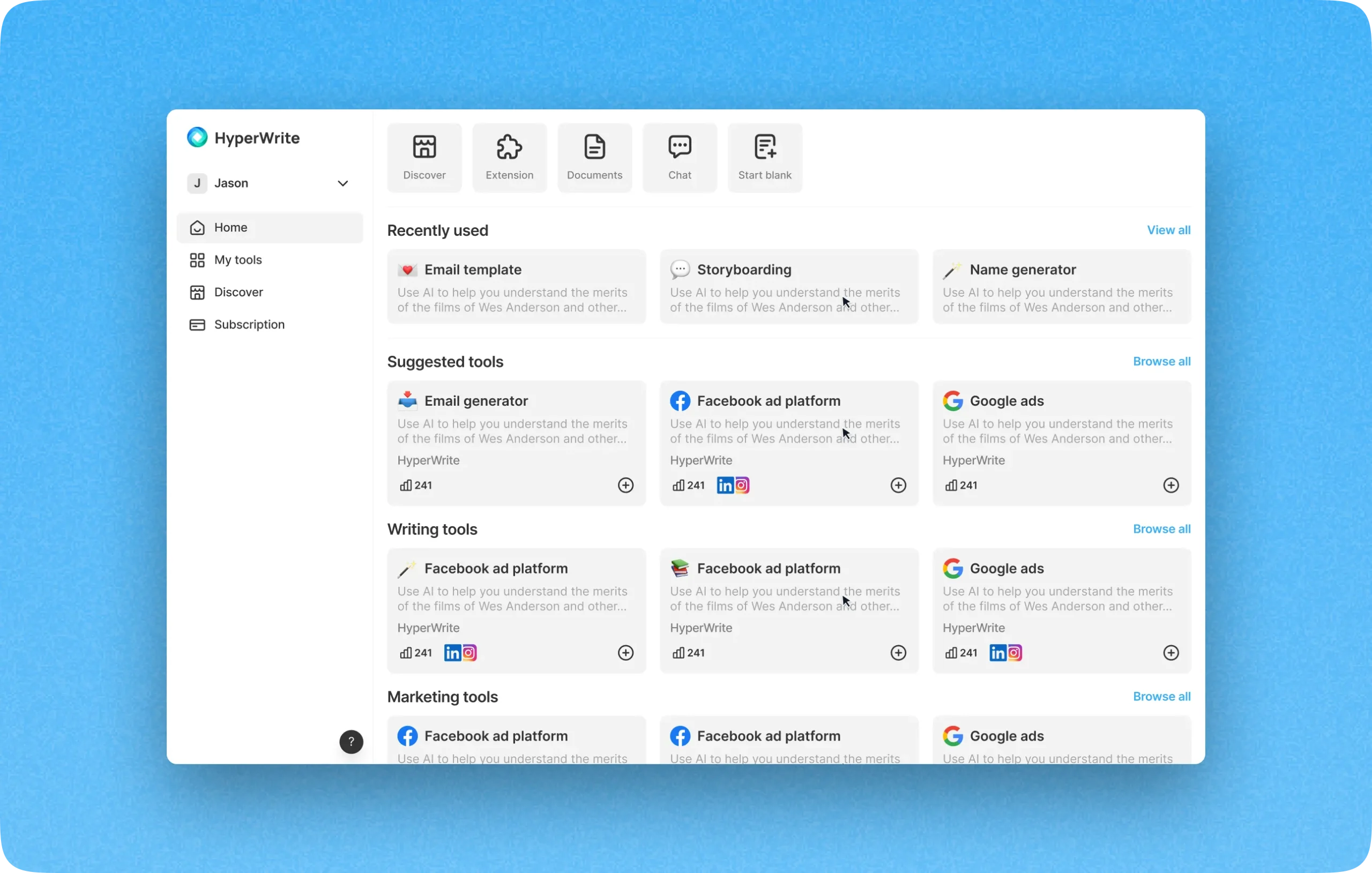
Early on, AI writers sounded painfully robotic and overly formal. HyperWrite solves this via "Personas". By feeding the system examples of your previous writing, the algorithm maps your vocabulary and rhythm. When you generate a blog post or email, it adopts this persona, preventing you from having to heavily edit the output just to make it sound like a human wrote it. The Premium plan allows for 3 personas, while Ultra allows for 10.
11. Feature Focus: Academic Research (Scholar AI)
One of the major risks of generating factual content with LLMs is "hallucination"—the AI inventing fake statistics or citations. HyperWrite addresses this directly with its Scholar AI tool. It connects directly to millions of verified scholarly articles and journals, ensuring that the statistics it references are legitimate and correctly cited, making it an invaluable asset for university students and technical researchers.
12. Example Use Cases
13. The Real ROI (Efficiency vs. Expense)
Hover over the metrics below to see the baseline operational advantages of adopting a predictive AI layer.
By generating text directly inside your native web applications (Gmail, Docs), you eliminate the time wasted toggling between ChatGPT tabs and your actual work.
The predictive "TypeAhead" prompts act as an instant brainstorming partner, providing the initial momentum needed to overcome the "blank page syndrome".
14. Who HyperWrite Is Best For
- Solopreneurs & Consultants: If you handle your own sales, client communication, and basic marketing copy, the $19.99/mo plan will save you hours of administrative drafting.
- Students & Researchers: The combination of Scholar AI for factual citations and a 50% discount for active `.edu` email addresses makes it a highly attractive academic tool.
- Browser-Native Workers: If 90% of your job happens inside Chrome (Google Workspace, CRMs, WordPress), the extension feels like a natural extension of your keyboard.
15. Who Should Avoid HyperWrite
- High-Volume SEO Bloggers: If your sole purpose is to mass-generate 3,000-word, keyword-clustered SEO articles, HyperWrite struggles with long-form coherence compared to dedicated SEO tools like Scalenut.
- Non-English Speakers: The interface and core predictive suggestions are optimized strictly for English, offering limited native multilingual translation capabilities compared to competitors.
16. Integration Ecosystem & Synergy
17. Real User Sentiment (G2 & Forums)
Across software review boards, HyperWrite maintains strong user satisfaction, averaging 4.2 out of 5 stars:
- The Praise: The overwhelming consensus highlights the minimal learning curve. Users love that it simply "works" in the background of Chrome without requiring complex prompt engineering. The Email Responder is frequently cited as the most valuable daily tool.
- The Complaints: The primary critique centers on the message limits of the lower tiers. Power users easily blow past the 250 message cap on the Premium plan, forcing them to upgrade to the expensive Ultra tier. Furthermore, if leaned on too heavily for long-form essays, users note the AI begins to loop predictable vocabulary.
18. Pricing Realities & Feature Tiers
HyperWrite utilizes a freemium SaaS model with explicit usage caps on lower tiers.
Free Plan
- Basic AI access
- Strictly limited monthly credits
- Core extension functionality
- Best for basic interface testing
Premium Plan
- 250 AI Messages per month
- Unlimited TypeAhead suggestions
- 3 Custom Personas
- Access to all specialized AI tools
19. The Hidden Costs & Limits
The $19.99/mo Premium plan is highly competitive (especially against Jasper's $49/mo entry). However, the "250 AI Messages" limit acts as a hard ceiling for marketing teams. If you are generating dozens of long-form articles, you will exhaust this quota rapidly, forcing you into the Ultra plan at $44.99/month ($29/mo billed annually).
Note for Students: Do not pay full price. Registering with a valid `.edu` email address automatically triggers a 50% discount on all monthly subscriptions.
20. Best Practices: "The Alpha Plan"
To maximize your workflow without hitting billing limits, you must execute the Alpha Plan for AI co-writing.
21. Security & Data Privacy
Because HyperWrite operates as a browser extension, it requires permissions to read webpage content and user activity to generate accurate suggestions. While this is functionally necessary, enterprises with strict internal data compliance protocols regarding LLM data retention should review their privacy documentation thoroughly before deploying it across a wide team.
22. How HyperWrite Compares
| Feature | HyperWrite AI | Jasper AI | Rephrasely |
|---|---|---|---|
| Primary Focus | Inline Browser Assist | Marketing Teams | Paraphrasing & Checking |
| Starting Price | ~$19.99 / mo | ~$39.00 / mo | Varies |
| Predictive Typing | Yes (TypeAhead) | No | No |
| Long-Form / SEO | Average | Excellent | Good |
23. PROS & CONS
- The Chrome extension flawlessly integrates AI into your existing workflow (Docs, Gmail).
- TypeAhead predictions are fast and genuinely reduce physical typing time.
- Highly affordable entry price ($19.99/mo) compared to legacy marketing suites.
- Scholar AI ensures research is backed by verified academic citations.
- The 250 message limit on the Premium plan is restrictive for power users.
- Struggles to maintain deep structural coherence on very long-form essays.
- The interface and capabilities are heavily restricted to English.
Watch our deep-dive visual teardown of HyperWrite's browser features.
24. Frequently Asked Questions
Is HyperWrite AI actually free?
HyperWrite offers a free starter plan that allows you to test the basic features and interface with a strictly limited amount of monthly AI credits. For daily professional use, you will need to upgrade to a paid tier.
Does it work with Google Docs?
Yes. The HyperWrite Chrome extension integrates natively into Google Docs, allowing you to use features like TypeAhead and Magic Editor directly within the document without switching tabs.
Is there a discount for students?
Yes. If you register your account using a valid .edu email address, an automatic 50% discount is applied to your monthly subscription, making it highly accessible for academic use.
How is it different from ChatGPT?
ChatGPT requires you to write prompts in a separate, isolated web application. HyperWrite acts as an overlay that lives inside your current browser windows (like Gmail), predicting sentences as you type and completing actions in real-time.
What happens if I hit the limit on the Premium plan?
The Premium plan provides 250 AI messages per month. Once exhausted, you will need to wait for the billing cycle to reset or upgrade to the Ultra plan ($44.99/month), which offers unlimited messages.
Can I teach it to write in my style?
Yes, through the Custom Personas feature. You can feed the AI examples of your previous writing so it learns your tone, vocabulary, and rhythm, ensuring the output sounds authentic rather than robotic.
Does it check for plagiarism?
HyperWrite is primarily a generative tool. It does not have deeply integrated native plagiarism or AI-detection checkers like specialized editing suites (e.g., Rephrasely or Grammarly).
Is it good for writing long blog posts?
While it can generate full articles, its architecture is better suited for short-form content, email replies, and paragraph restructuring. For highly technical, 3,000-word SEO posts, dedicated tools like Jasper or Scalenut are superior.
25. Final Verdict
If you need to generate deeply technical, long-form SEO content, HyperWrite is likely not the tool for you. It struggles with extended contextual loops compared to heavy enterprise marketing suites.
However, if you suffer from the "blank page syndrome" and waste hours every week manually typing routine emails or rewriting clumsy paragraphs, HyperWrite AI is an exceptional investment. By embedding an intelligent, predictive layer directly into your browser, it fundamentally removes the friction of using AI. It acts as a tireless co-pilot that simply makes you a faster, clearer writer without ever forcing you to leave your workspace.
Deploy Your AI Writing Assistant →