
Deploying a full-stack application used to require a PhD in DevOps. You had to provision AWS EC2 instances, manually configure NGINX, set up load balancers, and pray your database didn't crash during a traffic spike. Then Heroku came along and simplified everything, but their rigid pricing and sluggish performance eventually pushed modern developers away.
Railway represents the modern evolution of cloud infrastructure. It is an intelligent Platform-as-a-Service (PaaS) that allows you to connect a GitHub repository and deploy production-ready applications with zero configuration. But is it just a toy for side projects, or can it actually handle enterprise-grade traffic? In this Railway review, we tear apart the server architecture to find out.
1. Quick Summary
Deploy Without the DevOps Bloat
Railway completely removes infrastructure management from your engineering pipeline. Because it automatically detects your framework (whether it's Next.js, Django, or a custom Dockerfile) and builds the environment for you, your team can spend 100% of their time writing product code instead of fighting with AWS IAM roles.
Deploy Your App on Railway →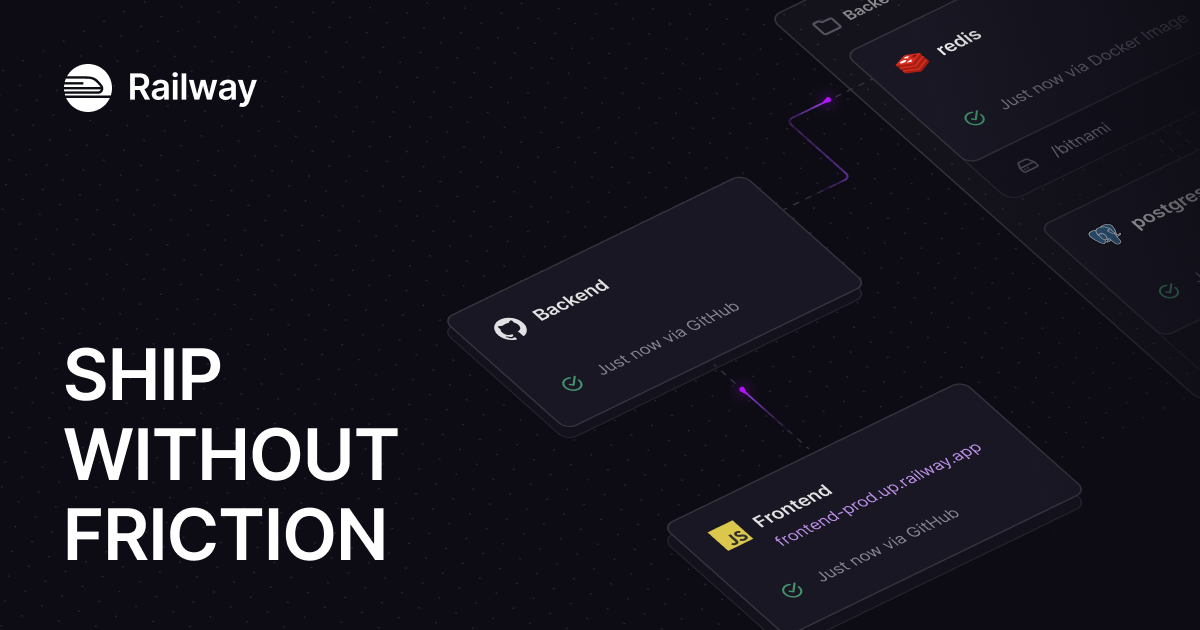
2. What Railway Actually Does
Railway sits between your raw code and the public internet.
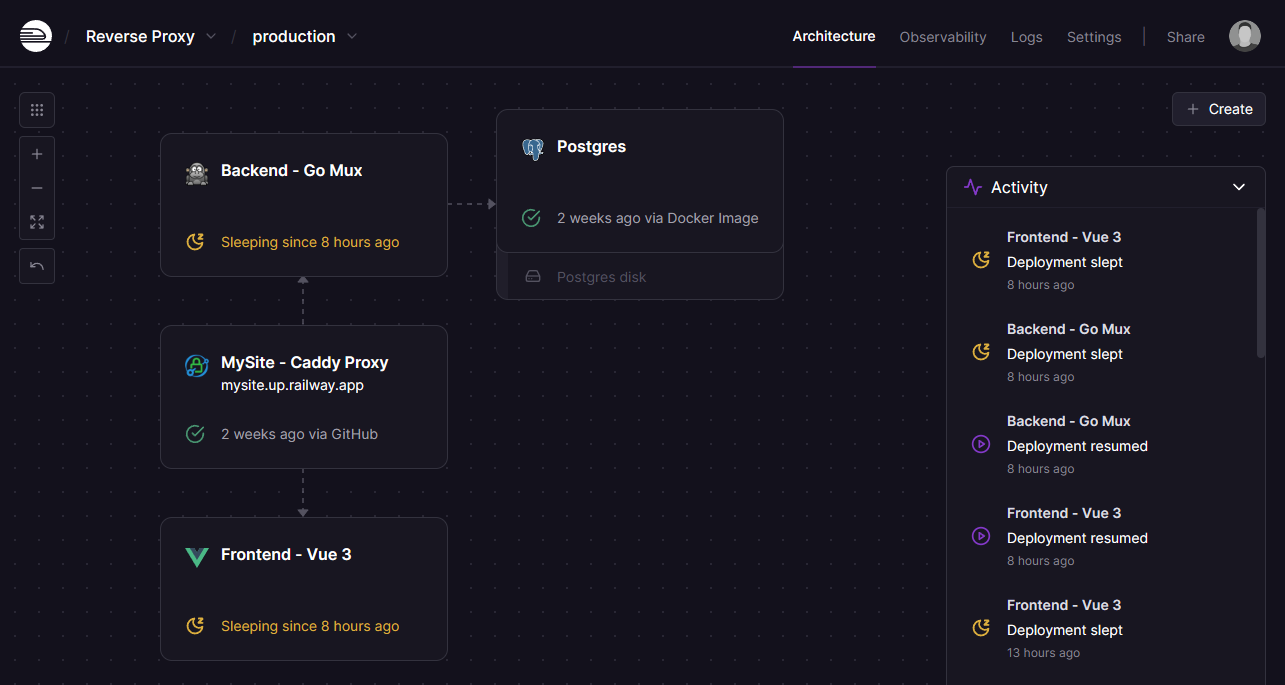
You authenticate Railway with your GitHub account and point it at a repository. That's it. Railway reads your code using its open-source "Nixpacks" build system, automatically installs the correct dependencies, builds the image, and deploys it to a live, SSL-secured URL. If you push a new commit to your main branch, Railway automatically catches the webhook and deploys the update with zero downtime. You can spin up attached PostgreSQL databases or Redis caches directly on the same canvas with a single click.
3. Core Features
4. The Data: The Cost of Over-Provisioning
Traditional cloud providers force you to guess your traffic and pay for fixed server sizes 24/7. Railway charges you precisely for the CPU and RAM your app actually consumes per second.
5. The Technical Setup (Nixpacks vs Docker)
The genius of Railway lies in how it handles containerization.
If you are a DevOps wizard, you can absolutely drop a custom `Dockerfile` into your repo, and Railway will respect it and build your image perfectly. However, if you don't know (or don't want to write) Docker commands, Railway uses Nixpacks. This open-source engine analyzes your project files (e.g., seeing a `package.json` and a Next.js configuration), determines the exact system packages needed, and compiles an optimized OCI-compliant image automatically.
6. Practical Workflow & Timeline
Here is what the "Zero-to-Production" pipeline looks like for a modern developer:
Step 1: The Canvas
Open a new Railway project. Click "Add Database" and select Postgres. Railway instantly provisions the cluster.
Step 2: GitHub Sync
Click "Deploy from GitHub" and select your backend API repository. Railway automatically reads the codebase and begins the build process.
Step 3: Environment Variables
Railway natively injects the new Postgres `DATABASE_URL` directly into your backend service. No manual copy-pasting required.
Step 4: Custom Domain
Attach your custom domain. Railway automatically provisions an SSL certificate and handles the load balancing. Your app is live.
7. Example Use Cases
8. The Real ROI (DevOps vs. Output)
Hover over the metrics below to see the baseline operational advantages of utilizing a managed PaaS.
Eliminates the time spent managing Linux security updates, renewing SSL certs, and configuring VPC networks.
Automated health checks ensure that if your new code crashes, Railway halts the deployment and keeps the previous stable version live.
9. Who Railway Is Best For
- Bootstrapped Founders: If you are a solo developer trying to get an MVP to market, Railway allows you to build complex infrastructure visually without a DevOps background.
- Heroku Refugees: If you are tired of Heroku's exorbitant pricing for background workers and databases, Railway offers significantly more compute for a fraction of the cost.
- Agencies: The usage-based billing means you don't pay massive overhead for a client's staging site that gets zero traffic.
10. Who Should Avoid Railway
- Static Sites: If you are just hosting a static HTML/CSS blog or a simple Gatsby site with no backend logic, Railway is overkill. Use Vercel or Netlify for free edge-caching.
- Massive Enterprise Legacy: If you are running an ancient monolithic application that requires deep, bare-metal server access or hyper-specific AWS proprietary integrations, a managed PaaS will feel restrictive.
11. Pricing & Compute Limits
Railway uses a beautifully transparent, strictly usage-based pricing model. You only pay for the exact CPU and RAM your containers consume.
Hobby Plan
- Includes $5 of compute usage
- Up to 48 vCPU / 48 GB RAM per service
- Up to 5 GB storage
- Ideal for side projects & MvPs
Pro Plan
- Includes $20 of compute usage
- Up to 1,000 vCPU / 1 TB RAM
- Up to 42 Replicas per service
- Unlimited workspace seats
12. Best Practices: "The Alpha Plan"
If you want to drastically improve your engineering team's output and eliminate QA bottlenecks, you must execute the Alpha Plan for staging infrastructure. Stop testing code in production.
13. How Railway Compares
| Feature | Railway | Heroku | Vercel |
|---|---|---|---|
| Primary Focus | Full-Stack & Databases | Legacy Full-Stack | Frontend & Edge |
| Pricing Model | True Usage-Based (Per Second) | Fixed Monthly Dynos | Generous Free / Strict Limits |
| Docker Support | Native & First-Class | Supported but clunky | Limited |
| Private Networking | Automatic Built-in | Enterprise Tiers Only | N/A |
14. Limitations & Reality Check
- No Serverless Edge: Railway runs persistent containers. If you rely heavily on highly distributed, serverless edge functions for global latency optimization (the way Vercel or Cloudflare does), Railway’s localized container model is fundamentally different.
- Egress Costs: While compute is incredibly cheap, moving massive amounts of data out of the network (egress) costs $0.05 per GB. If you are building a video-streaming platform moving terabytes of bandwidth daily, you will need a dedicated CDN in front of Railway.
15. PROS & CONS
- Zero-configuration GitHub deployments using Nixpacks.
- Usage-based billing is vastly cheaper than fixed AWS instances.
- Visual canvas makes visualizing microservices incredibly intuitive.
- Transient PR environments streamline the QA and review process.
- Not optimized for pure serverless/edge architectures.
- High-bandwidth applications must monitor egress fees.
16. Frequently Asked Questions
1. Do I need to know Docker to use Railway? +
No. Railway uses an open-source tool called Nixpacks that automatically detects your project's language (Node, Python, Go, etc.) and builds the container for you behind the scenes.
2. Does Railway support custom domains and SSL? +
Yes. You can attach multiple custom domains to any service. Railway automatically provisions, manages, and renews the SSL certificates for you.
3. Is it cheaper than Heroku? +
In almost all scenarios, yes. Because Railway charges per second of actual compute used, rather than charging for a fixed, 24/7 "Dyno," most startups report saving 40% to 75% when migrating from Heroku.
4. What databases are supported natively? +
You can deploy PostgreSQL, MySQL, Redis, and MongoDB directly from the Railway dashboard with a single click. The platform automatically manages the clustering and environment variables.
5. What happens if my deployment fails? +
Railway utilizes health checks. If you push bad code that causes your app to crash on boot, Railway will automatically abort the deployment and keep the previous healthy version live, ensuring zero downtime.
6. Can I deploy a frontend like Next.js or React? +
Yes. While Vercel is highly optimized for frontend frameworks, Railway handles Next.js, Nuxt, and React perfectly, especially if your application relies heavily on a connected backend or custom database.
7. Is there a free trial? +
Yes, new users can sign up for a 30-day free trial that includes a $5 credit grant, allowing you to test deployments and databases before inputting a credit card.
8. How does the Pro plan differ from Hobby? +
The Pro plan ($20/mo minimum) unlocks massive scale. It allows for up to 1,000 vCPU, 42 horizontal replicas for load balancing, 30 days of log retention, and unlimited team collaboration seats.
17. Final Verdict
Building a great software product is hard enough; you shouldn't have to fight your hosting provider just to get it live. While raw AWS instances offer absolute control, the required DevOps overhead is a massive distraction for a scaling startup.
Railway hits the perfect sweet spot. It provides the frictionless, "push-to-deploy" magic that made Heroku famous, but backs it up with modern containerization, powerful visual infrastructure management, and highly aggressive usage-based pricing. If you want to write code and let the cloud handle the rest, Railway is the ultimate deployment platform.
Deploy Your Infrastructure Today →