

As consumer communication shifts away from standard email toward instant messaging, businesses are increasingly adopting WhatsApp as a primary support and sales channel. However, the standard WhatsApp Business app is severely limited; it generally restricts a business to a single smartphone device, making it impossible for a growing support team to handle hundreds of inquiries simultaneously.
Wati.io was developed to solve this bottleneck. Operating as a recognized Business Solution Provider (BSP) for the WhatsApp Business API, it promises to transform a single WhatsApp number into a multi-agent team inbox equipped with automated chatbots and broadcast marketing tools. But do their pricing structures and message markups scale efficiently for high-volume e-commerce stores? In this Wati technical audit, we examine their automation logic, CRM integrations, and the actual cost of template messages.
- Shared Team Inbox: Allows multiple customer support agents to operate from a single official WhatsApp number simultaneously.
- No-Code Automation: Features an intuitive drag-and-drop chatbot builder to automate answers to common FAQs, reducing inbound ticket volume.
- Broadcast Campaigns: Enables businesses to send targeted promotional messages with open rates that typically vastly outperform traditional email marketing.
- Volume Economics: While the base subscription is accessible, Wati applies an approximate 20% markup on Meta's official per-message rates, which can inflate costs during peak scaling.
1. Quick Summary
2. The TL;DR Verdict
Scale Your Chat Infrastructure
Wati provides a substantial operational shift for consumer-facing brands. By replacing a chaotic, single-device WhatsApp setup with a structured, multi-agent dashboard, it allows teams to assign tickets, set SLAs, and automate routine queries natively. If you are aiming to reduce support response times and leverage WhatsApp for abandoned cart recoveries, migrating to Wati represents a highly practical backend upgrade.
Deploy Your WhatsApp Inbox →3. Pros & Cons
- Shared inbox effectively eliminates the need to pass a single phone between agents.
- No-code chatbot builder is robust and handles tier-1 support queries effectively.
- Native integration with Shopify drastically improves order status update automations.
- Provides official Meta verification (Green Tick) assistance during onboarding.
- Charges a ~20% markup on top of Meta’s official per-message template rates.
- Base plans have strict user limits, and adding extra support seats is expensive.
- Automated "triggers" are capped monthly, requiring costly add-ons if you scale heavily.
4. How We Evaluated Wati
To ensure an objective operational audit, we deployed Wati in a simulated e-commerce support environment over a 30-day testing cycle. Our evaluation process included:
- Inbox Routing Testing: Simulating high-volume inbound queries to measure the accuracy of auto-assignment rules and Service Level Agreement (SLA) alerts.
- Chatbot Efficacy: Building a tiered keyword-based workflow to handle common refund and shipping questions, measuring the frequency of necessary human handoffs.
- Broadcast Delivery: Sending verified marketing templates to opted-in contact lists to evaluate deliverability rates and analytics tracking delays.
- Cost Analysis: Modeling the Total Cost of Ownership (TCO) by calculating Wati's base subscription plus their specific percentage markup on Meta's utility and marketing messages.
5. What Wati Actually Does
Wati serves as an orchestration layer between your business and the official WhatsApp Business API.
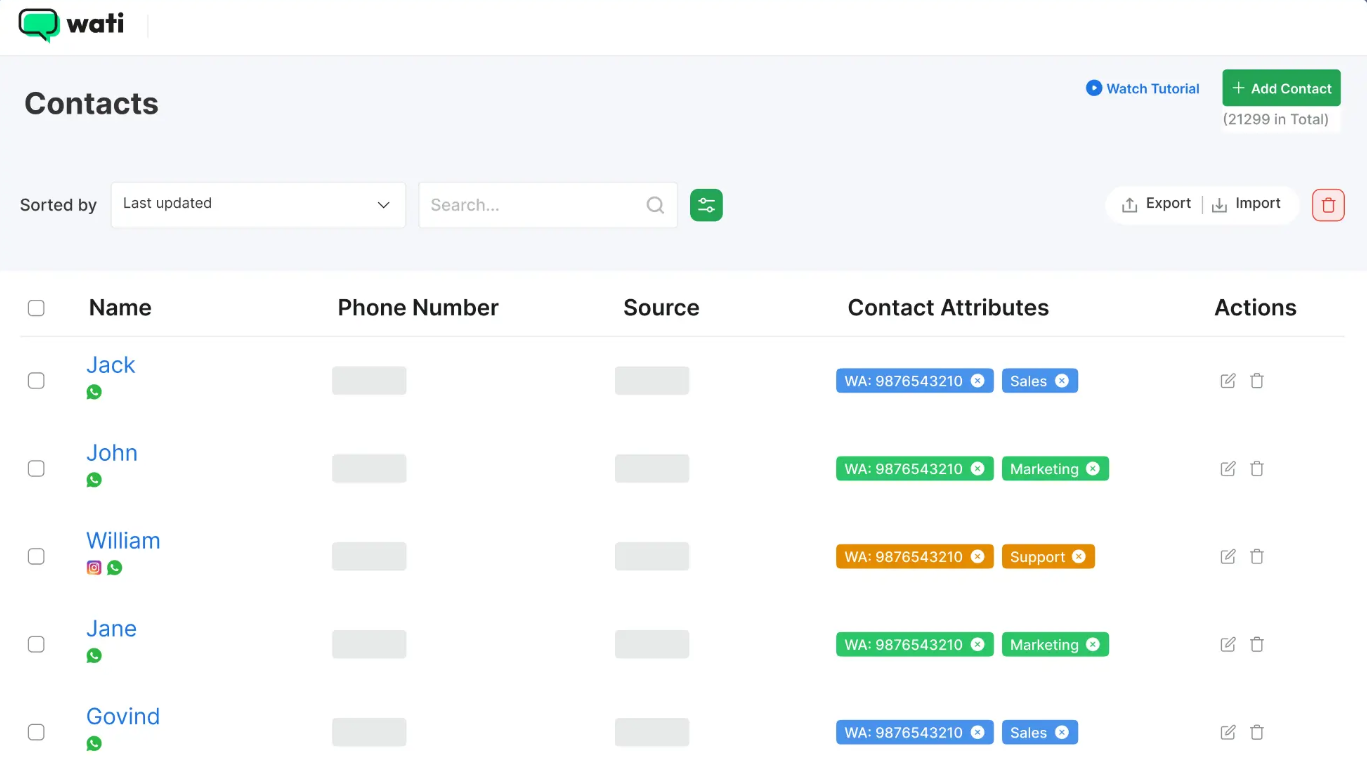
Because the WhatsApp API lacks a user interface out of the box, businesses cannot use it without a software dashboard. Wati provides that dashboard. It connects your official business number to Meta's servers, allowing you to route incoming chats to various human agents on their computers, build automated response trees, and send bulk promotional campaigns without violating WhatsApp's strict spam policies.
6. Core Features Matrix
7. The Data: The Cost of Fragmented Communication
When support channels are isolated, response times increase and cart abandonment rates soar. Here is a baseline look at the operational shift when transitioning to an integrated API inbox.
8. How Wati Compares to the Market
To understand Wati's positioning, we must evaluate it against other leading WhatsApp Business Solution Providers (BSPs) based on interface capabilities and billing structures.
| Feature | Wati.io | Interakt | Heltar |
|---|---|---|---|
| Primary Focus | Team Inbox & E-commerce | Basic Multi-Agent Support | Advanced Conversational Flows |
| Starting Price | ~$59 / mo | ~$15 / mo | ~$50 / mo |
| Message Pricing Model | Meta Rates + ~20% Markup | Platform-specific Markup | Predictable Tiered Markup |
| Chatbot Builder | Excellent (Drag-and-Drop) | Basic Auto-replies | Advanced (Multi-step) |
9. Wati vs Interakt: Which is Better?
Interakt is frequently compared to Wati as a budget-friendly alternative. While Interakt provides a lower barrier to entry, the platforms differ significantly in operational depth.
- Significantly more robust visual chatbot builder for complex workflows.
- Deeper, more stable native integration with Shopify for abandoned cart flows.
- Stronger internal team collaboration tools (SLAs, advanced agent tagging).
- Much cheaper baseline subscription plan for small teams.
- Offers native Indian Rupee (INR) billing for local merchants.
- Simpler interface if complex automation is not required.
10. Wati vs Heltar: The Scaling Debate
Heltar represents an alternative scaling model. While Wati charges based on monthly platform fees, per-user limits, and a percentage markup on every template message sent, Heltar often focuses on a flatter "per-automated-session" fee architecture. If a business runs deeply complex, multi-step automated journeys, Wati's per-message markup can quickly inflate invoices, whereas alternative models may provide more predictable unit economics for heavy volume.
11. Workflow & Deployment Timeline
Here is what the execution pipeline looks like for onboarding a customer support team:
Step 1: API Onboarding
Connect a dedicated phone number to Wati and initiate the Meta Business Manager verification process to unlock full messaging limits.
Step 2: Team Provisioning
Invite customer support agents to the dashboard. Define user roles (Admin vs. Operator) to restrict access to sensitive billing settings.
Step 3: Workflow Automation
Build a primary chatbot. Set rules routing phrases like "Where is my order" to a tracking bot, and "Talk to human" to the sales team inbox.
Step 4: Campaign Launch
Submit promotional message templates (e.g., Black Friday discounts) to Meta for approval, then broadcast them to your opted-in subscriber segments.
12. Feature Focus: The Shared Team Inbox
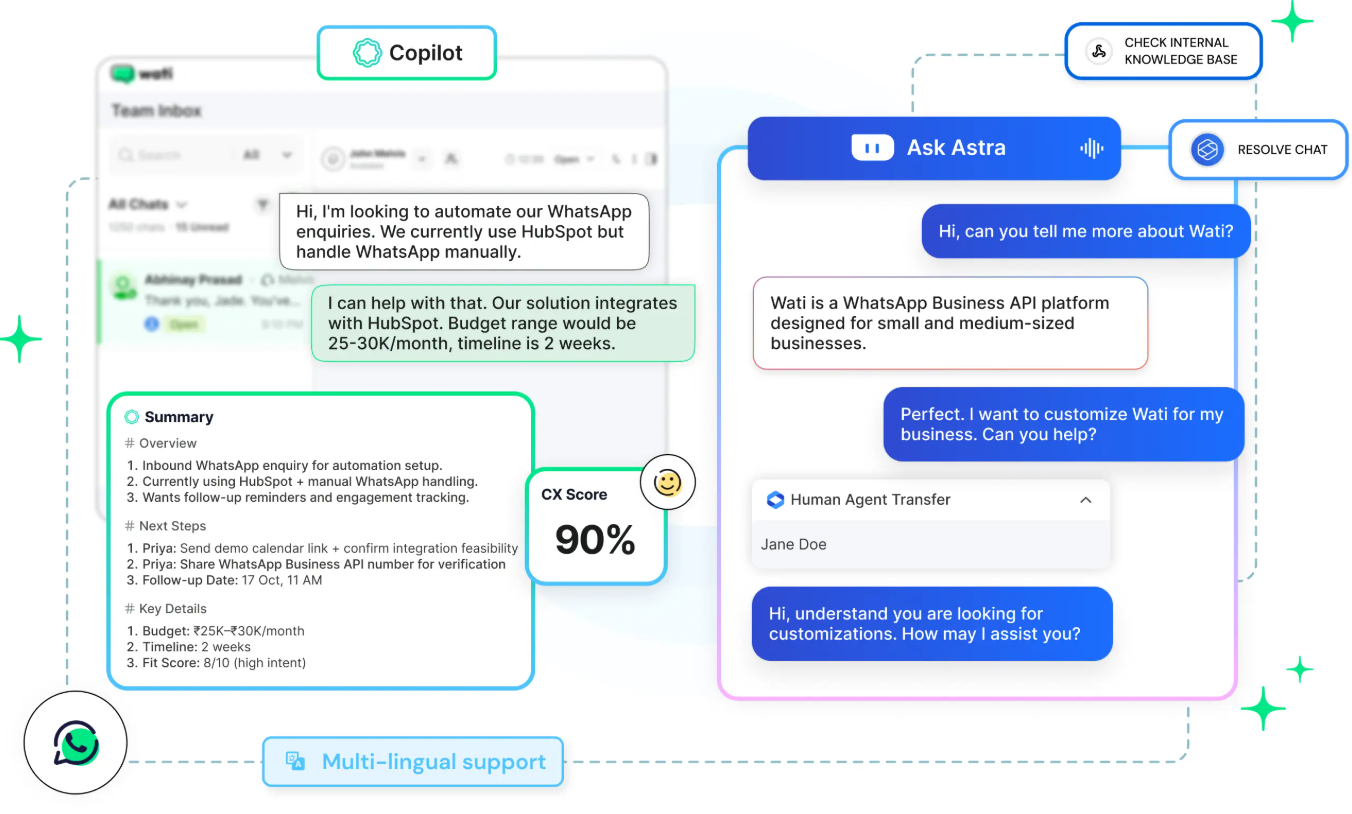
The shared inbox is Wati's foundational pillar. It allows a business to project a unified front through a single phone number. When a message arrives, the dashboard resembles a modern ticketing system. Agents can claim chats, leave internal private notes for colleagues ("This customer requested a refund yesterday"), and mark conversations as resolved, ensuring no client inquiries slip through the cracks.
13. Feature Focus: No-Code Chatbot Builder
Deploying bots on the official API typically requires developer resources. Wati abstracts this complexity by providing a visual, node-based builder. You can establish "Keyword Actions." For example, if a user replies "Pricing," the bot instantly fires a pre-written text template containing your service tiers, effectively absorbing tier-1 support queries without human intervention.
14. Example Use Cases
15. Operational Advantages
WhatsApp promotional broadcasts consistently yield drastically higher open and engagement rates compared to traditional email marketing newsletters.
By deploying a tier-1 chatbot to handle routine status inquiries, human agents are freed to focus exclusively on complex support escalations.
16. Who Wati Is Best For
- D2C and E-commerce Stores: Businesses that require a reliable method to recover abandoned carts and send high-conversion promotional alerts.
- Growing Support Teams: Companies transitioning from a single WhatsApp business phone to a structured 3-5 person digital support desk.
- International Retailers: Brands operating in regions where WhatsApp is the dominant communication channel (e.g., India, Brazil, LATAM, Europe).
17. Who Should Avoid Wati
- Solo Freelancers: If you are a team of one handling low message volumes, the standard (free) WhatsApp Business App is likely sufficient without incurring API platform fees.
- Enterprise DevOps: Organizations requiring highly specialized, headless API infrastructure to build custom conversational applications may prefer working directly with providers like Twilio or MessageBird.
18. Real User Sentiment
Across software directories and aggregate review platforms, Wati generally maintains a strong reputation for usability:
- The Praise: The consensus points to the platform's accessibility; operations managers appreciate the ease of setting up workflows without consulting developers. The Shopify integration is frequently cited as a major operational benefit.
- The Complaints: The primary critique centers on billing opacity. Because Wati utilizes a hybrid billing model—a flat monthly platform fee combined with variable message costs and user add-on fees—businesses experiencing sudden viral traffic spikes often report unexpectedly high monthly invoices.
19. Pricing Realities & Feature Tiers
Wati's pricing structure requires careful analysis, as costs scale across three axes: the base plan, the number of active users, and raw message volume. *(Note: Pricing varies slightly by region; standard USD annual billing is referenced).*
Growth Plan
- Includes 3 Users
- 1,000 Automation Triggers
- Basic Chatbot Builder
- Message markup fees apply
Pro Plan
- Includes 5 Users
- 2,000 Automation Triggers
- Advanced Chatbots & Analytics
- Message markup fees apply
20. The Hidden Costs & Message Markups
The base subscription is only a fraction of the Total Cost of Ownership. First, Meta charges a fee for every "business-initiated" conversation (Marketing, Utility, Authentication). Independent audits indicate that Wati adds an approximate 20% markup on top of these official Meta rates. Secondly, automation triggers are capped. If you exceed 1,000 chatbot actions on the Growth plan, you must purchase overage add-ons. Finally, the Growth plan has a hard cap on users; adding a 4th or 5th support agent forces a tier upgrade or incurs high per-seat penalty fees.
21. Best Practices: "The Alpha Plan"
To effectively leverage the platform while controlling costs, you must deploy a strict message segmentation strategy.
22. Security & Compliance
Wati operates within Meta’s required security frameworks. All messages sent via the WhatsApp Business API are secured with end-to-end encryption in transit between the API node and the end user. However, businesses handling sensitive health or financial data must ensure their specific data storage policies align with local compliance regulations, as chat transcripts are logged within the Wati platform interface.
23. Is Wati Worth It in 2026?
For e-commerce brands and support teams looking to professionalize their WhatsApp presence, Wati represents a highly capable solution. If you are currently struggling with delayed response times and require a visual system to automate workflows, Wati delivers an intuitive, ready-to-deploy product. Organizations should carefully map their anticipated monthly message volume to properly budget for the associated markup fees.
24. Frequently Asked Questions
Can I use my existing WhatsApp number with Wati?
Yes. However, the number must be completely disconnected from the standard WhatsApp Business mobile app before it can be registered and ported to the official WhatsApp API via Wati.
Is there a limit on how many messages I can send?
Meta enforces tier-based messaging limits for new API numbers (starting at 1,000 business-initiated conversations per day) which scale up automatically as your quality rating is maintained and volume increases.
Do I have to pay Meta and Wati separately?
No. Wati manages the billing infrastructure. You load a pre-paid wallet within the Wati dashboard, which deducts funds to cover both Meta's base message fees and Wati's platform markups.
What is a message template?
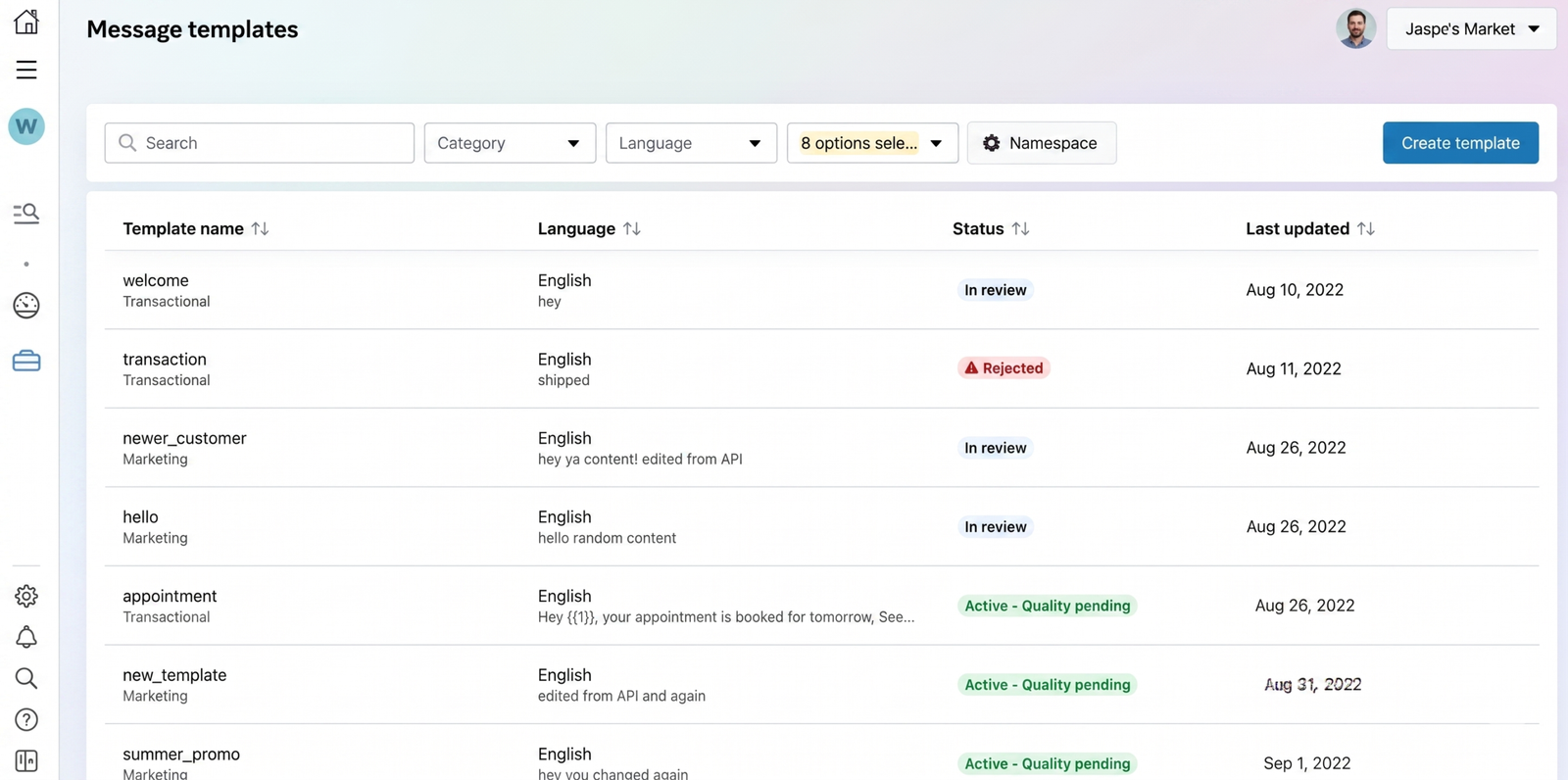
To initiate a conversation with a customer, WhatsApp requires businesses to use pre-approved "Templates" to prevent spam. Once a customer replies, a 24-hour "Service Window" opens, allowing free-form texting.
Does Wati support Shopify?
Yes. Wati offers a native Shopify integration that can automatically trigger WhatsApp messages based on order events, such as shipping confirmations or abandoned cart alerts.
Are user seats included in the base price?
The Growth plan includes 3 users, and the Pro plan includes 5 users. Adding extra agents requires paying a per-seat monthly fee, which varies depending on your active subscription tier.
Can I build a chatbot without coding?
Yes. Wati provides a visual, node-based chatbot builder that allows you to construct automated reply sequences, capture data, and route specific keywords to human agents without requiring a developer.
Is there a free trial available?
Wati typically offers a restricted 7-day free trial that allows users to explore the dashboard and build basic workflows, though actual API messaging requires official Meta registration and funding.
25. Final Conclusion
Relying on a single smartphone to manage corporate communications is an operational bottleneck. As customer expectations for instant, personalized support rise, transitioning to an API-driven infrastructure becomes critical for sustained growth.
Wati.io serves as a robust management layer for the WhatsApp Business API. By consolidating a shared team inbox, visual automations, and e-commerce integrations into a single dashboard, it offers tangible efficiency gains. For brands prepared to manage the ongoing variable costs of message volume, Wati provides a highly structured environment to scale conversational commerce successfully.
Launch Your WhatsApp Operations Today →