

Upgrading from a personal cell phone to a dedicated business line is the first major operational hurdle for any startup. For years, the default answer was Google Voice. But as teams move towards remote collaboration, the limitations of legacy VoIP systems have become glaringly obvious. Missing calls after hours bleeds revenue, and siloed inboxes ensure that your sales and support teams are constantly stepping on each other's toes.
Quo (formerly OpenPhone) was built specifically to solve these collaboration bottlenecks. It treats your business phone not as a physical line, but as a unified, AI-powered team inbox. But is it worth paying for a specialized platform, or should you just stick with the familiar Google ecosystem? We compared the two infrastructures to find the ultimate startup VoIP solution.
1 The TL;DR Verdict
The decision here dictates how your team communicates internally. Google Voice for Business acts like a traditional, personal phone extension; it is cheap ($10/mo), but it requires you to buy into the Google Workspace ecosystem ($6+/mo) and actively fights against team collaboration. Quo is the modern standard. By consolidating calls, texts, and voicemails into a shared inbox and utilizing the Sona AI Agent to answer 24/7, Quo stops acting like a phone system and starts functioning like a dedicated digital receptionist.
2 At a Glance: Feature Showdown
| Core Capability | Quo (Formerly OpenPhone) | Google Voice |
|---|---|---|
| Shared Team Inboxes | Native & Deeply Collaborative | Minimal / Isolated Numbers |
| AI Capabilities | Sona 24/7 Agent, Auto-Summaries | Basic Voicemail Transcription |
| CRM Integrations | HubSpot, Salesforce, Zapier | None (Requires expert-tier add-ons) |
| True Starting Price | $15 / user / month | $16+ / user / mo (with Workspace) |
3 Meet Contender A: Quo
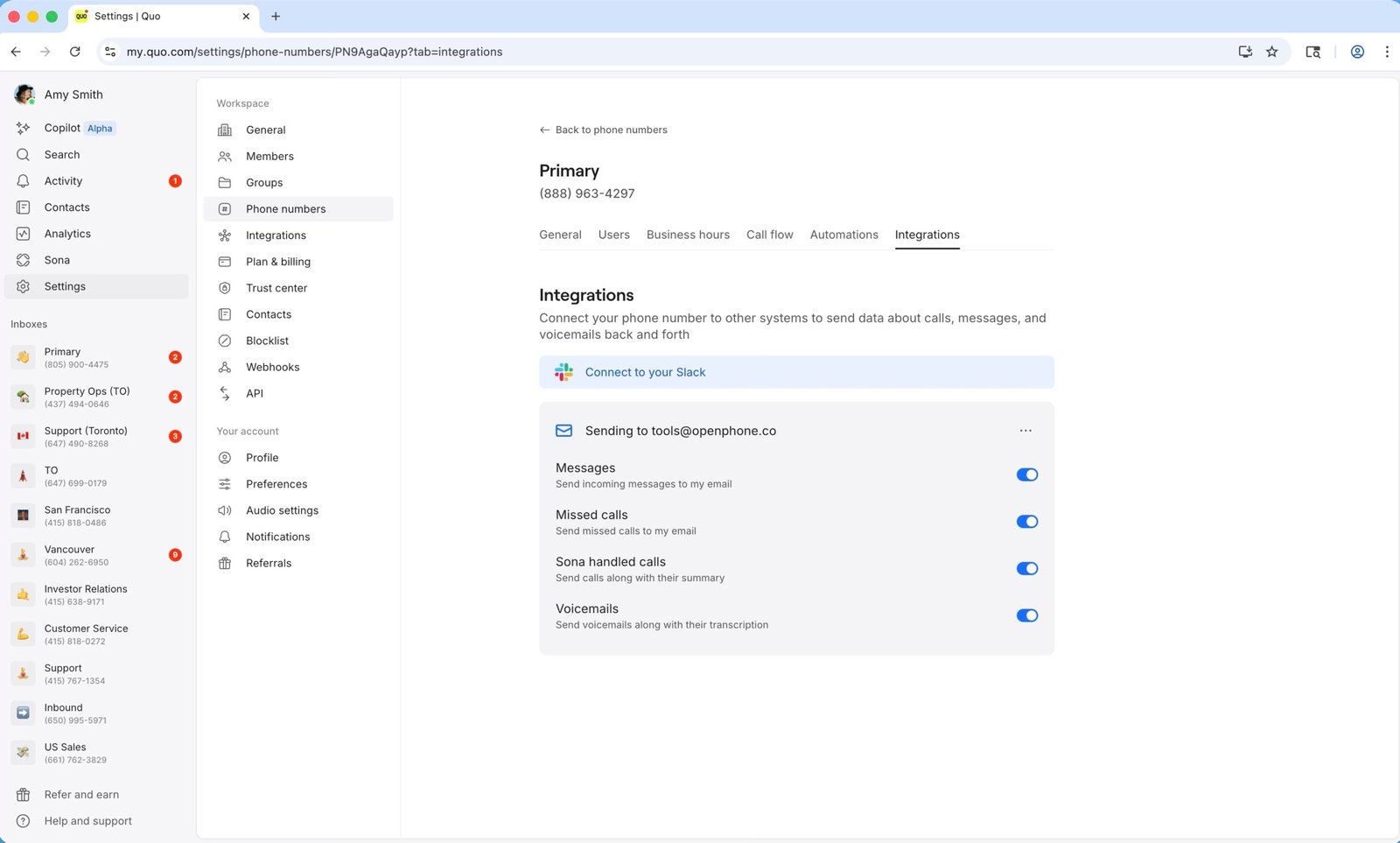
Quo (the recent rebranding of OpenPhone) was engineered to fix the fragmentation of business communication.
Instead of assigning one phone number per employee, Quo allows multiple team members to share a single number (like a main support line). Every call, text message, and voicemail routed to that number appears in a shared thread. If a customer texts a complex question, a support rep can internally @mention a manager on that exact message thread to get advice before replying to the customer. It integrates natively with HubSpot and Salesforce to automate data entry.
4 Meet Contender B: Google Voice
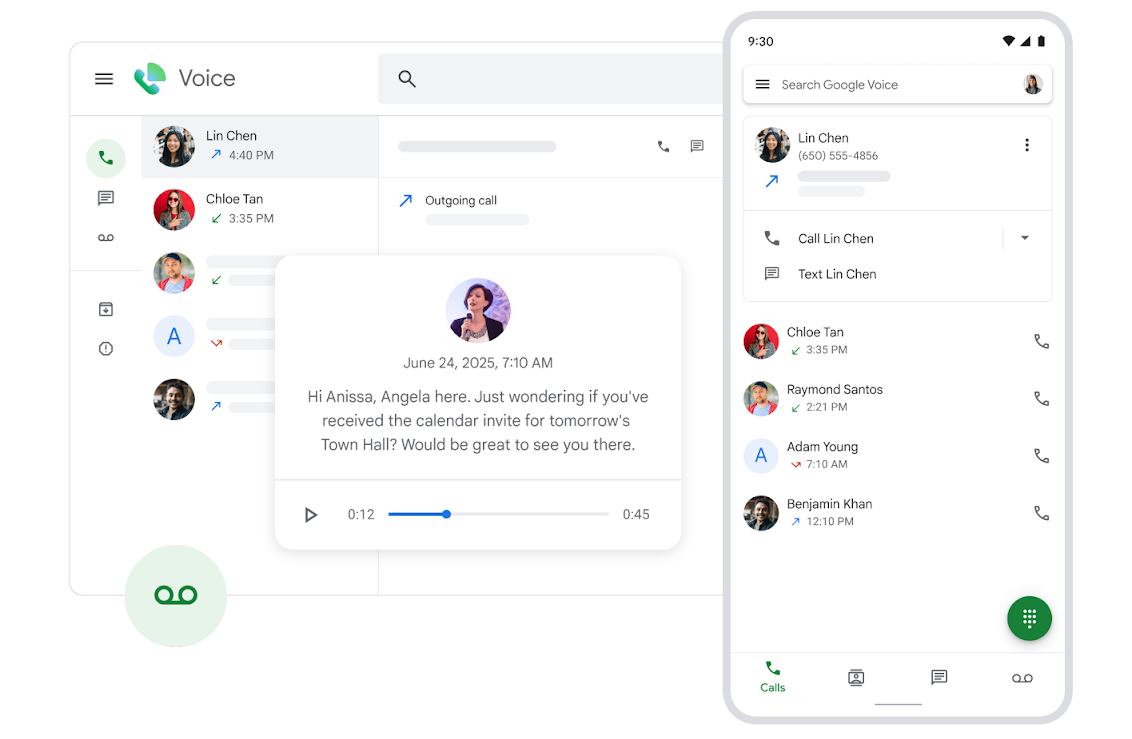
Google Voice for Business is essentially a digital extension cord. It is highly reliable and provides unlimited domestic calling, but it is built on a 1-to-1 paradigm.
Each employee gets their own number. While Google offers "Ring Groups" on their Standard ($20/mo) plan to allow multiple phones to ring at once, the actual texting and voicemail inboxes remain frustratingly isolated. It is designed primarily for solo entrepreneurs or massive organizations where employees don't need to collaborate on the same client conversation.
5 Round 1: Team Collaboration
Quo shines here. Teammates can reply together in shared threads, schedule text messages for later, and utilize pre-built message snippets for faster replies. It prevents the "Did you text that client back?" confusion entirely.
Google Voice is a personal line. It lacks internal thread commenting, shared SMS capabilities, and advanced text scheduling. If an employee goes on vacation, accessing their specific client texts is an operational headache.
Round 1 Winner: Quo
Quo operates like a modern Slack channel for your phone calls; Google Voice operates like an old desk phone.
6 Round 2: AI & Automation
Listening to 20-minute call recordings to update CRM notes is a massive waste of operational time.
Google Voice provides highly accurate, basic voicemail transcriptions sent to your email. Quo provides the Sona AI Agent, which can actually answer the phone 24/7, qualify leads, and route the caller. Furthermore, Quo automatically transcribes the entire live call and generates bulleted summaries and action items.
Round 2 Winner: Quo
Quo's Sona AI acts as a tireless digital receptionist; Google Voice just records messages.
7 Round 3: The Ecosystem Lock-in
The most deceptive part of Google Voice for Business is its pricing structure. While it advertises a $10/user/month Starter plan, it strictly requires an active Google Workspace subscription to function. Since Workspace starts at roughly $6/user/month, the actual base cost of Google Voice is $16/user/month.
If your company operates on Microsoft 365, you are entirely locked out of Google Voice unless you want to pay for a redundant email ecosystem. Quo works with any email provider and any device on day one, completely freeing you from vendor lock-in.
Round 3 Winner: Quo
Quo operates independently and hooks into the CRMs you actually use (Salesforce/HubSpot).
8 Performance Data: Operational Time Debt
Here is how the lack of native CRM integrations impacts a sales manager's weekly workflow.
9 Advanced Strategy: The Single Truth Pipeline
Do not use your VoIP as a standalone tool. Connect Quo to HubSpot immediately. When the Sona AI takes an after-hours call, it generates a transcript and an action-item summary. By routing this data payload via Webhooks or the native HubSpot integration directly into the specific client's contact record, your sales reps wake up to a fully updated pipeline. They don't have to check the phone app; they just look at the CRM and click the "Click-to-Call" extension to dial the prospect back instantly.
10 Pricing Showdown
When you factor in Google's required Workspace subscription, Quo's feature density provides vastly superior value for growing teams.
Quo Starter
- Unlimited US/CAD Calling & SMS
- Shared Phone Numbers (Up to 10 users)
- Sona AI Agent (Handled calls)
- Message templates & scheduling
Google Voice Starter
- $10 base + required Workspace fee
- Unlimited US Calling & SMS
- Google Calendar/Meet Integration
- No Auto-Attendant or Ring Groups
11 Ideal Customer Profiles
- You should use Quo if: You are a startup, local service business, or sales agency where multiple people need to monitor the same inbound support line, send automated text replies, and leverage AI to summarize calls directly into a CRM.
- You should use Google Voice if: You are a solo freelancer who is already deeply embedded in the Google Workspace ecosystem and just needs a cheap, reliable second number for your cell phone to keep clients away from your personal line.
12 The Dealbreakers (What Users Hate)
- Quo's TCR Bottleneck: To send SMS messages to US numbers, you must register your business with The Campaign Registry (TCR) and pay a one-time $19.50 manual review fee. This is an industry-wide FCC mandate, but it delays instant texting capabilities.
- Google Voice's Rigid Tiers: If you want a basic Auto-Attendant ("Press 1 for Sales"), you are forced to upgrade to Google's Standard plan ($20/mo). If you want call recording, you must buy the Premier plan ($30/mo). Quo offers ad-hoc and auto-recording much more accessibly.
13 The Missing Piece: Outbound Velocity
14 Security & Compliance
For healthcare and medical operations, compliance is a hard filter. Google Voice isn't HIPAA compliant natively unless paired and configured correctly with a high-tier Workspace subscription. Quo (formerly OpenPhone) offers a signed Business Associate Agreement (BAA) and secure PHI storage, but you must be on their Business or Scale tiers to access HIPAA compliance frameworks.
15 The Pros & Cons Breakdown
- Shared team numbers prevent communication silos and lost leads.
- Sona AI acts as a 24/7 digital receptionist, routing and logging calls.
- Does not require you to migrate your company's email ecosystem.
- Deep, native CRM integrations with HubSpot and Salesforce.
- TCR registration causes delays in outbound SMS capabilities.
- Strictly VoIP—relies entirely on a strong internet connection.
- Incredibly reliable uptime and crisp audio quality over WiFi/LTE.
- Deeply integrated with Google Meet and Calendar natively.
- Very easy to assign numbers if you already use Google Workspace admin.
- Requires an active, paid Google Workspace subscription to function.
- Terrible for team collaboration; no shared SMS threads.
16 Frequently Asked Questions
1. Does Google Voice support shared team phone numbers?
Google Voice has very limited team routing capabilities. Each user gets their own number, and shared inboxes are missing. Quo includes shared team numbers with full call and text routing natively.
2. Do you need Google Workspace to use Google Voice for business?
Yes. Google Voice for Business requires an active Google Workspace subscription starting at roughly $6/user/month, making the real minimum cost $16/user/month combined. Quo works with any email provider.
3. Can I send automated texts or schedule messages?
Quo allows users to set up automatic text replies, create message snippets, and schedule text messages for later. Google Voice does not offer these advanced SMS marketing features.
4. Does Google Voice have AI call summaries?
No. Google Voice offers basic voicemail transcription but does not provide AI call summaries or conversation intelligence. Quo includes the Sona AI to automatically summarize calls and extract action items.
5. What is the TCR fee?
To send SMS messages from a business application to US numbers without being marked as spam, the FCC requires registration with The Campaign Registry (TCR). Quo facilitates this for a $19.50 one-time fee.
6. Do these systems provide toll-free numbers?
Quo offers toll-free numbers, allowing companies to establish a nationwide presence. Google Voice does not offer toll-free numbers; you can only select local geographic numbers.
7. Can I record my calls?
Quo offers call recording across its plans, with automatic recording available on Business tiers. Google Voice restricts ad-hoc call recording to its Standard plan, and automatic recording is locked behind the $30/mo Premier plan.
8. Do either of these platforms use carrier minutes?
No. Both Quo and Google Voice are Voice over Internet Protocol (VoIP) platforms. They transmit calls using your internet connection (WiFi or cellular data), completely bypassing traditional carrier voice limits.
17 Final Verdict: Which Should You Choose?
The telecom infrastructure you choose sets the ceiling for your customer experience.
If you are a solo freelancer operating entirely inside Google Docs and Gmail, and you just need a dedicated number to keep clients off your personal cell phone, Google Voice is a reliable, familiar choice.
However, if you are a scaling startup or an operations team, communication silos are unacceptable. Quo is the definitive upgrade. By providing true shared inboxes, deploying an autonomous AI agent to handle after-hours routing, and directly syncing call transcripts to your CRM, it transforms your business phone from a noisy distraction into an automated data asset.