


Watch an inside sales rep work for an hour and count the tabs: the CRM, the dialer app, the SMS tool, the email sequencer, and a notepad for what actually happened on each call. Every switch between them is a few seconds of friction — and across fifty calls a day, that friction quietly eats a quarter of the selling time you're paying for.
Close was built on a simple bet: put the phone inside the CRM and most of that friction disappears. Calling, SMS, and email are native to the product — you buy numbers, dial lists, and text prospects without ever leaving the lead record. It remains the best pure sales-execution CRM we've tested. But 2026 brought the biggest shake-up in years: Close scrapped its old Startup/Professional/Enterprise plans for a new four-tier lineup, added an AI agent called Chloe, and re-gated the dialers that made it famous. Here's our fully updated Close CRM review.
- The plans changed — most reviews haven't: the Startup/Professional/Enterprise tiers you'll see quoted everywhere are gone. The 2026 lineup is Solo ($9), Essentials ($35), Growth ($99), and Scale ($139) per user/month on annual billing.
- Calling is native, not bolted on: Close runs its own telephony. Buy or port numbers, dial, text, and record inside the CRM — no Twilio setup, no separate dialer subscription.
- The dialers decide your tier: the Power Dialer now sits on Growth; the Predictive Dialer and live call coaching sit on Scale. Essentials gets manual click-to-call only.
- The seat price isn't the whole bill: call minutes, SMS, and AI enrichment are usage-billed on top. Budget for them or the invoice will surprise you.
Quick Summary
The CRM That Picks Up the Phone
Close wins on a single, ruthless idea: a rep should never leave the lead record to do their job. Because telephony is native, a Close seat replaces a CRM plus a dialer plus an SMS tool — and the Power Dialer turns list-working into an assembly line, auto-dialing through queues while the rep just talks. For teams making fifty-plus calls a day per rep, no mainstream CRM converts activity into conversations faster. The honest caveats: the features that make it famous start at the $99 Growth tier, and communication usage is billed on top of seats.
Quick Pros & Cons
- Calling, SMS, and email are truly native — one tool, one timeline.
- Power Dialer is the best in its class for volume calling.
- Smart Views turn lists into self-updating work queues.
- Chloe, the new AI agent, automates work inside workflows.
- Setup measured in hours, not implementation weeks.
- Support quality is consistently rated among the best in CRM.
- Call minutes, SMS, and AI enrichment are billed on top of seats.
- Power Dialer requires Growth ($99); Predictive requires Scale ($139).
- No marketing suite — no landing pages, forms, or nurture ads.
- Solo plan is capped at literally one user.
- Per-seat cost climbs fast for larger teams.
- Trial converts to paid — set a reminder before day 14.
What Close Actually Does
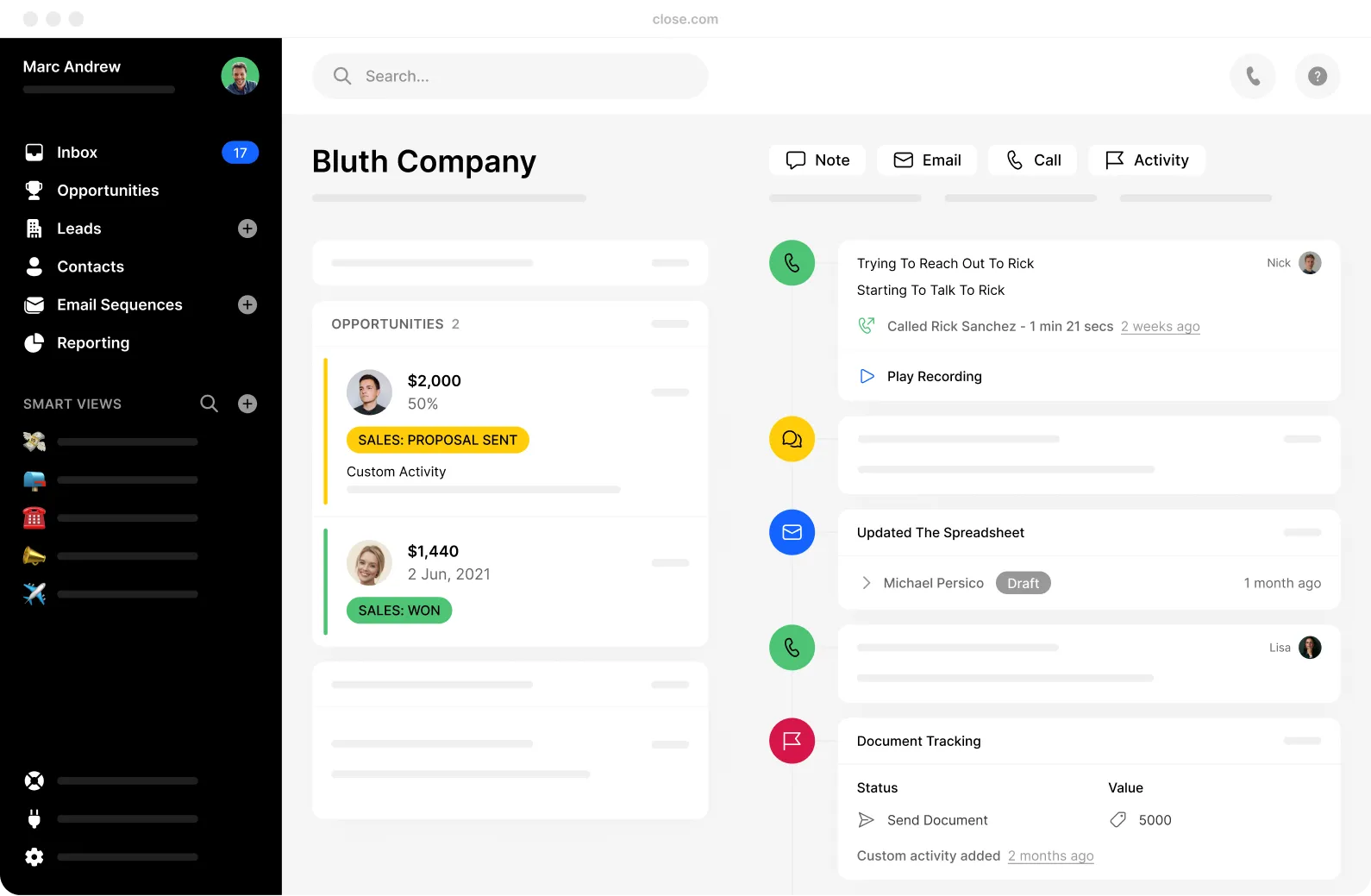
Close is a CRM for teams whose revenue comes from conversations — calls made, texts sent, emails answered. Instead of treating the phone as an integration, Close operates its own telephony: you buy or port numbers directly in the app, and every call, voicemail drop, SMS, and email lands on the lead's single timeline automatically. Two-way email sync means messages sent from Gmail or Outlook appear in Close and vice versa, with nothing logged by hand.
The organising layer is Smart Views — saved, self-updating lead searches that work like living call lists. "Trial users, no call in 4 days, timezone US-East" isn't a report you run; it's a queue a rep opens at 9am and dials straight through. Layer the Power Dialer on top and Close calls the list for you, connecting the rep only when a human answers. That combination — queue plus dialer plus automatic logging — is the entire pitch, and it's genuinely excellent.
What Close deliberately isn't: a marketing platform. There are no landing pages, no form builders, no ad tools. It assumes leads arrive from somewhere else — your ads, your site, or an outbound stack like Apollo or Snov.io — and its job begins the moment a human needs to work them.
Core Features
The 2026 Shake-Up: Close's Plans Are Not What You Read Elsewhere
If you've researched Close before, forget the plan names you saw. The long-running Startup ($49) / Professional ($99) / Enterprise structure — the one our own earlier review covered, and the one most comparison sites still quote — has been retired. The current lineup splits the market four ways instead of three:
- Solo replaces the bottom rung with a genuinely cheap single-seat plan — but strips out automation entirely.
- Essentials is the new first team plan, taking over roughly where Startup sat, minus the old 3-user cap.
- Growth inherits Professional's role as the real workhorse — and is now where the Power Dialer, workflows, and the new Chloe AI agent live.
- Scale replaces Enterprise, holding the Predictive Dialer, live coaching, and governance controls.
Why it matters practically: the features that define Close moved. If you're budgeting from an older article, you'll either under-buy (expecting the Power Dialer lower down) or over-buy (paying for Scale when Growth covers you). The gating now looks like this:
The Daily Workflow: List to Logged Call in Seconds
Step 1: Leads land in Close
Import a CSV, sync from your forms, or pipe in prospects from your outbound stack. Every lead gets one record with every future touch on a single timeline.
Step 2: Smart Views build the queue
Reps open a self-updating view — new trials, no-answer follow-ups, renewals due — instead of deciding who to call. The list is the manager.
Step 3: The dialer does the dialing
On Growth, the Power Dialer works the queue automatically, dropping pre-recorded voicemails on no-answers. On Scale, the Predictive Dialer runs multiple lines for maximum connects.
Step 4: Everything logs itself
Calls record, outcomes tag, and workflows queue the follow-up text or email — with Chloe handling steps like drafting and data updates so reps stay on the phone.
Close CRM Pricing in 2026 (The New Four-Plan Lineup)
All plans are per user, per month, with annual billing saving up to 35% versus monthly. Every tier includes the built-in calling, SMS, and email foundation; the 14-day free trial ships with small calling and AI credits so you can test the phone for real. Note there's no permanent free plan.
Solo
- 1 user only
- Built-in calling & email sync
- Pipeline view
- No workflows, AI, or Power Dialer
Essentials
- Unlimited users
- Email sequences & call routing
- Custom fields
- Manual click-to-call dialing
Growth
- Power Dialer unlocked
- Automated workflows + Chloe AI agent
- Bulk email & custom activities
- 90-day call recording · 10 email accounts
Scale
- Predictive Dialer
- Live call coaching (Listen/Whisper/Barge)
- Role-based permissions & lead visibility
- Unlimited call recording retention
Verified August 2026 against Close's current published pricing. AI credit allowances scale by tier (Growth includes 1,500 credits per user, pooled to 15,000/month). Plan names and gating changed in the 2026 restructure — treat any source still quoting "Startup/Professional/Enterprise" as outdated.
- Calling minutes are usage-billed. Every plan includes the dialer software, but the minutes themselves are metered. A team doing 50+ calls/rep/day should budget real money here and monitor usage monthly.
- SMS is billed per message on top of the subscription, at rates that vary by country.
- AI enrichment is usage-based beyond your plan's included credits, and the Call Assistant transcription add-on is priced separately.
- Premium phone numbers and extra organizations cost extra (additional orgs run about $50/month beyond the included one).
- The trial converts to paid — cancel before day 14 if it's not a fit, and keep the confirmation, as with any auto-renewing SaaS trial.
The Stack-Consolidation Math
The fair way to judge Close's $99 Growth seat isn't against a bare CRM — it's against the full stack it replaces. A typical alternative is a general CRM plus a separate cloud dialer like CloudTalk, plus an SMS tool, wired together with integrations someone has to maintain:
*The sticker prices land close — the difference is everything around them: one timeline instead of three, no integration to break, no double data entry, and reps who never tab-switch. That workflow gain, not the invoice, is Close's real advantage.
How Close Compares in 2026
| Feature | Close | Pipedrive + Dialer | GoHighLevel |
|---|---|---|---|
| Native Calling & SMS | Built-in, own telephony | Needs 3rd-party dialer | Built-in (Twilio-based) |
| Power / Predictive Dialer | Best in class | Depends on dialer chosen | Power Dialer available |
| Marketing Suite | None — sales only | Add-ons | Funnels, forms, email, ads |
| AI Assistant | Chloe (Growth+) | Basic AI features | AI employee add-ons |
| Ease of Setup | Hours | Days (two systems) | Weeks (steep curve) |
| Entry Price | $9/user/mo (Solo, annual) | ~$14/user + dialer | $97/mo flat (unlimited users) |
Who Close Is Best For
- Inside sales and SDR teams: The Power Dialer plus Smart Views is purpose-built for reps whose job is volume conversations. This is the core audience, and for them Close is close to unbeatable.
- High-velocity SMBs and startups: Short sales cycles, lots of leads, small team — Close's speed-to-first-call advantage compounds daily.
- Founder-led sales: Solo at $9/month (annual) is now one of the cheapest ways to get a real CRM with a real phone in it — just know you'll outgrow it the day you hire.
- Teams consolidating a messy stack: If you're currently paying for a CRM, a dialer, and an SMS tool separately, Growth usually costs about the same and removes two integrations.
- Coaching-driven sales orgs: Scale's Listen/Whisper/Barge plus unlimited recording retention makes rep development systematic rather than anecdotal.
Who Should Skip It
- Anyone needing marketing automation: No funnels, forms, or campaign tools exist here — that's a deliberate scope choice, not a gap they'll fill.
- Relationship CRMs on a budget: If your team makes five thoughtful calls a day rather than fifty fast ones, you're paying for dialers you'll never use.
- Email-first outbound shops: If sequences are your engine and calls are rare, a dedicated outreach stack (see our Lemlist review) does that job for less.
- Large enterprises with deep customization needs: Close trades configurability for speed. Complex approval chains and heavy admin layers aren't its game.
Limitations & Reality Check
- Usage is the invoice wildcard. Minutes, SMS, and AI enrichment scale with activity — the very thing Close is designed to maximise. Check the usage dashboard monthly for the first quarter until your run-rate is predictable.
- The famous features start at $99. Essentials is a fine manual-calling CRM, but the Power Dialer, workflows, and Chloe all begin at Growth. Budget for the tier you'll actually need, not the one on the banner.
- Old reviews will mislead you. The plan restructure means feature-gating claims from pre-2026 content — including which dialer sits where — are frequently wrong now.
- Telephony rates vary by country. Calling and SMS costs differ significantly by destination; international-heavy teams should model their specific mix before committing.
- No marketing means a second tool. You will still need something for capture and nurture; Close starts where forms end.
- Reporting is strong for activity, lighter for deep BI. Activity comparisons and funnel views are excellent; complex custom analytics may need an export.
Best Practice: The Execution-Layer Play
The teams that get outsized value from Close all run the same architecture — and it's the opposite of trying to make one tool do everything.
Frequently Asked Questions
How much does Close CRM cost in 2026?
Four plans, per user per month: Solo at $9 (annual) or $19 (monthly), Essentials at $35/$49, Growth at $99/$109, and Scale at $139/$149. Annual billing saves up to 35%. On top of seats, calling minutes, SMS, and AI enrichment beyond included credits are billed on usage.
Didn't Close have Startup, Professional, and Enterprise plans?
It did — those tiers were retired in the 2026 restructure. Solo and Essentials replaced the lower end, Growth took over Professional's role (and now holds the Power Dialer, workflows, and Chloe AI), and Scale replaced Enterprise with the Predictive Dialer and coaching tools. Reviews still quoting the old lineup are out of date.
Does Close have a free plan?
No permanent free plan. There's a 14-day free trial that includes small calling and AI enrichment credits so you can genuinely test the phone features. The trial converts to a paid plan, so decide before day 14.
Which Close plan includes the Power Dialer?
The Power Dialer starts on the Growth plan ($99/user/month annual). The multi-line Predictive Dialer and live call coaching (Listen, Whisper, Barge) require Scale ($139/user/month annual). Essentials includes manual click-to-call only, and Solo has no dialer automation at all.
What does calling actually cost on Close?
The dialer software comes with your plan, but the minutes are metered on usage-based rates that vary by country, and SMS is billed per message. For a team making 50+ calls per rep per day, usage is a real line item — model your call volume, not just seats, and monitor the usage dashboard monthly.
What is Chloe, Close's AI?
Chloe is Close's AI agent, available inside automated workflows on Growth and above. It handles steps within your sequences — drafting, updating records, and similar work — using AI credits that come bundled by plan (Growth includes 1,500 per user, pooled up to 15,000 a month). Usage beyond included credits is billed separately.
Is Close better than Pipedrive or HubSpot?
For phone-first sales, generally yes: Close's native telephony and dialers beat bolting a third-party dialer onto Pipedrive, and it's far faster to deploy than HubSpot. But Close has no marketing suite — teams needing funnels, forms, and nurture alongside sales are better matched to an all-in-one platform. It's a specialist, and that's the point.
Who is Close CRM best for?
Inside sales teams, SDR pods, and high-velocity SMBs whose revenue comes from call and SMS volume. If your reps work lists daily, it's the strongest mainstream option. If you make a handful of relationship-driven calls a week, a lighter, cheaper CRM will serve you better.
Final Verdict
Most CRMs are databases that reluctantly tolerate a phone integration. Close is a phone that grew a world-class database around it — and for teams whose revenue is made in conversations, that inversion is worth real money every single day.
The 2026 restructure hasn't changed the verdict, but it has changed the buying advice. The plan you almost certainly want is Growth on annual billing — that's where the Power Dialer, workflows, and Chloe live — and the number you must model honestly is usage, because minutes and SMS scale with exactly the activity Close exists to maximise. Do that math with the calculator above, run the 14-day trial with a real call list, and if your team lives on the phone, Close remains the best sales-execution CRM you can buy.
Try Close Free for 14 Days →