

If you are a founder, agency owner, or sales rep, you know the absolute dread of having to build a new pitch deck. You spend 10% of your time coming up with the actual strategy, and 90% of your time nudging text boxes around in PowerPoint or Canva to make sure the fonts align.
Decktopus is an AI-powered presentation builder designed to eliminate the formatting bottleneck. You give it a single text prompt, and it instantly generates a fully designed, structured slide deck complete with copy, images, and icons. But can AI actually design a deck that looks professional enough for a boardroom? In this Decktopus review, we dive deep into the platform to find out.
1. Quick Summary
The End of Drag-and-Drop
Decktopus completely removes the "blank canvas" paralysis of traditional presentation software. By constraining your ability to mess up the design, the AI forces your deck to maintain perfect spacing, alignment, and typography. It turns a 4-hour design task into a 5-minute prompt-and-tweak workflow.
Generate Your First Presentation →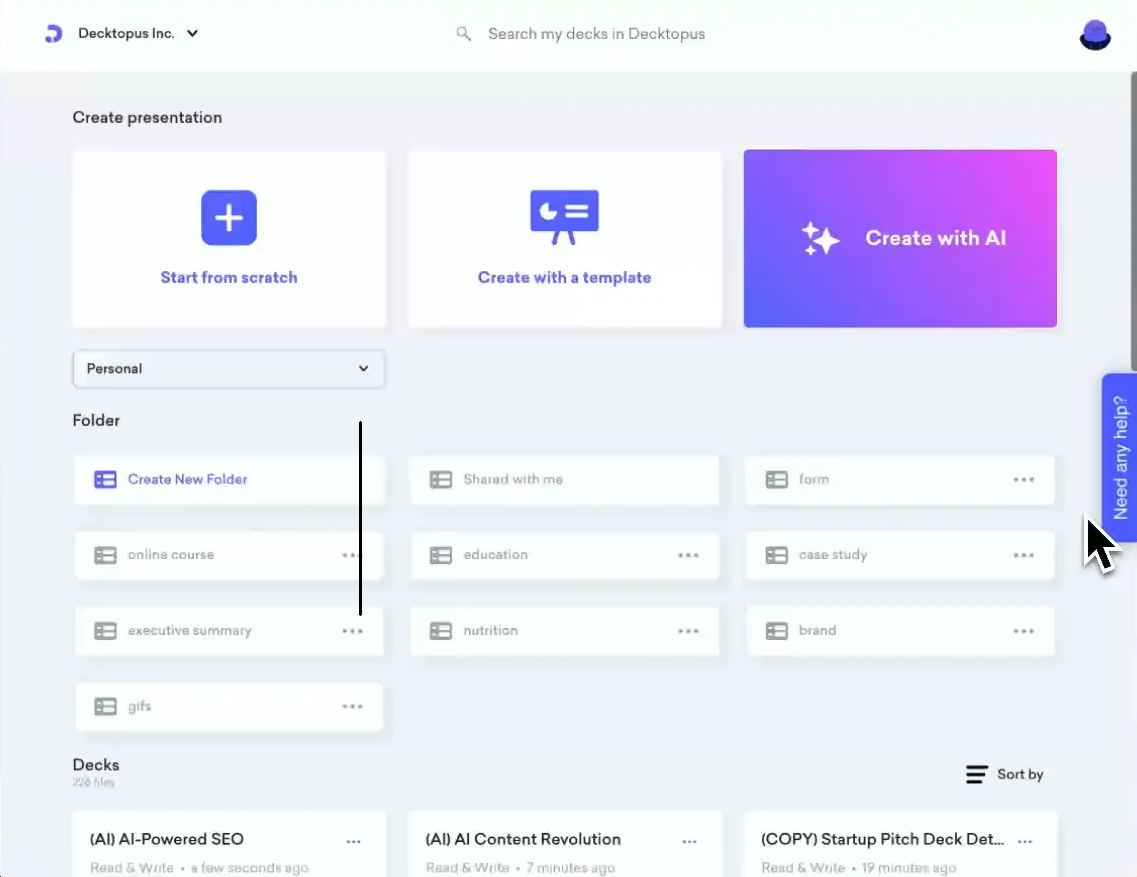
2. What Decktopus Actually Does
Decktopus is a prompt-to-presentation engine.
Instead of opening a blank screen and hunting for templates, you type a prompt like: "Create a 10-slide pitch deck for a B2B SaaS company specializing in cold email outreach." The AI immediately generates the outline. Once approved, it populates the deck with relevant stock images, icons, and AI-written copy. If you want to change the look, you click a "Theme" button, and the entire deck instantly re-colors and re-fonts itself without breaking the layout.
3. Core Features
4. The Data: Creation Velocity
The core value of Decktopus is not graphic design; it is speed. Because the software uses strict, pre-optimized slide layouts, it eliminates the micro-adjustments that consume hours in Canva or PowerPoint.
5. The Technical Setup (Export & Sharing)
A major pain point with online deck builders is getting the deck out of the software. Decktopus handles this flawlessly.
You can export your finished deck directly to a high-resolution PDF or a native `.pptx` file (if your client strictly requires a PowerPoint file). Alternatively, you can host the presentation live on a custom Decktopus domain, allowing you to share a simple web link that looks perfect on both desktop and mobile devices without requiring the viewer to download a file.
6. Practical Workflow & Timeline
The workflow is designed to bypass the "blank page" phase completely. Here is what building a deck looks like:
Step 1: The Prompt
You type your core topic into the AI engine. You specify your target audience and the exact goal of the presentation.
Step 2: Outline Approval
The AI generates a bulleted outline of the slides. You can add, delete, or rearrange the flow before any design work happens.
Step 3: The Auto-Build
Decktopus compiles the slides, automatically sourcing royalty-free images and writing the text to fit the structured layouts.
Step 4: The Tweak
You review the deck, swap out any AI images for your own product screenshots, and export the final PDF.
7. Example Use Cases
8. The Real ROI (Time vs. Money)
Hover over the metrics below to see the baseline operational savings of using the platform versus traditional design methods.
Eliminates the micro-adjustments of moving text boxes and aligning images.
Strict UI constraints mean you literally cannot make an ugly, unaligned slide.
9. Who Decktopus Is Best For
- Non-Designers: If you struggle with visual hierarchy and color theory, Decktopus acts as training wheels to ensure your deck looks professional.
- High-Volume Pitchers: If your agency or sales team needs to send out 10 custom decks a week, the AI generation is an absolute lifesaver.
- Webinar Hosts: The built-in lead capture forms make it incredibly easy to gather emails during a live slide presentation.
10. Who Should Avoid Decktopus
- Pixel-Perfect Designers: Because Decktopus uses rigid, structured layouts to maintain its speed, you cannot freely drag a logo 3 pixels to the left. If you need 100% freeform canvas control, stick to Canva or Figma.
- Highly Technical Data Decks: If you need to build complex, animated financial charts or link live Excel data into your slides, PowerPoint is still the industry standard.
11. Pricing & Export Allowances
Decktopus is highly affordable, but the tier you choose dictates your branding and export capabilities.
Pro Plan
- Unlimited AI Presentations
- PDF & PPTX Exports
- Remove Decktopus Watermark
- Basic Analytics
Business Plan
- Custom Domain / Brand Colors
- Lead Capture Forms inside slides
- Advanced Web Analytics
- Create Custom Master Templates
12. Best Practices: "The Alpha Plan"
If you want to absolutely crush competing affiliates and secure the lowest possible acquisition costs for this software, you must execute the Alpha Plan for your campaigns. Do not waste time building elaborate, leaky funnels.
13. How Decktopus Compares
| Feature | Decktopus | Canva | PowerPoint |
|---|---|---|---|
| AI Generation | Excellent (Full Deck) | Basic (Magic Design) | Copilot (Add-on) |
| Layout Control | Structured / Rigid | Freeform (Drag/Drop) | Freeform |
| Speed to Finish | Minutes | Hours | Hours |
| Web Hosting | Native Link Sharing | Yes | Requires OneDrive |
14. Limitations & Reality Check
- AI Hallucinations: The AI will write copy to fill the slides, but it does not know your specific company metrics. You cannot just blindly generate a deck and send it to an investor. You must review and edit the text for factual accuracy.
- Layout Rigidity: Because the software forces design consistency, you cannot add a 5th bullet point if the layout template only supports 4. You have to adapt your content to fit the clean constraints of the platform.
15. Pros & Cons
- Cures "blank page syndrome" by instantly generating outlines.
- Auto-formatting makes it impossible to create an ugly slide.
- 1-click themes allow you to recolor massive decks instantly.
- Exports cleanly to PDF, PPTX, or live web links.
- Lack of freeform drag-and-drop will frustrate graphic designers.
- Lead-capture and custom branding are locked behind the Business tier.
16. Frequently Asked Questions
1. Can I export Decktopus to PowerPoint? +
Yes. If you or your clients strictly require traditional files, Decktopus allows you to export your finished AI presentation natively as a .pptx file or a PDF.
2. Does Decktopus use my own images? +
While the AI will initially populate the deck with relevant stock photos and icons, you can easily click any image and upload your own custom logos, screenshots, or team photos.
3. Can I use my company's custom hex colors? +
Yes. On the Business plan, you can set up a custom brand kit with your exact fonts and hex color codes, ensuring every AI-generated deck matches your corporate identity.
4. What happens if I want to move a text box? +
Decktopus is not a freeform editor like Canva. It uses structured blocks to ensure mobile responsiveness and design consistency. You select layouts, rather than dragging elements freely.
5. Are the presentations mobile-friendly? +
Absolutely. If you share your deck via the live web link, the structured layouts automatically adapt and format perfectly for users viewing the pitch on a smartphone.
6. Can I collect emails with my presentation? +
Yes, on the Business tier, you can embed functional lead-capture forms directly inside a slide, making it an excellent tool for webinar hosts and sales funnels.
17. Final Verdict
If you are still spending hours aligning text boxes and hunting for stock photos in PowerPoint, you are doing low-value work.
Decktopus solves the presentation bottleneck. By treating slide design as a structured, AI-driven process rather than a blank canvas, it forces your decks to look highly professional in a fraction of the time. If your job requires you to pitch, teach, or report data regularly, this software pays for itself on the very first deck.
Stop Formatting, Start Generating →