

We speak at about 150 words per minute, but we type at 40. That discrepancy is the biggest productivity bottleneck for modern professionals.
Standard voice-to-text tools (like Apple Dictation or Google Voice) are frustrating. They misspell names, completely ignore punctuation, and type exactly what you say—including every "umm," "uhh," and mid-sentence stutter. Wispr Flow was built to fix this. It is a native AI dictation app that lives on your operating system, capturing your messy thoughts and instantly pasting them as perfectly formatted text into any application. But is it fast enough to replace your keyboard? In this Wispr Flow review, we put its audio engine to the test.
Quick Summary
The End of the Keyboard
Wispr Flow is not a transcription app; it is a real-time AI writing assistant. Because it operates at the OS level, you can press a hotkey in Slack, ramble a scattered idea into your microphone, and instantly watch a coherent, perfectly punctuated paragraph appear in the chat box. It is the closest thing to plugging a USB cable directly into your brain.
Download Wispr Flow for Free →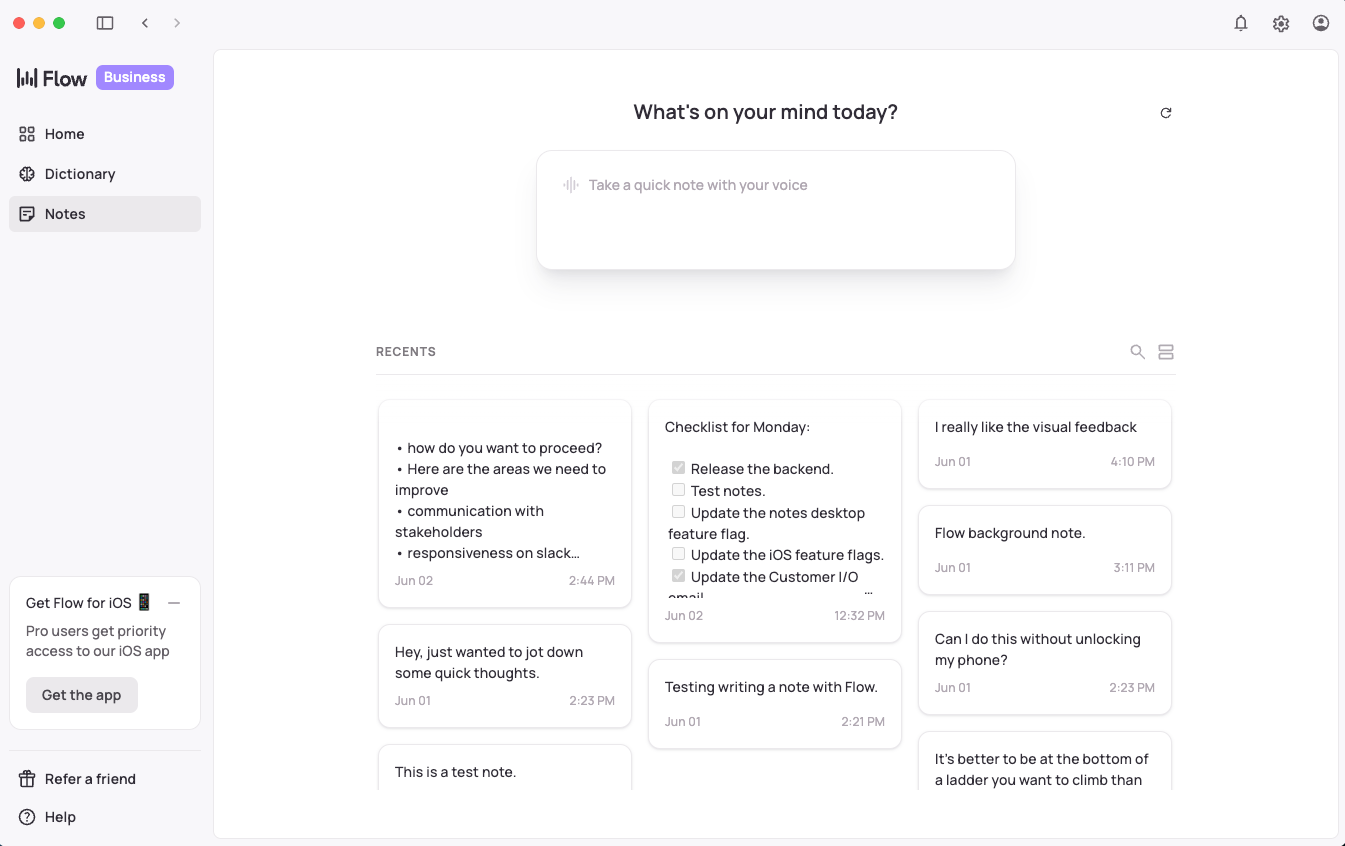
What Wispr Flow Actually Does
Unlike tools like Otter.ai (which require you to record a memo and then copy-paste the text), Wispr Flow sits silently in the background of your Mac or PC.
When you place your cursor in a text field—whether it's Gmail, Notion, VS Code, or WhatsApp—you hold down a customizable hotkey (e.g., `Cmd + E`). A small, sleek widget pops up. You speak naturally. When you release the key, the AI instantly processes your audio, strips out the filler words, applies correct punctuation, and types the finished text directly into the application you are using.
Core Features
How to Use Wispr Flow — Workflow
We tested Wispr Flow to draft a complex client follow-up email inside Gmail.
- The Setup: Cursor in the Gmail compose box. Held down `Option + Space`.
- The Ramble: "Hey John, umm, great chatting today. Let's do the kickoff on Tuesday at 2. Uhh, don't forget to send me the API keys before then so my team can review."
- The Processing: Released the hotkey. The processing took about 0.8 seconds.
- The Result: The text instantly appeared in Gmail: "Hi John, Great chatting with you today. Let's plan for the kickoff on Tuesday at 2:00 PM. Please remember to send over the API keys beforehand so my team can review them." No editing required.
Example Use Cases
Who Wispr Flow Is Best For
- Slow Typists: If you "hunt and peck" at the keyboard, this tool will literally 5x your daily digital output.
- Copywriters & Creators: The best way to overcome writer's block is to "brain dump." Wispr captures your flow state without syntax getting in the way.
- People with RSI: If you suffer from carpal tunnel or wrist pain, this drastically reduces the physical toll of desk work.
Who Should Avoid Wispr Flow
- Crowded Office Workers: If you sit in a dense, quiet, open-plan corporate office, talking out loud to your computer all day will make your coworkers hate you.
- Data-Entry Clerks: If your job is inputting raw numbers into Excel cells, dictation is slower than using a 10-key numpad.
Pricing & Usage Limits
Wispr Flow operates on a freemium model, making it incredibly accessible for daily use.
| Plan | Price (Monthly) | Limits & Features |
|---|---|---|
| Free | $0 | Basic dictation, auto-formatting, limited monthly dictation hours. |
| Pro | ~$12 /mo | Unlimited dictation, advanced Style Commands, priority AI processing speed. |
| Teams | Custom | Centralized billing, shared team vocabulary (custom jargon). |
Best Practices: "The Alpha Plan"
If you want to out-work competing sales reps or affiliate marketers, you cannot be bogged down by the mechanics of typing. You must execute the Alpha Plan for outbound volume.
How Wispr Flow Compares
| Feature | Wispr Flow | Apple Dictation | AudioPen (Web) |
|---|---|---|---|
| Integration | Native OS (Any App) | Native OS | Browser Only |
| Auto-Formatting | Excellent (LLM) | Poor (Literal) | Excellent |
| Speed | Instant Paste | Instant | Requires Copy/Paste |
| Style Commands | Yes | No | Yes |
Limitations & Reality Check
- Internet Dependency: Because Wispr Flow uses advanced cloud LLMs to process the text and apply perfect grammar, it requires a stable internet connection. It will not work if you are offline on an airplane.
- Extreme Niche Jargon: While it is incredibly smart, if you use highly specific, made-up internal company acronyms, it might try to auto-correct them to real words unless you add them to the custom vocabulary list in the Pro settings.
Pros & Cons
- Works everywhere: Slack, Discord, Word, browser text boxes.
- Instantly removes stuttering and formats perfect paragraphs.
- No need to switch tabs or copy/paste; it drops text at your cursor.
- Understands context (e.g., formats code differently than an email).
- Requires an internet connection to function.
- Can feel awkward to use if you share a quiet workspace.
Frequently Asked Questions
Does it work on Windows and Mac?
Yes, Wispr Flow offers native desktop applications for both macOS and Windows, ensuring global hotkeys work smoothly across both operating systems.
Is Wispr Flow secure? Does it record everything?
It does not record constantly. It only captures audio while you are actively holding down the designated hotkey. Audio is processed quickly and not stored for training base models.
Do I have to say "Comma" or "Period"?
No! Unlike legacy dictation tools, Wispr uses AI to understand the context of your sentence. It automatically adds periods, commas, and question marks where appropriate.
Is it better than ChatGPT Voice?
For pure typing speed, yes. ChatGPT Voice is great for conversations, but you still have to copy and paste the result into your email. Wispr Flow types the result directly into your active window.
Final Verdict
Typing is a relic of the typewriter era. Your brain moves faster than your fingers.
Wispr Flow bridges that gap. By combining the convenience of a global OS hotkey with the brilliance of modern LLMs, it turns your microphone into the ultimate productivity weapon. If your day involves writing emails, sending Slack updates, or drafting documents, this app will easily save you 5 to 10 hours a week.
Stop Typing, Start Speaking (Download Free) →