
If you have ever tried to execute a multi-camera live stream for a corporate event, a church service, or a podcast, you know the logistical nightmare. Purchasing three dedicated DSLR cameras, a hardware switcher (like an ATEM Mini), capture cards, and routing hundreds of feet of HDMI cable is a massive capital and time drain.
Switcher Studio was engineered to bypass traditional broadcast hardware. It is an iOS-exclusive software that allows you to use the devices you already own—iPhones and iPads—as wireless remote cameras, seamlessly switching between them in real-time. But does relying on local Wi-Fi and mobile sensors actually deliver professional-grade production, or is it prone to lag and dropouts? In this Switcher Studio infrastructure audit, we deploy their multicam engine to find out.
1. Quick Summary
2. The TL;DR Verdict
The End of Cable Clutter
Switcher Studio completely democratizes live production. By turning any modern iPhone into a high-quality, wireless camera feed, it eliminates the need for expensive capture cards and video switchers. When combined with its native multistreaming capabilities and direct Shopify integration, it provides an entire production truck's worth of value inside an iPad app.
Start Your Wireless Broadcast →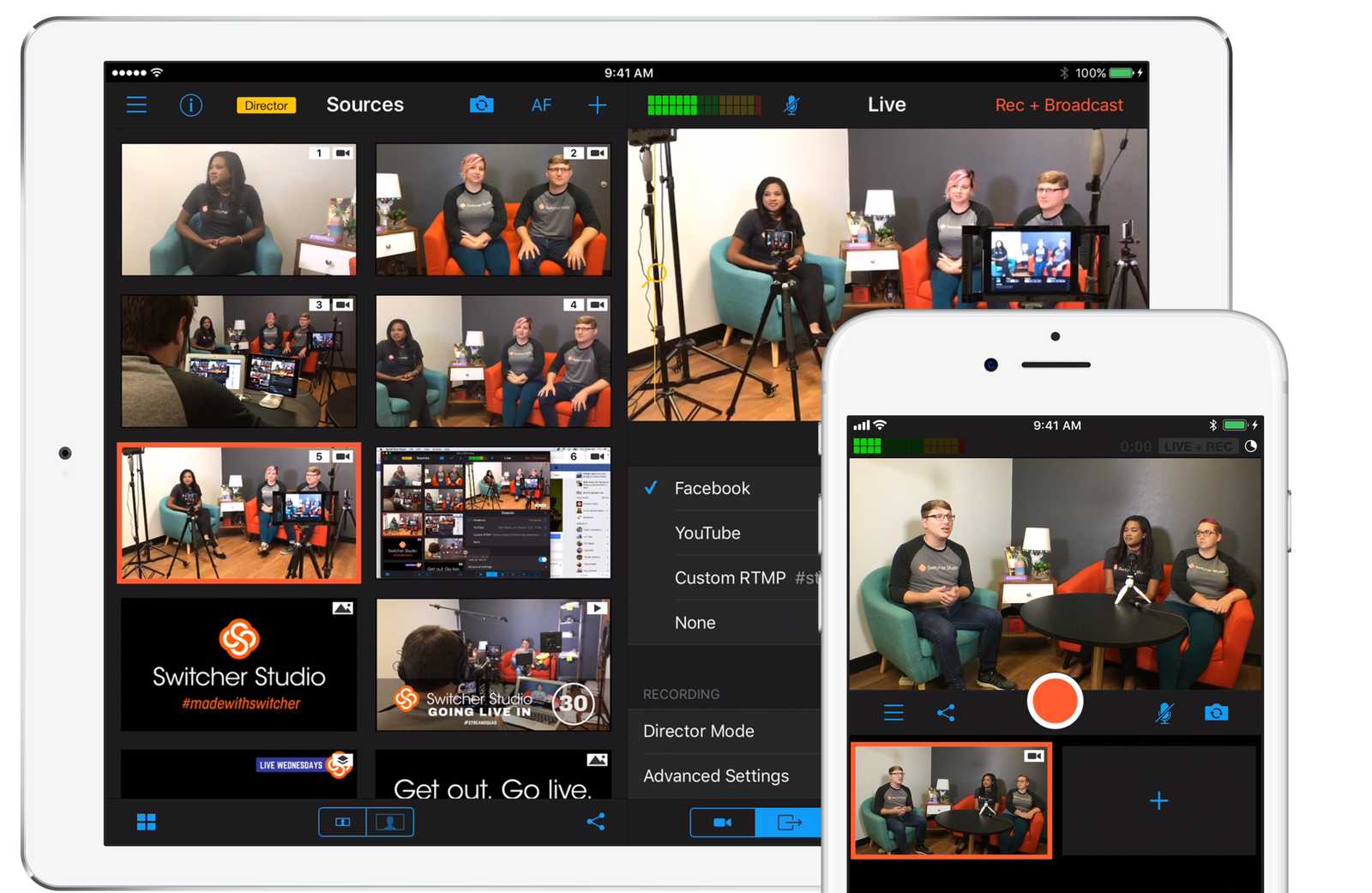
3. What Switcher Studio Actually Does
Switcher Studio converts your existing iOS devices into a synchronized, multi-camera broadcasting network.
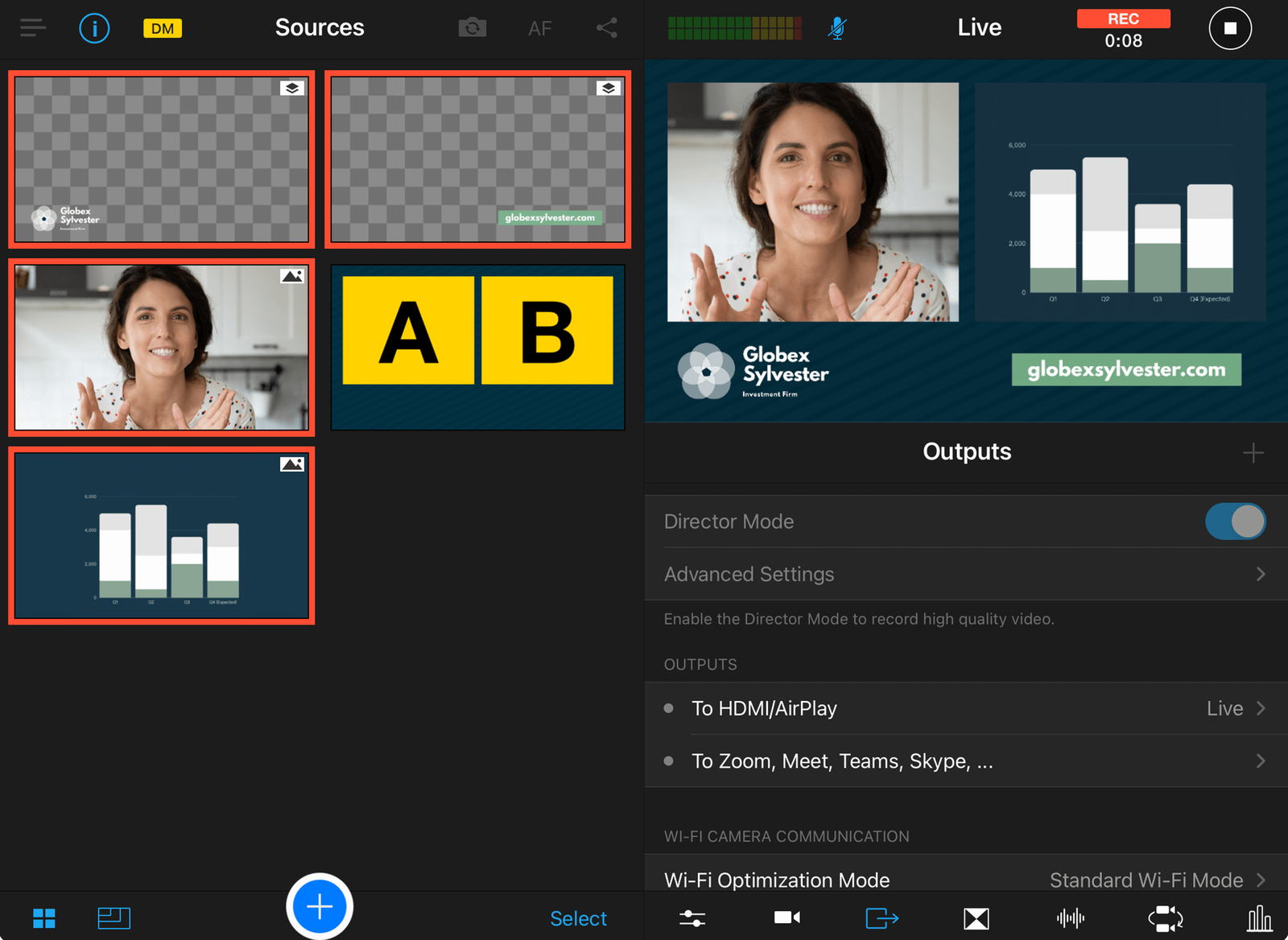
You install the app on a primary device (usually an iPad) which acts as your central control board. You then install the app on up to 9 other iPhones or iPads, positioning them around your set as remote cameras. Operating over your local Wi-Fi, the main iPad receives all the video feeds in real-time. You tap the screen to cut between angles, roll pre-recorded video assets, display lower-third graphics, and instantly stream the final mixed feed out to YouTube, Facebook, or your own website.
4. Core Features
5. The Data: The Capital Cost of Multicam
Building a basic 3-camera setup for a podcast or church service usually requires heavy capital expenditure. Here is the operational shift when utilizing iOS telemetry.
6. The Technical Setup (Local Wi-Fi Network)
The core engineering of Switcher Studio relies entirely on your local network architecture.
Unlike NDI or heavy IP protocols, Switcher is designed to be plug-and-play. However, because it is pushing multiple HD video feeds wirelessly, a standard ISP-provided router will struggle. A dedicated 5GHz Wi-Fi router, placed in the same room as the devices without outside interference, is highly recommended to prevent dropped frames or latency between the camera cut and the visual execution. You can also utilize "Switcher Cast" to bring in Mac or PC screen shares wirelessly.
7. Practical Workflow & Deployment
Here is what the execution pipeline looks like for a live event producer:
Step 1: Network & Device Pairing
Connect the main iPad and all iPhone cameras to the same dedicated 5GHz Wi-Fi network and open the app to sync them.
Step 2: Asset Pre-loading
Import your "Starting Soon" videos, lower-third name graphics, and logo overlays from Switcher Cloud directly into the main interface.
Step 3: Multi-Platform Go Live
Select your destinations. Push the stream to YouTube, Facebook, and your custom embedded website player simultaneously via the Multistreaming engine.
Step 4: Repurposing (Clips)
After the stream ends, use the built-in Clips creator to stitch together highlight reels, adjust the aspect ratio, and push them to TikTok or Instagram.
8. Example Use Cases
9. The Real ROI (Capital vs. Output)
Hover over the metrics below to see the baseline operational advantages.
Eliminate the tripping hazards and massive setup times associated with routing wired cameras to a central capture card table.
By selling gated access passes to exclusive webinars or concerts, you monetize your audience directly without relying on volatile YouTube ad revenue.
10. Who Switcher Studio Is Best For
- Churches & Non-Profits: The ability to empower non-technical volunteers to run a multi-camera broadcast using familiar Apple devices is a massive operational win.
- E-commerce Brands: If you want to replicate the QVC shopping experience on your own terms, the Shopify integration and real-time graphics make live selling highly engaging.
- Mobile Content Creators: Anyone shooting sports, outdoor events, or on-location interviews who cannot drag a heavy desktop PC and hardware switcher into the field.
11. Who Should Avoid Switcher Studio
- Android & Windows Loyalists: The primary camera application and main switching hub require iOS devices (iPhones and iPads). If your company operates strictly on Android hardware, you cannot use the core ecosystem.
- Congested Venues: If you are trying to stream from a massive trade show floor with 5,000 people congesting the local Wi-Fi spectrum, the wireless camera feeds will inevitably drop. Wired hardware is required for high-interference environments.
12. Integration & Operational Synergy
13. Feature Focus: Gated Content & Passes
Relying on YouTube ad revenue or Twitch subscriptions means you only keep a fraction of the value you generate. Switcher Studio offers a direct monetization model called Gated Content. You can embed the video player on your website and sell One-Time Passes or Monthly Subscriptions to view the broadcast. Switcher only charges a flat $0.99 transaction fee (plus standard Stripe processing fees), allowing creators and educators to keep the vast majority of their high-ticket seminar revenue.
14. Pricing Realities & Feature Tiers
Switcher Studio scales its pricing based on advanced features like Shopify integrations and the volume of multistream destinations.
Launch Plan
- Core iOS Multicam App
- Custom graphics and overlays
- Standard streaming capabilities
- Perfect for solo creators
Business Plan
- Multistream up to 20 destinations
- Unlimited video livestreaming
- Store up to 100 uploaded assets
- Live and embedded selling with Shopify
15. Best Practices: "The Alpha Plan"
If you want to maximize audience engagement without losing control of your data, you must execute the Alpha Plan for broadcast distribution. Stop sending all your traffic directly to social media monopolies.
16. How Switcher Studio Compares
| Feature | Switcher Studio | OBS Studio | Ecamm Live |
|---|---|---|---|
| Primary Platform | iOS (iPad/iPhone) | PC / Mac | Mac Only |
| Camera Hardware | Wireless iOS Devices | Wired Capture Cards / NDI | Wired Capture Cards / NDI |
| Learning Curve | Very Low (App interface) | High (Open source) | Medium |
| Native Monetization | Yes (Passes & Shopify) | No | No |
17. Limitations & Reality Check
- The Wi-Fi Bottleneck: Because Switcher relies entirely on your local wireless network to transmit the video feeds from the iPhones to the main iPad, network stability is paramount. A sudden drop in Wi-Fi performance will cause lag or disconnects during a live show.
- Ecosystem Lock-in: If your team uses Android smartphones, they are effectively useless as camera inputs for the main switching hub. The ecosystem heavily demands modern Apple hardware.
18. PROS & CONS
- Drastically lowers the barrier to entry by utilizing existing iOS hardware as cameras.
- Native Multistreaming Engine broadcasts to multiple platforms without requiring third-party tools like Restream.
- Gated Content features provide a highly lucrative, direct monetization path for educators and creators.
- Shopify integration makes it incredibly easy to execute live commerce and product drops.
- Absolutely requires a robust, dedicated 5GHz Wi-Fi router to function professionally without lag.
- Core camera functionality is restricted entirely to iOS devices.
19. Frequently Asked Questions
1. Do I need to buy expensive capture cards?
No. Switcher Studio operates wirelessly over your local Wi-Fi network. It connects up to 9 iPhones or iPads directly to the main switching device without any HDMI cables or capture hardware.
2. Can I stream to YouTube and Facebook at the same time?
Yes. The platform features a built-in Multistreaming tool that allows you to broadcast simultaneously to YouTube, Facebook, Twitch, LinkedIn, and custom RTMP destinations with just one stream.
3. Can I bring in remote guests who aren't in the room?
Absolutely. The Remote Guest feature allows anyone with a webcam and an internet connection to join your live production via a secure link, making it perfect for call-ins and interviews.
4. What are Gated Content Passes?
Switcher allows you to sell access to your streams. You can embed their video player on your site and charge viewers a One-Time fee or a Monthly Subscription to unlock the content. Payments are processed securely via Stripe.
5. How much does Switcher Studio charge for ticket sales?
Switcher charges a flat $0.99 USD transaction fee per pass or subscription renewal. You are also subject to standard Stripe processing fees (typically 2.9% + $0.30 USD per transaction).
6. Does it work on Android?
The primary Switcher Studio application and the ability to act as a camera input are designed for iOS devices (iPhones and iPads).
7. Can I share my computer screen?
Yes. By using the free "Switcher Cast" application for Mac and PC, you can wirelessly bring your computer screen into the live production, which is ideal for presenting slides, software tutorials, or web browsers.
8. How do I add my own logos and graphics?
You can import images, transparent PNG logos, and pre-recorded video assets directly into the app using Switcher Cloud. You can then trigger these assets to appear as lower-thirds, corner bugs, or full-screen graphics during the live broadcast.
20. Final Verdict
The traditional barrier to entry for professional live video production—massive hardware budgets and deep technical knowledge—has been completely removed.
Switcher Studio is a masterclass in mobile engineering. By transforming the high-quality cameras already sitting in your pocket into a synchronized, wireless broadcasting network, it saves creators thousands of dollars in gear. When you combine this multicam flexibility with its native multistreaming capabilities, Shopify integration, and direct video monetization tools, it serves as the ultimate portable production studio for modern content creators.
Launch Your Live Production Today →