
If you are running a business, you have a "Shoebox of Doom"—that pile of digital and physical receipts you ignore until tax season.
Dext (formerly Receipt Bank) claims to be the "CFO in your pocket." It scans your receipts, reads the numbers, and pushes them into Xero or QuickBooks automatically. But since Hubdoc does this for free (if you use Xero), is Dext worth the extra monthly cost? In this Dext review, we threw 50 crumpled receipts at it to test its AI accuracy.
Quick Summary
The "Magic" Bookkeeper
The difference between Dext and competitors is Speed and Accuracy. While Hubdoc often misreads blurry photos or takes hours to process, Dext processes items in seconds and rarely gets the tax amount wrong. It turns hours of data entry into minutes.
Start Your Free Trial →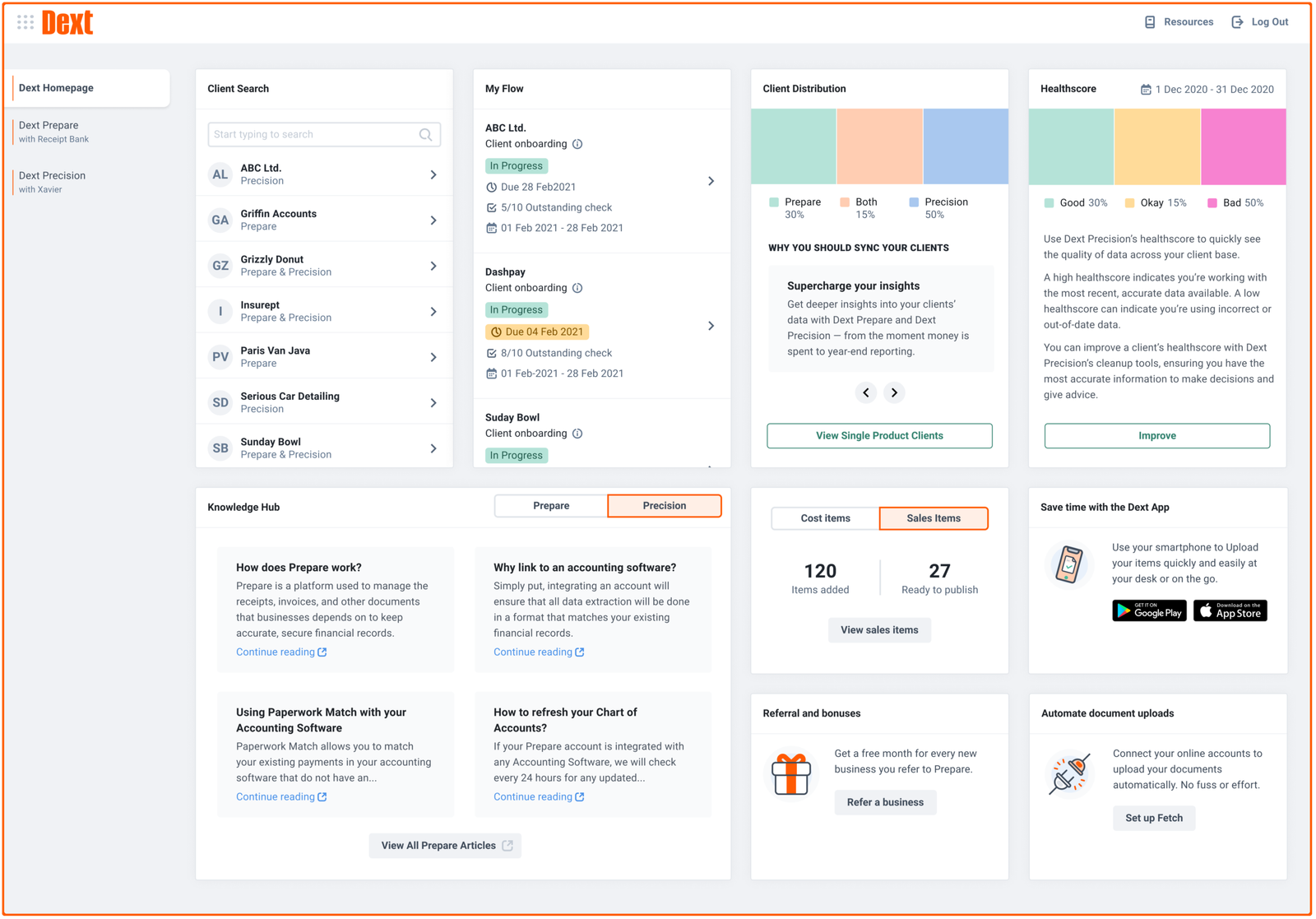
What Dext Actually Does
Dext is an OCR (Optical Character Recognition) tool on steroids.
You snap a photo of a lunch receipt, or forward an email invoice (like from Uber or Google Ads) to your dedicated Dext email address. Dext extracts the **Date, Supplier, Total, and Tax** and suggests which "General Ledger" code to use (e.g., "Travel Expenses"). You click one button, and it's posted to your accounting software.
Core Features
How to Use Dext — Workflow
We used Dext to reconcile our monthly software subscriptions for TrakSource.
- The Setup: We forwarded our "Google Ads" and "Hosting" invoice emails to `[email protected]`.
- The Snap: We bought coffee for a meeting, took a photo of the receipt with the app, and threw the paper away immediately.
- The Magic: Within 2 minutes, Dext recognized the coffee receipt as "Meals & Entertainment" and the Google Ads invoice as "Advertising."
- The Sync: We hit "Publish," and the transactions appeared in Xero with the receipt image attached. Audit-proof.
Example Use Cases
Who Dext Is Best For
- Business Owners: Who hate admin work and want to reclaim 5 hours a week.
- Xero/QuickBooks Users: The integration is seamless.
- High Volume: If you have 30+ receipts a month, the time savings are massive.
Who Should Avoid Dext
- Micro-Hobbyists: If you only have 5 expenses a month, just enter them manually. $27/mo is overkill.
- Spreadsheet Users: Dext works best when connected to cloud accounting software. If you use Excel, it's less useful.
Pricing & Document Limits
Dext pricing has evolved. It is no longer unlimited; it is tiered based on the number of documents (receipts/invoices) you process per month.
| Plan | Price (Approx) | Limits |
|---|---|---|
| Essential | ~$27 /mo | Up to 5 Users / 300 Docs |
| Advanced | ~$47 /mo | 20 Users / 600 Docs / Line Items |
| Business Plus | ~$70 /mo | 30 Users / 4,000 Docs |
How Dext Compares (vs Hubdoc)
| Feature | Dext Prepare | Hubdoc | AutoEntry |
|---|---|---|---|
| Cost | ~$27/mo | Free (w/ Xero) | Credit Based |
| Speed | Fast (~2 mins) | Slow (hours) | Medium |
| Accuracy | 99% | 85% | 95% |
| Mobile App | Excellent | Clunky | Good |
Limitations & Reality Check
- Price vs Free: The biggest hurdle is that Hubdoc is included for free with Xero Business plans. You have to really hate Hubdoc's slowness to justify paying for Dext.
- Fetch is Buggy: The "Fetch" feature (auto-downloading bills from sites like Comcast) breaks often because of 2FA/Security updates on those websites. Don't rely on it 100%.
Best Practices: "Auto-Forwarding"
Never download an invoice again.
Pros & Cons
- Best-in-class OCR accuracy (reads crumpled paper easily).
- Saves huge amounts of mental energy.
- Makes tax audits stress-free (digital proof).
- Multiple user logins for your team.
- It is an extra monthly cost.
- "Line Item Extraction" is locked behind higher plans.
- Fetch connections disconnect frequently.
Frequently Asked Questions
Is Dext secure?
Yes, Dext uses bank-level encryption (256-bit SSL) to protect your financial data. It is widely trusted by accountants globally.
Does it work with Quickbooks Desktop?
Yes, via a connect utility. However, it works much more seamlessly with Cloud versions (QuickBooks Online and Xero).
Why choose Dext over Hubdoc?
Hubdoc is free but slow and often struggles with handwritten or blurry receipts. Dext is faster, has a better mobile app, and handles employee expenses better.
Can I export data to Excel?
Yes, you can export all your extracted data and receipt images to CSV or PDF if you want a local backup.
Final Verdict
If you value your time at more than $10/hour, Dext pays for itself.
While Hubdoc is a "good enough" free option, Dext is the professional choice. The speed, the mobile app quality, and the accuracy mean you spend less time fixing errors and more time growing your business.
Try Dext Free (14 Days) →