
Academic research is fundamentally broken by sheer volume. Sifting through dozens of 200-page PDFs, organizing methodologies, and mapping out contradictory findings takes weeks of manual labor before you even start writing your systematic review.
While tools like ChatGPT exist, they are notoriously dangerous for academics because they hallucinate citations. Anara.com was built to solve this exact problem. Backed by Y Combinator, it is an AI research assistant engineered specifically for verifiable scientific advancement. But can it really read entire manuscripts without losing context? In this Anara review, we put its full-document extraction capabilities to the test.
1. Quick Summary
The End of Hallucinated Citations
Anara completely removes the anxiety of using AI for academic work. Instead of feeding it excerpts, you upload your entire library of PDFs. When it generates an answer, it restricts its knowledge strictly to your uploaded files and major academic databases, providing a clickable hyperlink directly to the exact paragraph it cited.
Start Analyzing Papers for Free →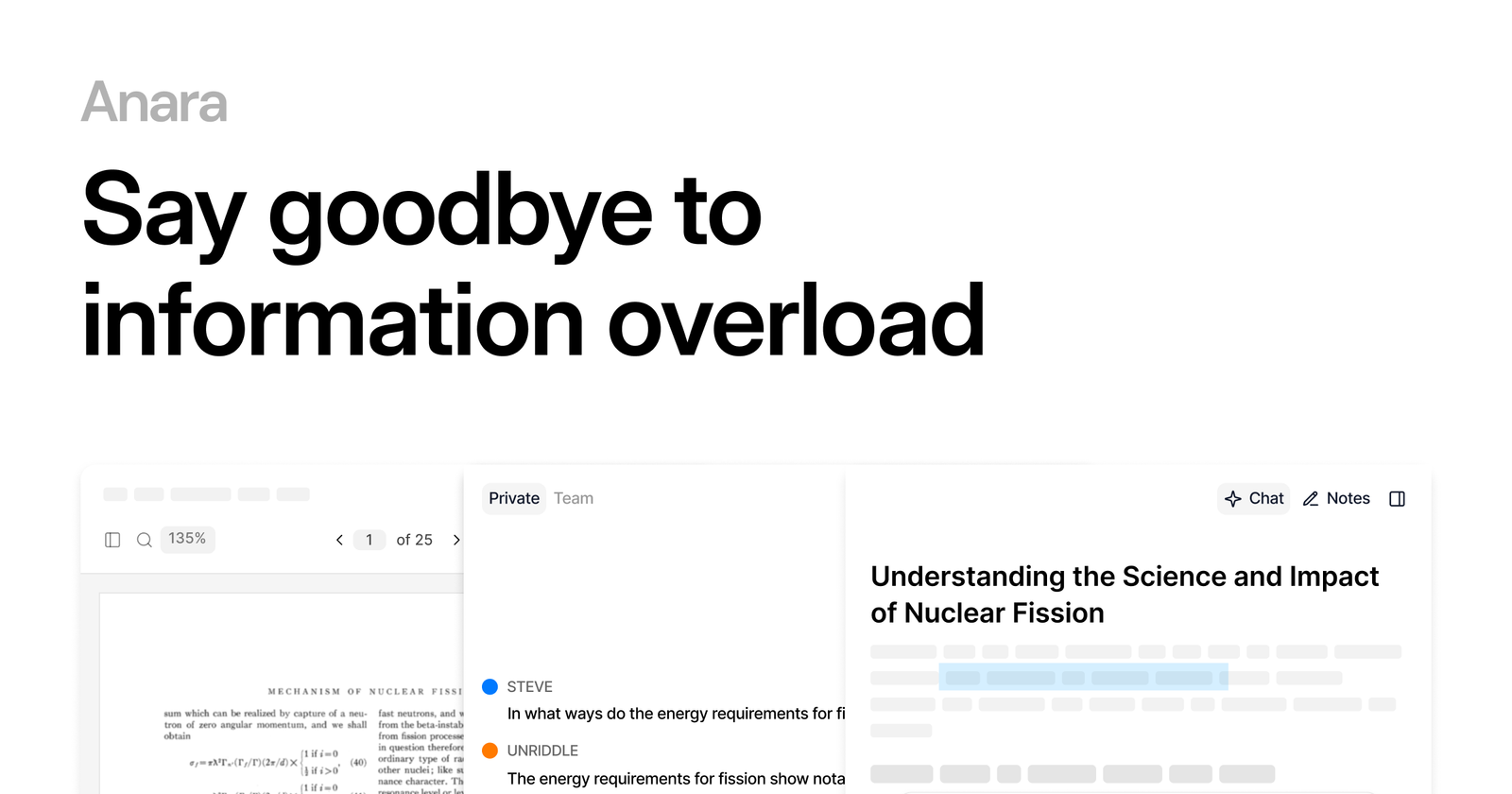
2. What Anara Actually Does
Anara acts as your post-doc research assistant that never sleeps.
Instead of highlighting PDFs manually, you drop them into your Anara library. When you ask a complex question—like "What are the contradictory findings regarding single-cell multiomics across these 40 papers?"—Anara's @Research agent scans the full methodology, results, and discussion sections of every document simultaneously. It synthesizes the data and writes a comprehensive answer, appending exact source links so you can verify the claim with one click.
3. Core Features
4. The Data: Literature Review Velocity
To understand why over 2 million researchers use Anara, you have to look at the math of systematic reviews. Reading and extracting data from 50 papers manually is a massive bottleneck.
5. The Technical Setup (Privacy & Ingestion)
When dealing with pre-published data or proprietary corporate research, privacy is paramount. Unlike free web LLMs that train on your inputs, Anara builds a secure perimeter around your data.
You can import directly from Zotero, or connect the platform to major academic databases (PubMed, arXiv, JSTOR). Once ingested, you can restrict the AI so it only responds using your uploaded files. This strict sandboxing is why enterprise teams at GSK, Roche, and Goldman Sachs trust it for confidential research.
6. Practical Workflow & Timeline
The workflow is designed to accelerate systematic reviews and thesis writing. Here is what a typical session looks like:
Step 1: The Import
Use the Chrome Web Clipper to pull 20 relevant PDFs into a dedicated Anara Project Folder.
Step 2: The Query
Deploy the @Research agent and ask it to identify the primary methodological flaws across all 20 papers.
Step 3: The Verification
Anara generates a comprehensive summary. You click the footnote numbers, instantly jumping to the exact highlighted sentences in the source PDFs to verify context.
Step 4: The Export
Export accurate, citation-ready references in APA, MLA, or Chicago format directly into your manuscript.
7. Example Use Cases
8. The Real ROI (Time vs. Output)
Hover over the metrics below to see the baseline operational savings of using Anara versus traditional citation software like Mendeley or EndNote.
Eliminates manual reading and note-taking for dense methodologies.
Strict sandboxing ensures claims exist in your uploaded documents.
9. Who Anara Is Best For
- Interdisciplinary Researchers: When you lack deep domain knowledge in a tangent field, Anara unpacks dense phrasing and technical terminology instantly.
- Systematic Reviewers: If you need to extract data into 30-column tables across hundreds of empirical studies.
- Collaborative Labs: The team workspaces allow multiple scientists to deploy agents and co-edit notebooks simultaneously.
10. Who Should Avoid Anara
- Casual Content Writers: If you are just writing a quick blog post and don't need rigorous, verified academic citations, a free tool like standard ChatGPT is sufficient.
- Task Management Teams: Anara is for research intelligence, not project management. It does not replace Asana or Trello for moving Kanban cards.
11. Pricing & Storage Limits
Anara offers a highly accessible pricing structure, particularly given its premium LLM access (Claude 4 Sonnet, GPT-4).
Free Plan
- 10 Uploads per day
- Max 120 pages per file
- 10 Basic AI Messages/day
- Great for undergraduates
Pro Plan
- Unlimited Uploads & Messages
- Max 10,000 pages per file
- Premium Models (GPT-4, Claude)
- Collaborative Workspaces
12. Best Practices: "The Alpha Plan"
If you want to absolutely crush competing affiliates and secure the lowest possible acquisition costs in the academic SaaS space, you must execute the Alpha Plan for your campaigns. Do not waste time building elaborate, leaky funnels.
13. How Anara Compares
| Feature | Anara | ChatGPT (Plus) | Citavi / Zotero |
|---|---|---|---|
| Primary Focus | Verified Research Synthesis | General Output | Reference Management |
| Citation Hallucinations | Zero (Strict Sandboxing) | High Risk | N/A |
| Document Context | Up to 10,000 Pages | Limited Window | Manual Reading |
| Team Collaboration | Real-Time Workspaces | None | Cloud Sharing |
14. Limitations & Reality Check
- Database Limitations: While Anara connects to major databases like PubMed and JSTOR, if a specific paper is locked behind a stringent university paywall, you will still need to download the PDF manually through your institution and upload it to Anara.
- Extremely Dense Math: While it handles charts and statistics better than most, highly complex, non-standard mathematical proofs may occasionally require human verification to ensure the AI interpreted the formula's sequence correctly.
15. Pros & Cons
- Analyzes full documents, not just abstracts.
- Eliminates hallucinations with clickable, verifiable source links.
- Generates flashcards and quizzes automatically from lecture slides.
- Web Clipper makes importing YouTube videos and PDFs frictionless.
- Free plan is restrictive for massive systematic reviews (120-page limit).
- Does not replace the need for institutional paywall access for obscure journals.
16. Frequently Asked Questions
1. Can Anara read an entire textbook? +
Yes. On the Pro plan, you can upload documents up to 10,000 pages long, allowing the AI to synthesize entire textbooks or massive data sets in one go.
2. Does Anara integrate with Zotero? +
Yes. Anara acts as a modern overlay to traditional reference managers, allowing you to import your existing Zotero libraries directly into its AI analysis engine.
3. How does it prevent hallucinations? +
Anara strictly sandboxes the AI models. When you ask a question, it is forced to construct its answer only using the data found in your uploaded files or trusted databases, appending a clickable hyperlink to the exact source paragraph.
4. Is Anara better than ChatGPT for research? +
For academic work, absolutely. ChatGPT frequently fabricates studies and loses context on long documents. Anara is purpose-built for scientific workflows, prioritizing verifiable citations over creative writing.
5. What formatting styles does it support? +
Anara can export your generated citations and bibliographies in all major academic formats, including APA, MLA, and Chicago.
6. Can my whole lab use one account? +
Anara offers Team subscriptions that provide shared workspaces. Team members can simultaneously edit systematic reviews, deploy AI agents, and pool their extraction limits through a centralized dashboard.
17. Final Verdict
The sheer volume of academic publishing has made manual literature reviews nearly impossible. Yet, using standard AI tools to speed up the process is a massive risk to your academic integrity due to hallucinations.
Anara solves this paradox. By providing the synthesis speed of premium LLMs combined with strict, verifiable source-linking, it allows researchers to cut weeks off their workflow without sacrificing rigor. For any PhD, scientist, or medical student, Anara is arguably the most important software you can add to your stack.
Accelerate Your Research Today →