


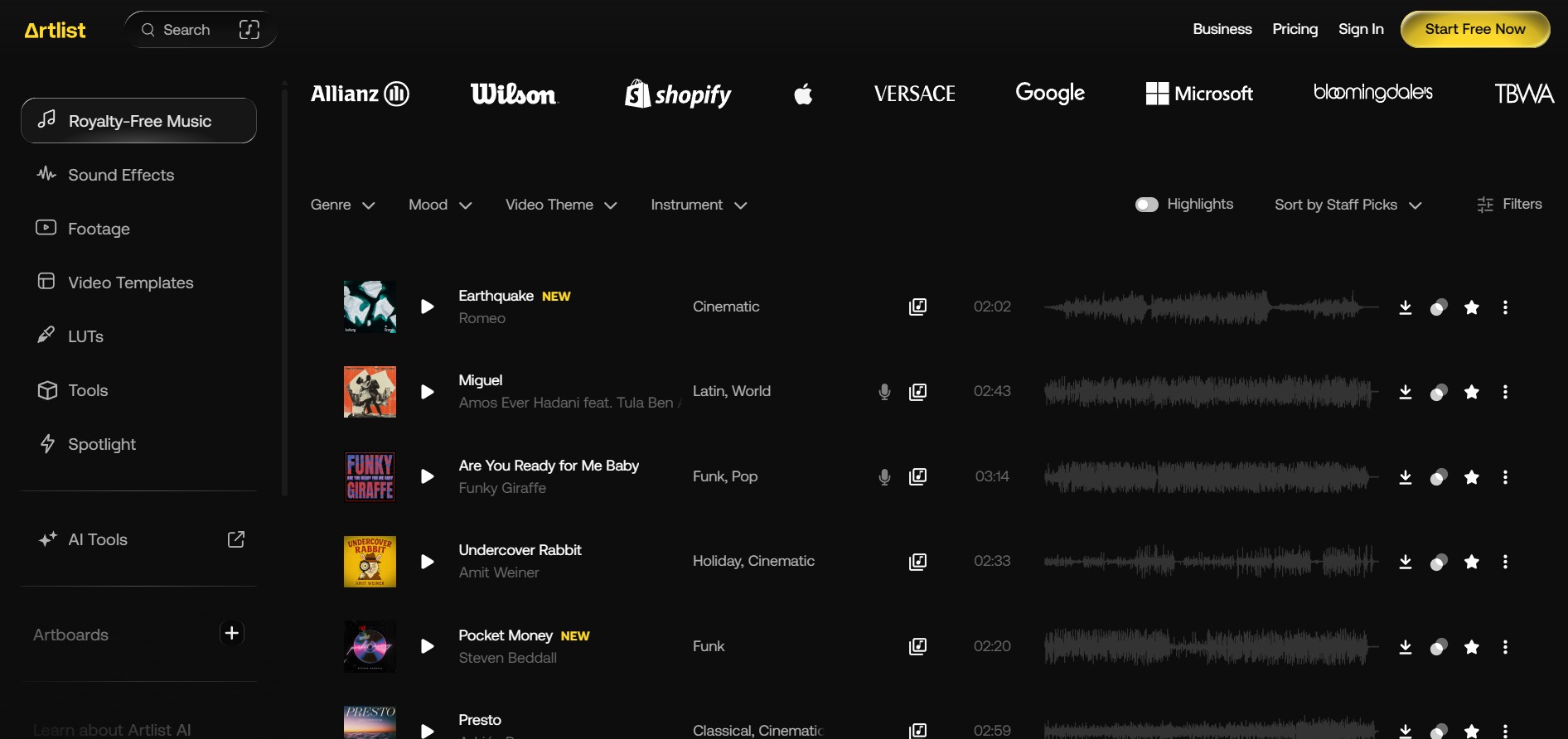
Artlist built its reputation on one thing: a curated music library with a licence simple enough that YouTubers stopped worrying about copyright strikes. That library is still here, and it's still the best reason to subscribe.
But open Artlist's pricing page today and the music isn't what you see. The page now leads with three AI plans — image, video, voiceover and song generation, sold in credits — while the stock catalogue sits behind a link that reads "See Stock Catalog Pricing." Artlist has become two products under one login, priced on two completely different logics. Understanding which one you're actually buying is the whole decision, and it's where most people overpay.
- The music library is still the product. Curated, cinematic, cleanly licensed, and the one thing reviewers consistently praise. If you need music and sound effects for video, this remains one of the strongest subscriptions available.
- The licence tier decides the plan, not the catalogue. The $9.99 Social plan covers your own channels only — no client work, no paid ads. The moment you take money for a video, you need a Pro-level plan.
- The AI "up to" numbers don't survive the model menu. AI Starter's 16,500 credits are advertised as up to 103 videos — about 160 credits each. Reported per-model costs run 500 to 3,800 credits for a single short clip. Budget against the model you'll actually use.
- Max is cheaper than buying music and footage separately. Music & SFX Pro plus Footage & Templates costs more per year than Max, which adds plugins and AI credits on top.
- Every Pro-level plan is annual-only, and refunds are narrow. The 14-day refund window applies only if you haven't downloaded, generated or published anything. Decide before you download.
The 30-Second Summary
A Great Library Wrapped in a Confusing Credit System
As a music and sound-effects subscription, Artlist is excellent: a curated catalogue, a licence that covers YouTube without anxiety, and a Clearlist system that resolves its own Content ID claims. That half of the product would score in the high eights. What pulls the overall number down is the AI half — credits advertised in "up to" quantities that the per-model costs don't support, plans that renew annually with a refund window that closes the moment you download anything, and a public review profile split almost cleanly between delighted music users and frustrated AI users.
Verified directly: AI plan names, prices, credit allowances and the "up to" generation quantities were read off artlist.io's own pricing page in October 2026. Prices exclude VAT, which Artlist adds at checkout. The pricing page's own FAQ also says AI Starter "starts at 7,500 credits," which conflicts with the 16,500 shown on the plan card — noted here rather than resolved.
Cross-checked, not read first-hand: Artlist's stock-catalogue pricing page loads client-side and couldn't be read directly. Stock prices below were confirmed against two independent pricing trackers that agree on every figure. Confirm the exact total at checkout before paying.
Attributed: per-model AI credit costs come from a video editor's published breakdown, because Artlist's own credit documentation couldn't be retrieved. Model menus and costs change often — treat the figures as indicative and check the cost Artlist shows before each generation.
Not claimed: no generation tests were run for this audit, and no output quality is rated here. The credit analysis is arithmetic on published figures, which you can reproduce.
Two Products Under One Login
Almost every confusing thing about Artlist's pricing comes from treating it as one product. It isn't. It's a stock library and an AI generation suite that share an account, and they deserve different buying logic.
The Stock Plans, Priced Out
| Plan | Per month (annual) | Billed per year | Includes | Licence |
|---|---|---|---|---|
| Music & SFX Social | $9.99 ($14.99 monthly) | $119.88 | Music + SFX | Own channels only |
| Music Pro | $16.58 | $198.96 | Music + stems, no SFX | Pro — client work, ads |
| Music & SFX Pro | $24.92 | $299.04 | Music + full SFX | Pro — client work, ads |
| Footage & Templates | $31.99 | $383.88 | Footage to 8K, templates, LUTs | Pro |
| Max (16,500 credits) | $50.66 | $607.92 | Everything above + plugins + AI credits | Pro |
Only Music & SFX Social offers monthly billing; every Pro-level stock plan and Max is annual-only. One tracker also lists a Max configuration with 7,500 credits at about $39.99/month — if it appears at your checkout, it's the cheapest way into the full catalogue.
The interesting line is the last one. If you need both music and footage, the obvious move is to buy the two stock plans. Don't — Max costs less and includes more.
That's $75 a year saved, with plugins and 16,500 monthly AI credits thrown in. If the 7,500-credit Max configuration is offered to you, the gap widens to roughly $200.
The Licence Decides the Plan
Here's the mistake that costs people the most: choosing a plan by catalogue when the real constraint is the licence. Two tiers matter for individual creators.
Social covers your own personal channels — one per platform across YouTube, TikTok, Instagram, Facebook and Twitch — plus one podcast. It does not cover client projects or paid advertising. Pro plans raise that to three channels per platform and add client work, paid ads, websites, podcasts and broadcast. If you record a show, the podcast allowance is worth having, and it pairs naturally with a recording setup like the one in our Zencastr review.
Channel caps bite faster than people expect. Repurposing long videos into Shorts and Reels with a tool like Klap multiplies the number of platforms you publish to — and if any of those accounts is a client's or a second brand, you're outside Social's terms.
- The first paid job ends Social. A single client video or boosted post is commercial use. Upgrade before you deliver, not after.
- Standalone audio isn't covered. Pro plans don't cover uses where the music is the product, such as radio ads or putting tracks on streaming services.
- Agencies and broadcasters need a business licence. Max Business and Custom Business exist for this, and are quoted rather than listed.
The AI Credit Arithmetic
Artlist's AI plans are priced like this, before VAT:
| AI plan | Monthly | Annual (per month) | Credits / month | Pricing page says |
|---|---|---|---|---|
| AI Starter | $19.99 | $11.99 | 16,500 | Up to 103 videos |
| AI Core | $39.99 | $23.99 | 40,000 | Up to 250 videos |
| AI Pro | $99.99 | $59.99 | 120,000 | Up to 750 videos |
| Custom Business | Quoted — custom models, per-member credit control, SSO, SOC 2 | |||
Divide credits by videos and every tier lands on the same figure: 160 credits per video. That's the rate the "up to" numbers assume. Now compare it with what individual models reportedly cost for a single short clip at 1080p:
| Model (4–5 second clip) | Credits, audio off | Credits, audio on | Clips from 16,500 |
|---|---|---|---|
| Veo 3.1 Fast | 700 | 1,120 | 14–23 |
| Kling 2.6 Pro | 750 | 1,250 | 13–22 |
| Veo 3.1 | 1,200 | 2,000 | 8–13 |
| Kling 3.0 Pro | 2,500 | 3,500 | 4–6 |
| Sora 2 Pro | — | 3,800 | 4 |
Per-model costs as published in a third-party editor's breakdown; Artlist's own credit tables couldn't be retrieved for this audit. Doubling clip length roughly doubles the cost.
No model in that list costs anything close to 160 credits. The cheapest current 1080p option gets you roughly 23 short clips from AI Starter, not 103 — and that's assuming every generation is a keeper. It explains the most common complaint in Artlist's public reviews almost word for word: one user wrote that they were told 16,500 credits would make hundreds of videos, and they "hardly make one."
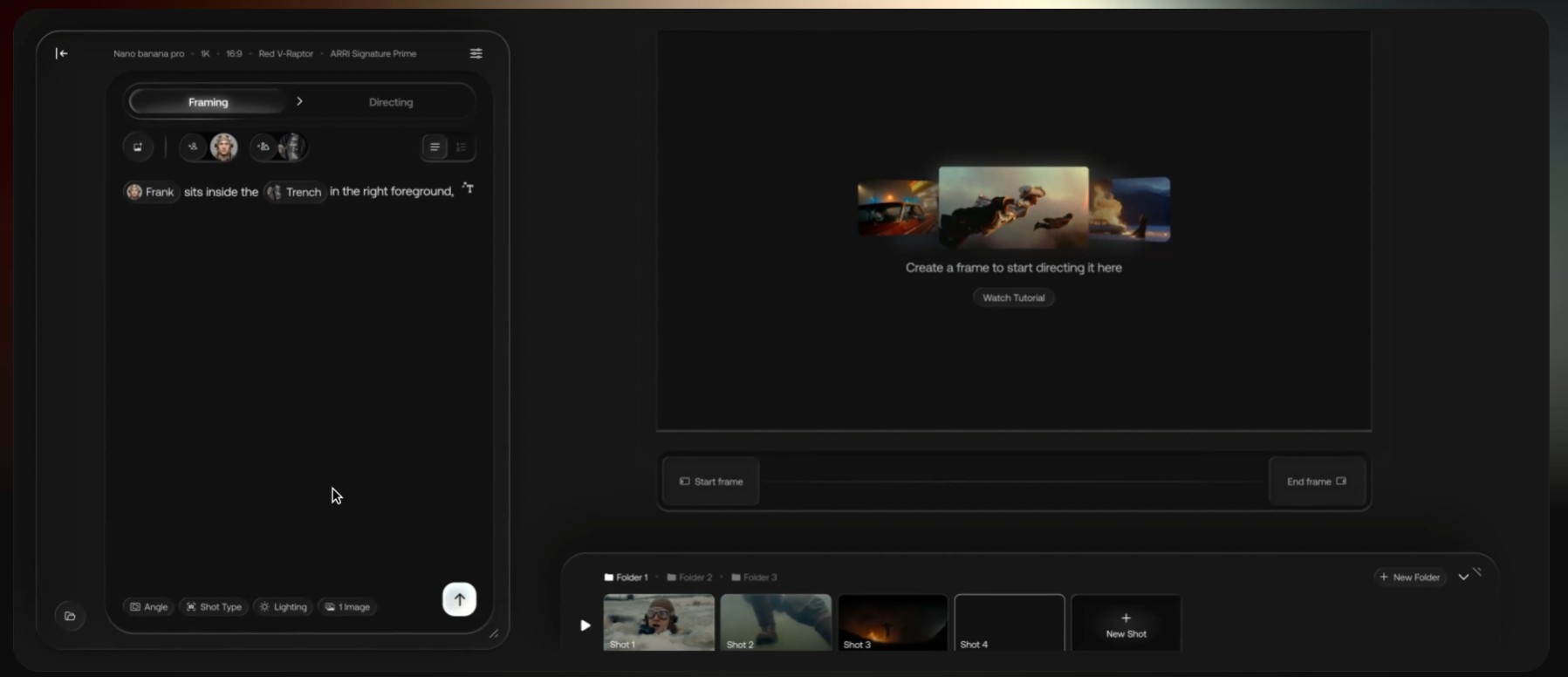
None of this means Artlist's AI suite is poor value — access to many top-tier models under one login is a genuine convenience, and it's what the AI-side praise in its reviews centres on. It means the plan card is the wrong tool for budgeting. If character consistency across a series of shots matters more to you than model choice, a specialised tool like the one in our MagicLight review may suit better than a general-purpose model menu.
Content ID, Cancellation and What You Keep
The licence is perpetual in one specific sense, and temporary in another. Get the distinction wrong and you can trigger claims on your own videos years later.
Published while subscribed: covered for good
Any project you publish while your subscription is active stays licensed after you cancel. Your back catalogue is safe.
Downloaded but unused: lost at expiry
Stock you downloaded but didn't publish can't go into new projects once the subscription ends. Hoarding tracks before cancelling doesn't work.
Content ID claims: add every channel to your Clearlist
Artlist itself says claims can appear even with a valid licence. When the claimant is Artlist Ltd, the fix is almost always adding the channel or video to your account's Clearlist, which clears the claim automatically. Do this for every channel the day you subscribe.
Re-uploads after cancelling can be claimed
Uploading a video again after your licence period ended — a re-edit, a mirror to a new channel — can trigger a fresh claim Artlist won't clear. Keep your licence records and avoid re-publishing old projects to new places after you leave.
AI credits: gone at expiry
Unused credits don't roll over month to month and disappear when the subscription ends. Generated outputs you've already made remain yours to use, subject to Artlist's forbidden-use rules.
What You Actually Get
The Three Plans Worth Considering
Music & SFX Social
- Full music and SFX catalogue
- One channel per platform + one podcast
- Only plan with monthly billing
- No client work, no paid ads
Music & SFX Pro
- Music, stems and full SFX
- Client work, ads, websites, broadcast
- Three channels per platform
- Annual billing only
Max
- Music, SFX, footage, templates, LUTs
- Plugins and editor extensions
- 16,500 AI credits per month
- Cheaper than two stock plans
How Artlist Compares
Artlist sits between three kinds of product. Which one beats it depends entirely on what you're buying it for.
| Factor | Artlist | Music-First Subscriptions | Asset Marketplaces | AI-Only Generators |
|---|---|---|---|---|
| Music Curation | Excellent | Usually strong | Variable, larger volume | Generated only |
| Content ID Handling | Clearlist, self-serve | Usually similar | Varies by asset | Depends on terms |
| Footage & Templates | Up to 8K on Max | Rarely | Broad | Generated only |
| AI Generation | Many models, one login | Usually none | Limited | Core product |
| Pricing Predictability | Stock yes, AI no | Flat | Flat | Credits |
| Monthly Billing | Social and AI plans only | Commonly available | Commonly available | Usually |
Competitor prices are deliberately not quoted. This category re-prices frequently and most published comparisons are written by a competitor — check current figures directly with any service you shortlist.
For VFX elements and sound effects on a tighter budget, our ProductionCrate review covers the asset-marketplace alternative in detail. And if what you need is talking-head ad creative rather than cinematic clips, MakeUGC is built for that specific job in a way a general model menu isn't.
The Honest Ledger
- Curated music library that reviewers consistently single out.
- Projects published while subscribed stay licensed after you cancel.
- Clearlist resolves Artlist's own Content ID claims automatically.
- Max undercuts buying music and footage plans separately.
- Footage up to 8K, with templates, LUTs and plugins on Max.
- Many top AI models available under one login.
- $9.99 Social plan is a cheap entry for personal channels.
- "Up to" AI video counts imply ~160 credits a clip; real models cost 500–3,800.
- Every failed generation is charged like a keeper.
- AI credits expire monthly, with no rollover.
- Pro-level stock plans and Max are annual-only.
- Refunds only if nothing was downloaded or generated.
- Pricing page now buries the stock catalogue behind a link.
- Trustpilot sits at 3.2/5, with 30% one-star reviews.
Buying It Without Overpaying
Step 1: Decide the licence before the catalogue
If any video earns money from a client or runs as a paid ad, you need Pro-level coverage. If everything is your own channel, Social is enough. This one question rules out half the plans.
Step 2: Try the free tier on a real edit
The free account gives watermarked music and footage you can drop into a rough cut. Use it to check the catalogue suits your style before paying for a year — nothing downloaded on free affects the paid refund window.
Step 3: Need music and footage? Price Max first
Two separate stock plans cost more than Max. Check whether the 7,500-credit Max configuration is offered at your checkout — it's the cheapest way into the full catalogue.
Step 4: Add every channel to Clearlist on day one
Most Artlist Content ID claims come from channels missing from your Clearlist. Register them all before you publish anything, rather than disputing claims after the fact.
Step 5: Set a renewal reminder
Annual plans auto-renew and refunds close the moment you use anything. Put a reminder in your calendar three weeks before the renewal date and decide deliberately.
Buy It or Skip It
Frequently Asked Questions
How much does Artlist cost in 2026?
Stock plans on annual billing run from $9.99/month for Music & SFX Social to $24.92 for Music & SFX Pro, $31.99 for Footage & Templates, and about $50.66 for Max with 16,500 AI credits. AI plans are separate: AI Starter at $11.99/month annual ($19.99 monthly), AI Core at $23.99 ($39.99) and AI Pro at $59.99 ($99.99). Prices exclude VAT, and every Pro-level stock plan and Max is annual-only.
Does the Artlist Social plan cover client work or ads?
No. Social covers your own personal channels — one per platform plus one podcast — and excludes client projects and paid advertising. A single paid client video or boosted post needs Pro-level coverage, which adds client work, ads, websites, podcasts and broadcast, with three channels per platform.
Can I keep using Artlist music after I cancel?
Anything you published while your subscription was active stays licensed permanently. What you can't do is use stock you downloaded but didn't publish in new projects after the subscription ends. Re-uploading old videos to new places after cancelling can also trigger Content ID claims that Artlist won't clear.
Why am I getting Content ID claims on Artlist music?
Artlist says claims can appear even with a valid licence. If the claimant is Artlist Ltd, the cause is almost always that your channel or video isn't on your account's Clearlist — adding it clears the claim automatically. Register every channel the day you subscribe to avoid it.
How many AI videos can I really make with Artlist credits?
Far fewer than the plan card suggests. The pricing page lists AI Starter's 16,500 credits as up to 103 videos — about 160 credits each. Third-party per-model figures put a single 4–5 second 1080p clip at roughly 700 to 3,800 credits, so the realistic range is about 4 to 23 clips before you count failed attempts. Credits expire monthly.
Is Artlist Max worth it over Music & SFX Pro?
If you only need music and sound effects, Music & SFX Pro at $299.04 a year is the better buy. If you also need footage, Max is cheaper than buying Music & SFX Pro and Footage & Templates separately — about $608 against $683 a year — and adds plugins and AI credits on top.
Can I get a refund from Artlist?
Only within 14 days of a new payment or renewal, and only if nothing was downloaded, generated, used or published in that period. Otherwise payments are generally non-refundable unless local consumer law says otherwise. Subscriptions auto-renew, so set a reminder well before your renewal date.
Is Artlist worth it in 2026?
For music licensing, yes — the library is excellent and the licence is clean for YouTube and client work on Pro plans. For AI generation, it depends on your real cost per usable clip, which you can only learn by measuring a month of use. Buy the stock side annually and treat the AI side as an experiment before scaling it.
The Verdict
Artlist is two products now, and they deserve two different verdicts. The stock library is excellent: curated music that reviewers consistently praise, a licence that genuinely removes copyright anxiety for YouTube, Clearlist handling of its own Content ID claims, and — for anyone who needs footage too — a Max bundle that undercuts buying the pieces separately. On annual billing, at the right licence tier, it's money well spent.
The AI suite is where the 7.8 comes from. Having many top models under one login is useful, but the plan cards advertise video counts at roughly 160 credits a clip when the models you'd actually choose cost several times that, every failed attempt is charged, and credits expire monthly. That gap between the card and the bill is the clearest pattern in Artlist's public reviews.
So: buy Artlist for the music, on annual, at the licence you actually need. Add every channel to Clearlist on day one. And before you commit a year of AI credits, spend one month measuring what a usable clip really costs you.
Explore Artlist's Music Library →