


There is a frustrating and expensive trend dominating the marketing software industry right now: forced feature bloat. Platforms that originally launched to help you send a simple weekly newsletter have transformed into massive, cumbersome "all-in-one" suites. Today, the biggest names in the space force users to subsidize complex CRM tagging, SMS routing, and heavy e-commerce automations—even if all you want to do is send clean, responsive emails to your audience.
EmailOctopus was built as a direct rejection of this trend. It is deliberately lean, stripping away heavy omnichannel tools to focus entirely on core email deliverability, intuitive design, and aggressive pricing. But does cutting the fat mean sacrificing essential automation logic? To find out, we took a deep dive into the platform, running test campaigns to evaluate its drag-and-drop builder, its sequence limits, and how its pricing actually scales once you pass the initial "honeymoon" phase.
- Unmatched Free Tier: Supports up to 2,500 subscribers and 10,000 monthly sends entirely for free, offering a massive runway for new lists.
- Radical Simplicity: Abandons complex CRM tools in favor of a highly intuitive, fast visual editor for standard newsletters and drip sequences.
- Amazon SES Integration: Offers a parallel "Connect" version that links to Amazon Web Services, unlocking virtually wholesale sending costs for technical users.
- Strict Compliance: Enforces rigorous anti-spam policies to protect sender reputation, meaning cold-email scrapers will be banned immediately.
The 30-Second Executive Summary
Stop Overpaying for Email
EmailOctopus provides an essential operational shift for budget-conscious marketers. By abandoning complex integrations in favor of core newsletter mechanics, it allows users to design, automate, and analyze campaigns without navigating a maze of upsells. If you simply need a reliable way to capture leads and send responsive HTML emails to a growing audience, migrating to EmailOctopus is one of the fastest ways to immediately reduce your monthly marketing overhead.
Start Sending For Free →Quick Pros & Cons
- Free plan allows 10,000 monthly emails to 2,500 contacts, crushing market averages.
- Drag-and-drop editor is fast and generates clean, mobile-responsive HTML out of the box.
- Provides a native Amazon SES integration (Connect) for enterprise-volume senders at wholesale pricing.
- Transparent pricing auto-downgrades your bill if your list size shrinks.
- Lacks native SMS capabilities and advanced omnichannel routing entirely.
- Free tier restricts automations to just 3 workflows with 5 steps each.
- Not suitable for behavior-triggered, complex cart-abandonment e-commerce automation.
How We Evaluated EmailOctopus
To ensure this audit goes beyond standard marketing fluff, we deployed EmailOctopus within a live creator environment for a 30-day testing cycle. Our hands-on evaluation methodology included:
- Deliverability Stress Test: Running standard broadcast campaigns through seed lists to measure inbox placement against spam and promotions tab routing.
- Builder Efficacy: Pushing the visual editor to its limits by designing multi-column, image-heavy newsletters to check for mobile-rendering breaks.
- Automation Logic: Constructing a lead-magnet welcome sequence, verifying the speed of autoresponder deployment and tag-based segmentation.
- TCO Modeling: Calculating the exact 1-year Total Cost of Ownership across various list sizes (5k, 10k, 50k) to verify their claims against Mailchimp and Constant Contact.
The Killer Feature: Unlocking Wholesale Delivery via Amazon SES
Before diving into the design tools, we have to highlight the most compelling discovery of our audit: the EmailOctopus Connect offering. The standard platform operates like any normal software—they host your list and route your emails through their managed IP servers.
However, if you are comfortable with basic cloud engineering, the Connect version allows you to link the EmailOctopus visual dashboard directly to your own Amazon SES (Simple Email Service) account. You get the beautiful drag-and-drop interface, but Amazon handles the raw delivery infrastructure. Because Amazon charges roughly $0.10 per 1,000 emails, this reduces high-volume sending costs to fractions of a cent per email. For newsletters approaching 100,000+ subscribers, this is arguably the most cost-effective mass-mailing setup available on the internet today.
Inside the Dashboard: The Drag-and-Drop Deliverability Audit
A cheap platform is useless if it takes an hour to format a simple digest. The visual editor is the beating heart of any email marketing strategy.
During our staging, we deployed a multi-column newsletter to test the builder's responsiveness. The EmailOctopus drag-and-drop builder proved exceptionally fluid, requiring absolutely no HTML knowledge. We easily pulled in image blocks, formatted call-to-action buttons, and dropped in personalization tags to automatically insert subscriber names. More importantly, the platform's backend code is incredibly clean, meaning our designs rendered perfectly for mobile screens during live inbox placement tests.
Editorial Tip: If you find yourself staring at a blank screen struggling to write the actual newsletter copy, we highly recommend deploying an AI drafting assistant like Runable to synthesize your research into actionable paragraphs before pasting it into the EmailOctopus builder.
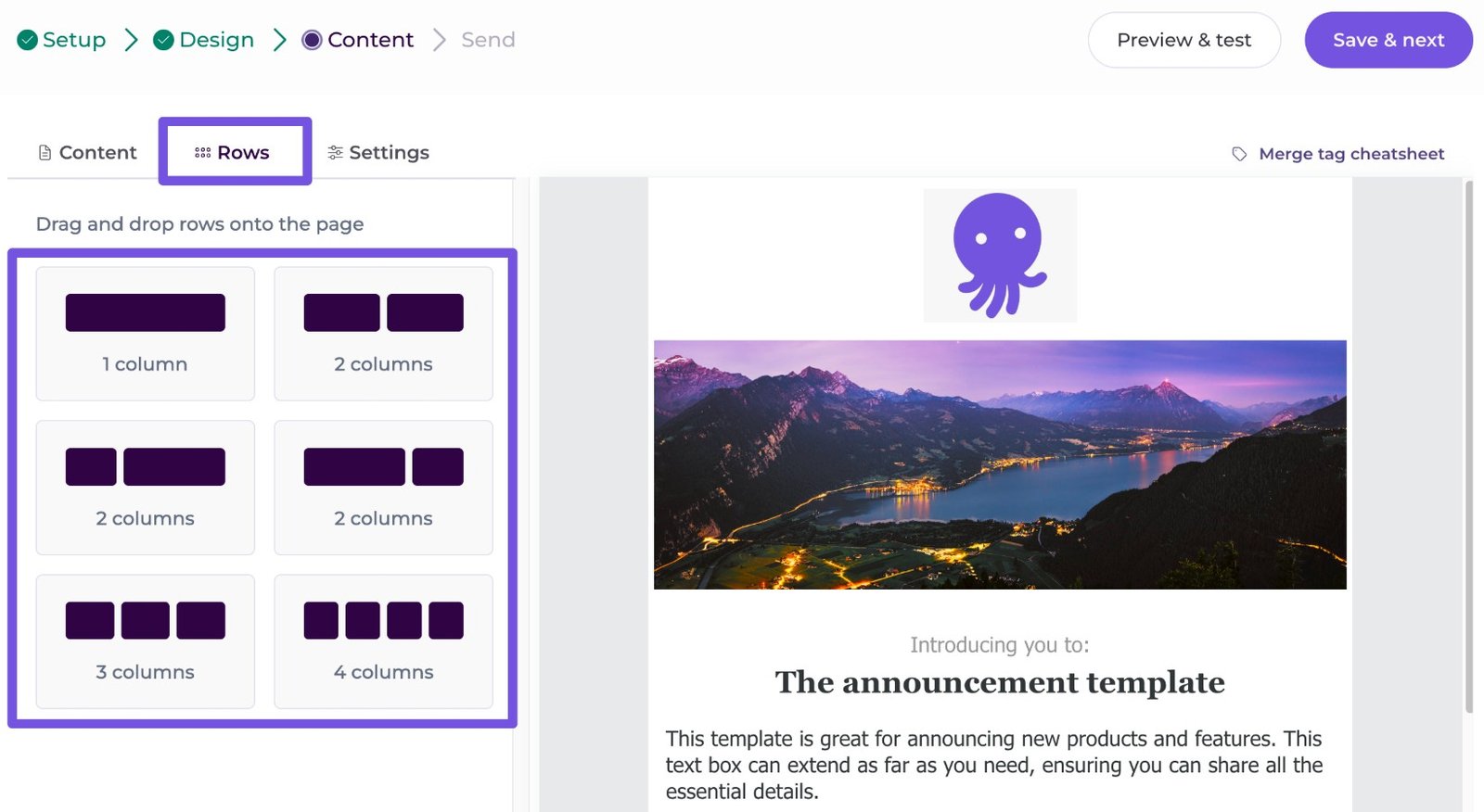
Our test deployment of the visual builder, showcasing the clean, drag-and-drop module hierarchy.
The Shared IP Conundrum: How EmailOctopus Manages Pool Hygiene
When utilizing low-cost or freemium email platforms, the biggest invisible risk to your open rates is the quality of the shared IP pool. If a platform allows anyone to sign up and blast spam, the entire server network gets blocklisted by Gmail and Outlook, destroying the deliverability of legitimate senders sharing those same IPs.
Our audit revealed that EmailOctopus mitigates this risk through aggressive, automated verification filters alongside manual compliance checks during onboarding. When importing an existing subscriber file, your account is placed in a temporary holding state while their verification engine parses the data for spam traps, dead domains, and scraped patterns. While this manual bottleneck can delay your first campaign launch by a few hours, it functions as a critical protective shield for your long-term sender score.
The Economics of Scaling (1-Year TCO)
Most reviews only look at monthly sticker prices. To provide real value, we calculated the 1-Year Total Cost of Ownership (TCO) for a creator who scales a list to 10,000 subscribers. Legacy platforms are notorious for aggressive pricing cliffs. Because EmailOctopus doesn't have to support the server weight of a massive CRM ecosystem, their overhead is lower, resulting in staggering annual savings.
*Result: Choosing EmailOctopus yields a hard cash savings of roughly $786 annually for the exact same email delivery capability.
Operational Advantages
Provides one of the largest free capacities on the market (10,000 monthly sends), giving new brands a massive runway before hitting a paywall.
Unlike competitors that charge aggressive per-seat premiums, paid tiers support unlimited users, enabling smooth team collaboration without penalty.
How EmailOctopus Compares to the Market
To understand its exact positioning, we must evaluate EmailOctopus against established market leaders based on entry-level utility and long-term scaling costs.
| Feature | EmailOctopus | Mailchimp | MailerLite |
|---|---|---|---|
| Free Tier Limit | 2,500 contacts | 500 contacts | 1,000 contacts |
| Starting Paid Price | $10 / mo | ~$13 / mo | ~$12 / mo |
| Platform Focus | Pure Email Delivery | All-in-one MarTech | Advanced Automations |
| Cost at 10k Subs | ~$44.50 / mo | ~$110 / mo | ~$89 / mo |
EmailOctopus vs Mailchimp: The Pricing Gap
Mailchimp is the industry behemoth, but its pricing has aggressively increased over time as it bolted on e-commerce features and CRM databases. While Mailchimp caps its free tier at a restrictive 500 contacts, EmailOctopus offers up to 2,500 free contacts. If you do not need complex multi-channel retargeting ads, Mailchimp is vastly overpriced for simple newsletter broadcasting.
- Exponentially larger free tier (2,500 vs 500).
- Less cluttered dashboard due to the lack of secondary marketing tools.
- Transparent pricing automatically downgrades your bill if your list shrinks.
- Far superior native e-commerce and retargeting logic.
- Deeper, more robust A/B testing and algorithmic send times.
- The widest array of native integrations in the industry.
EmailOctopus vs MailerLite: Features vs Cost
MailerLite was historically the budget king, but recent price hikes have narrowed its gap with premium tools. MailerLite still provides superior automation branching and a more sophisticated drag-and-drop website builder natively. However, EmailOctopus remains cheaper at scale. If you rely on intense, behavioral automation trees, MailerLite wins. If you send linear weekly digests and simple welcome sequences, EmailOctopus is far more economical.
- Lower overall monthly cost as lists scale past 5,000 subscribers.
- Amazon SES Connect option for near-wholesale volume sending.
- Lighter UI for users who don't want complex workflow builders.
- Much stronger automation workflow builder (conditional logic & branching).
- Native digital product sales and paid newsletter features.
- Superior native landing page and website builder tools.
Deploying Your First Automated Drip Campaign
To test the backend logic, we built a standard lead-magnet delivery sequence. Here is what the execution pipeline looks like for onboarding new subscribers:
Step 1: Domain Authentication
Connect and authenticate your custom sending domain using standard DNS records (DKIM/SPF). This is a non-negotiable step to ensure high deliverability to the primary inbox.
Step 2: Capture Deployment
Use the native builder to deploy a pop-up form or standalone landing page. (If you require a fully comprehensive, multi-page WordPress site to host your forms and business content, an AI builder like 10Web is highly recommended).
Step 3: The Welcome Sequence
Set up an automation node. When a user joins via the pop-up, trigger a pre-written "Welcome Email" instantly, followed by a secondary resource email 48 hours later to build trust.
Step 4: Campaign Broadcasting
Draft weekly newsletters using the visual editor. Schedule the campaigns in advance, segment by active openers, and monitor the analytics post-delivery.
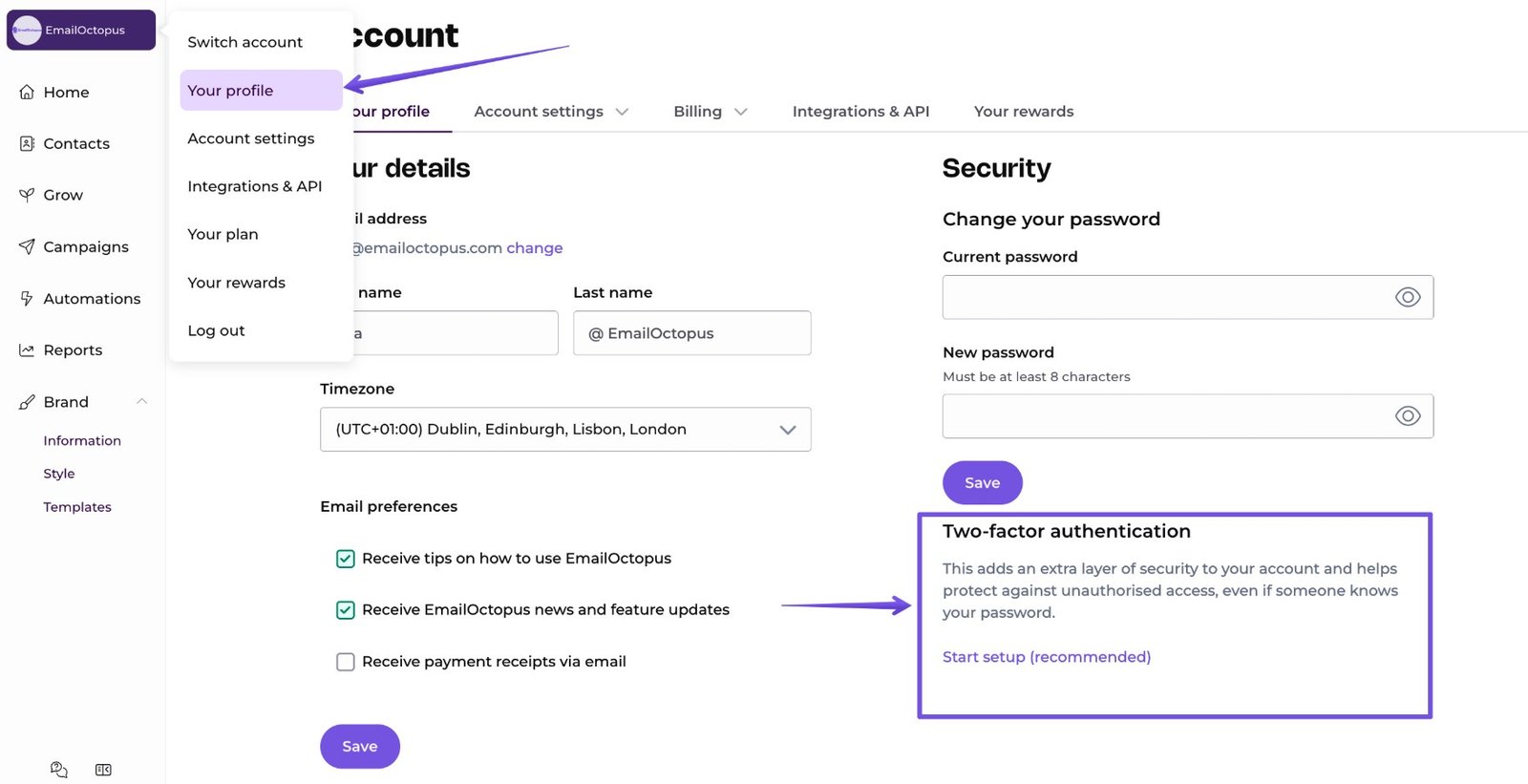
The main dashboard provides a clutter-free environment for list segmentation.
Example Use Cases
Target Alignment: Who Should Deploy vs. Avoid EmailOctopus
- Marketers looking for pure email broadcast tools without bloated features.
- Bootstrap founders aiming to maximize their initial software cost-efficiencies.
- Technical operators who want to pair a clean front-end UI with Amazon SES infrastructure.
- High-velocity e-commerce stores dependent on advanced cart-abandonment data flows.
- Cold outbound agencies executing scraped B2B cold email strategies.
- Teams demanding native multichannel solutions including SMS or live chat.
The Shopify Dealbreaker: Why Advanced E-commerce Brands Should Pass
Transparency is vital in an infrastructure audit. While we highly recommend the platform for standard communications, it is absolutely not a silver bullet for every business model. In fact, for certain users, it presents a hard dealbreaker.
If you run an advanced Shopify or WooCommerce store that relies on multi-step cart abandonment paths, dynamic product recommendations based on browsing history, and integrated SMS follow-ups, EmailOctopus is not the right tool for you. It lacks native SMS entirely and its automation logic is too linear for complex behavioral triggers.
Pricing Realities & Feature Tiers
Financially, EmailOctopus is incredibly transparent. Pricing scales strictly based on your exact subscriber count. Choosing to pay annually yields a standard 10% discount. Impressively, if your subscriber list shrinks, you can enable an "Optimize plan pricing" setting that will automatically downgrade your account to a cheaper tier on your next billing cycle.
Starter Plan
- Up to 2,500 subscribers
- 10,000 emails per month
- 3 automations / 3 landing pages
- Includes EO branding
Pro Plan
- 5,000 subscribers / 50k emails
- Unlimited automations & forms
- Unlimited user seats
- No EmailOctopus branding
Best Practices: The Alpha Plan
To effectively leverage the platform while maintaining high inbox placement, you must utilize native tagging to maintain high-performance deliverability.
The Final Verdict
As marketing software continues to consolidate, users are frequently forced to subsidize tools they never deploy. Paying a massive premium for an integrated sales CRM and SMS routing just to send a weekly newsletter is poor resource allocation.
EmailOctopus strips away this unnecessary bloat. By focusing aggressively on core email deliverability, intuitive design, and highly transparent pricing, it offers an unparalleled cost-to-value ratio. For creators, non-profits, and SMBs looking to stabilize their software expenses while maintaining top-tier audience engagement, it stands as one of the smartest infrastructure decisions you can make in 2026.
Launch Your Email Campaigns Today →Frequently Asked Questions
Is the free plan actually free?
Yes. The Starter plan lets you manage up to 2,500 subscribers and send 10,000 emails per month completely free, without requiring a credit card to sign up.
How does it compare to Mailchimp?
Mailchimp is a broader all-in-one suite with a heavy focus on e-commerce, while EmailOctopus is strictly focused on email. Because of this, EmailOctopus is significantly cheaper and offers a much larger free tier (2,500 vs 500 contacts).
What is EmailOctopus Connect?
EmailOctopus Connect is a version of the platform that links directly to your Amazon SES account. It provides the visual dashboard while Amazon handles the delivery, resulting in extremely low sending costs for high-volume users.
Does it include landing pages to capture leads?
Yes. Even on the free tier, you can build up to 3 hosted landing pages and embedded forms to capture subscriber emails natively.
Can I set up automated welcome emails?
Yes. The platform includes a visual automation builder allowing you to trigger time-delayed email sequences when a user joins your list.
Do they charge per user seat for team members?
No. Upgrading to any paid Pro plan grants you unlimited user seats, allowing your entire team to access the dashboard without extra fees.
Can I downgrade if my subscriber list shrinks?
Yes. EmailOctopus provides an "Optimize plan pricing" setting that will automatically move you to a cheaper tier if your subscriber count decreases before your next billing cycle.
Does it integrate with WordPress or Shopify?
Yes. The platform connects with over 1,000 external applications, including native hooks into popular CMS and e-commerce providers, as well as Zapier integrations.