

Facebook Groups are dying. The algorithm hates you, engagement is low, and you can't organize content. Slack communities are too noisy.
Skool, backed by Alex Hormozi and Sam Ovens, promises a solution: A simple, distraction-free platform that combines "Community" and "Courses" in one place. But is it too simple? In this Skool review, we built a growth engineering community to test the new $9/month plan and the famous "gamification" engine.
Quick Summary
Community on Autopilot
Skool solves the biggest problem with online courses: completion rates. By gamifying the experience (users earn points for likes, which unlock new course modules), Skool turns "learning" into a multiplayer game. It is cleaner than Facebook and stickier than Kajabi.
Create Your Community (14-Day Free Trial) →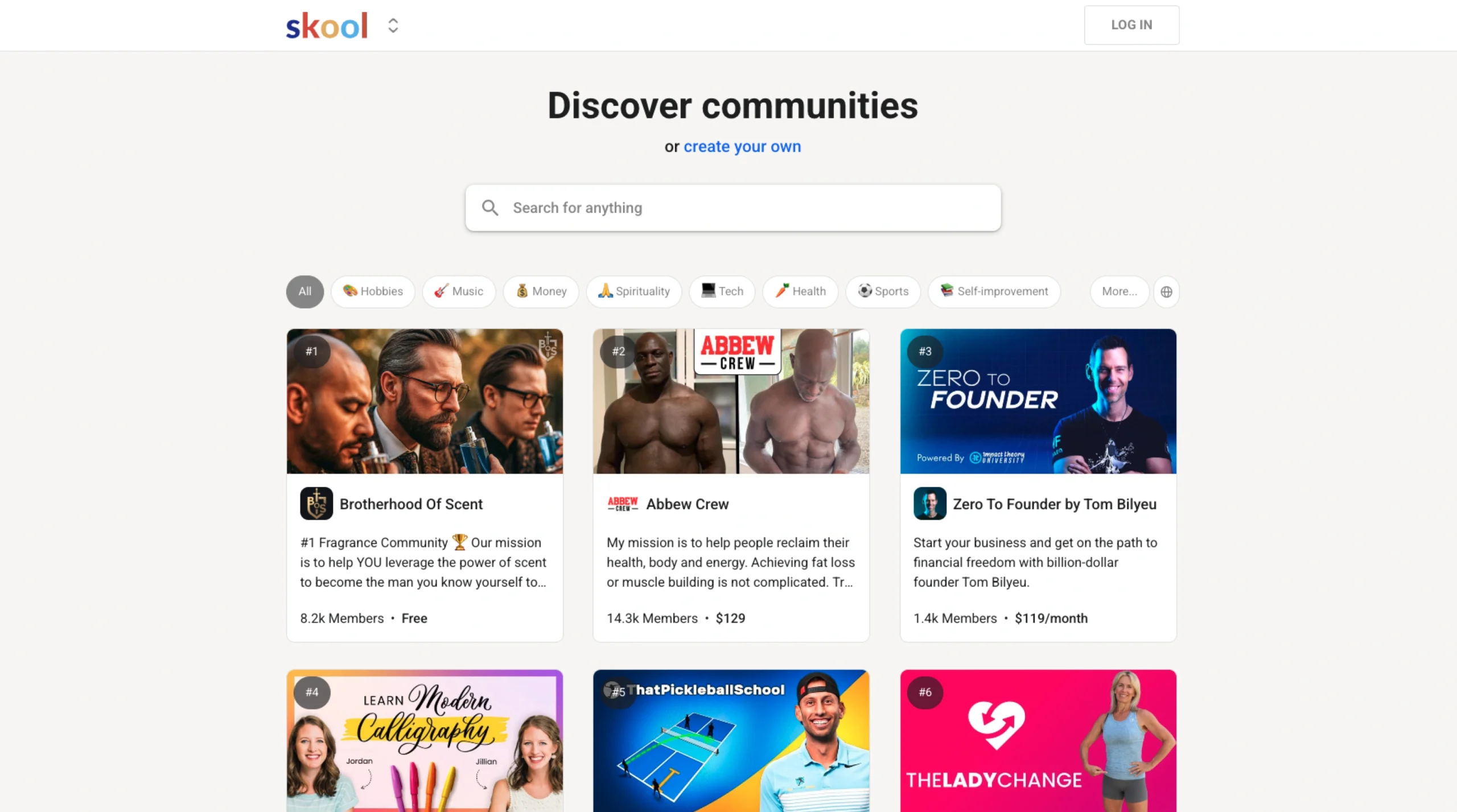
What Skool Actually Does
Skool is a "Community-First" course platform.
Unlike Kajabi (which isolates students), Skool puts everyone in a central feed (like a Facebook Group). The "Classroom" tab hosts your video courses. The "Calendar" tab shows Zoom calls. The genius part is that these are all linked: Commenting on a post earns you XP, and leveling up unlocks new courses in the Classroom.
Core Features
How Creators Are Making Money
Because Skool is so simple, the monetization models are straightforward. We have seen three main strategies working right now:
Charge $20-$50/month for access to the community and a library of ongoing courses. The recurring revenue builds up fast.
Create a Free Skool Group to build trust. Then, use the "Locked" modules in the Classroom tab to tease paid content. When a user clicks a locked course, they are prompted to pay to upgrade.
Use Skool as the delivery mechanism for a $2,000+ coaching program. The "community" aspect adds value to your coaching offer, making the high price tag easier to justify.
How to Use Skool — Workflow
We set up a "Growth Engineering Hub" on Skool to test the engagement loop.
- The Content: We uploaded our "Google Ads Blueprint" course to the Classroom.
- The Lock: We set the "Advanced Bidding" module to Unlock at Level 3.
- The Incentive: We posted a pinned message: "Want the Bidding Strategy? It unlocks at Level 3. Introduce yourself below to earn your first points!"
- The Result: New members immediately posted high-quality intros to get "likes" (points). The community became self-sustaining within 48 hours because users wanted to level up.
Example Use Cases
Who Skool Is Best For
- Community Builders: If engagement is your #1 metric, nothing beats Skool.
- Beginners: The setup takes 15 minutes. No coding, no complex design.
- Coaches: The "Calendar" feature effectively replaces Calendly for group calls.
Who Should Avoid Skool
- Advanced Marketers: Skool has NO funnels, NO email automation, and NO upsells. You need external tools for that.
- Design Control Freaks: You cannot change the fonts or colors. Every Skool community looks the same.
Pricing & Plans
- Unlimited Members
- Unlimited Courses
- 1 Admin
- 10% Transaction Fee
- Lower Fees (2.9%)
- Unlimited Admins
- Zapier Integration
- Best for paid communities
How Skool Compares
| Feature | Skool | Kajabi | Facebook Groups |
|---|---|---|---|
| Engagement | High (Gamified) | Low (Isolated) | Medium (Noisy) |
| Setup Time | 15 Mins | Days | Instant |
| Marketing Tools | None | Excellent | None |
| Cost | $9 - $99/mo | $149/mo+ | Free (Data harvesting) |
Limitations & Reality Check
- No Native Video Hosting (Update): Actually, Skool added native video hosting in 2025! You no longer need Vimeo or Wistia. This is a huge improvement.
- Single Channel: There are no "Channels" or "Sub-groups" inside a community (like Slack). Everyone is in one main feed. This keeps it simple but can get chaotic for massive groups.
Best Practices: "The Unlock Strategy"
Don't give everything away for free.
Pros & Cons
- The most intuitive UI in the industry.
- Gamification actually works to drive comments.
- Native mobile app is fast and reliable.
- All-in-one Calendar/Classroom/Feed.
- No sales funnels or landing page builder.
- 10% fee on the Hobby plan is high.
- Lack of customization (branding).
Frequently Asked Questions
Does Skool host video?
Yes! Skool now offers native video hosting (up to 30GB per file) with auto-transcriptions, so you don't need to pay for Vimeo or Wistia anymore.
Is there a free plan?
Skool does not have a free-forever plan, but they offer a 14-day free trial. After that, plans start at $9/month.
Can I connect my own domain?
No. As of 2026, Skool communities live on `skool.com/your-group`. They do not currently support custom domains (CNAME), which is a drawback for some brands.
Does it have an affiliate program?
Yes. Skool has a built-in affiliate system where you can reward your members for inviting new people to your paid community (auto-payouts handled by Skool).
Can I sell memberships?
Yes. You can set a monthly subscription price (e.g., $49/mo) for access to your community. Skool handles the billing via Stripe automatically.
Final Verdict
If you want a complex marketing machine with upsells and email sequences, stick with Kajabi.
But if you want a highly engaged community where people actually talk to each other and finish your courses, Skool is the undisputed king. It is the only platform that makes community management feel like a game, not a chore.
Start Your Skool Community →