

If you are running a business using your personal cell phone number, or relying on a clunky legacy PBX desk phone, you are bleeding opportunities. Customers expect instant, professional communication. Every missed call from a prospect is lost revenue, and sharing a single cell phone across a growing team guarantees that vital context will fall through the cracks.
Quo (formerly OpenPhone) was engineered to replace outdated telecom hardware. It is a cloud-based Voice over Internet Protocol (VoIP) system that transforms your team's devices into a shared, collaborative communications hub. By integrating AI natively to summarize calls, suggest contacts, and act as a 24/7 digital receptionist, Quo aims to eliminate the administrative friction of inbound sales. But does it actually scale for serious operations? In this Quo technical audit, we stress-test their telephony infrastructure.
1. Quick Summary
2. The TL;DR Verdict
The End of the "Missed Call"
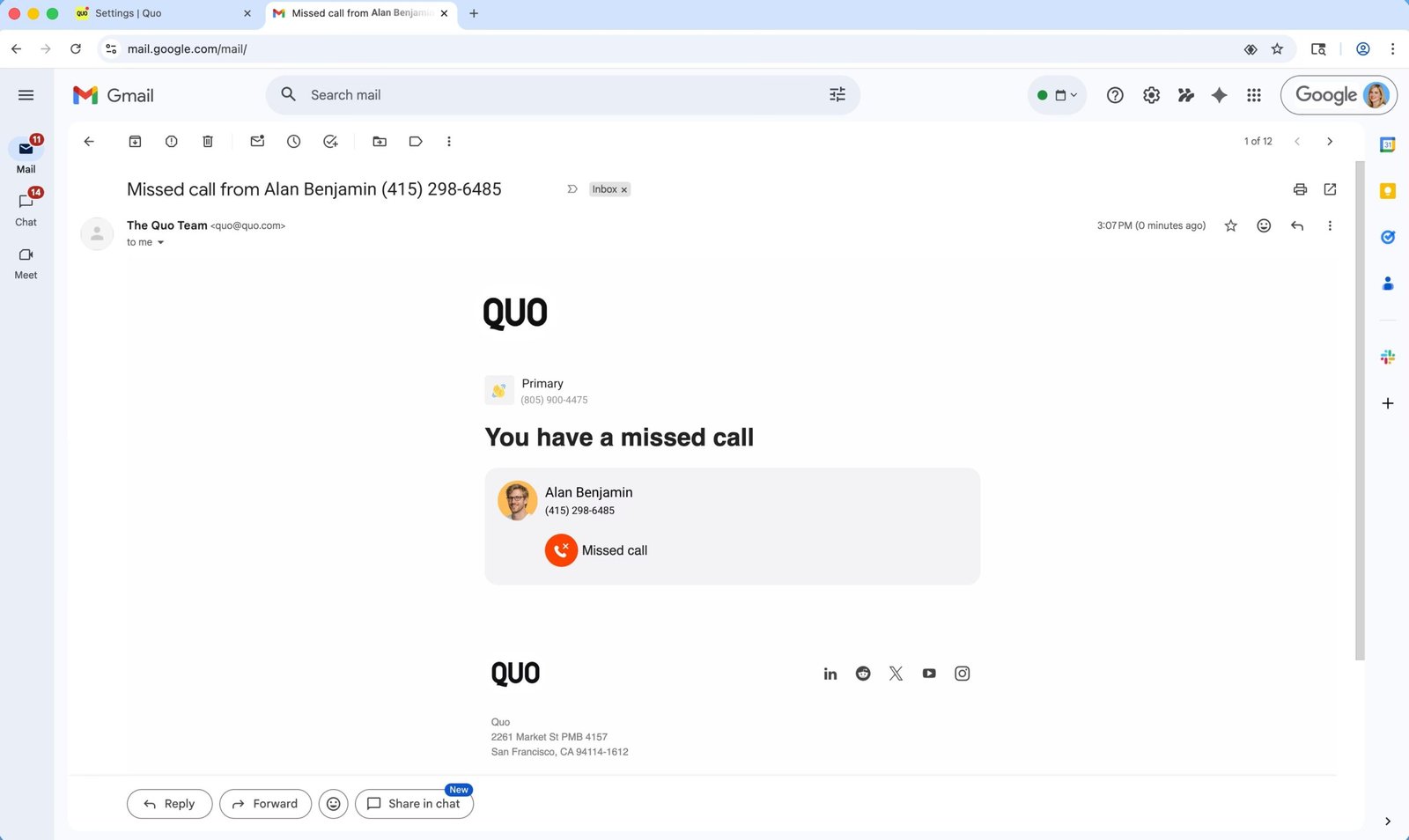
Quo fundamentally changes how small businesses handle communications. By centralizing calls, texts, and voicemails into a single shared inbox, it ensures any team member can jump into a conversation with full context. The addition of the Sona AI Agent, which answers calls after hours, collects customer information, and routes tickets, acts as a tireless front-desk employee for a fraction of the cost.
Start Your Free Quo Trial →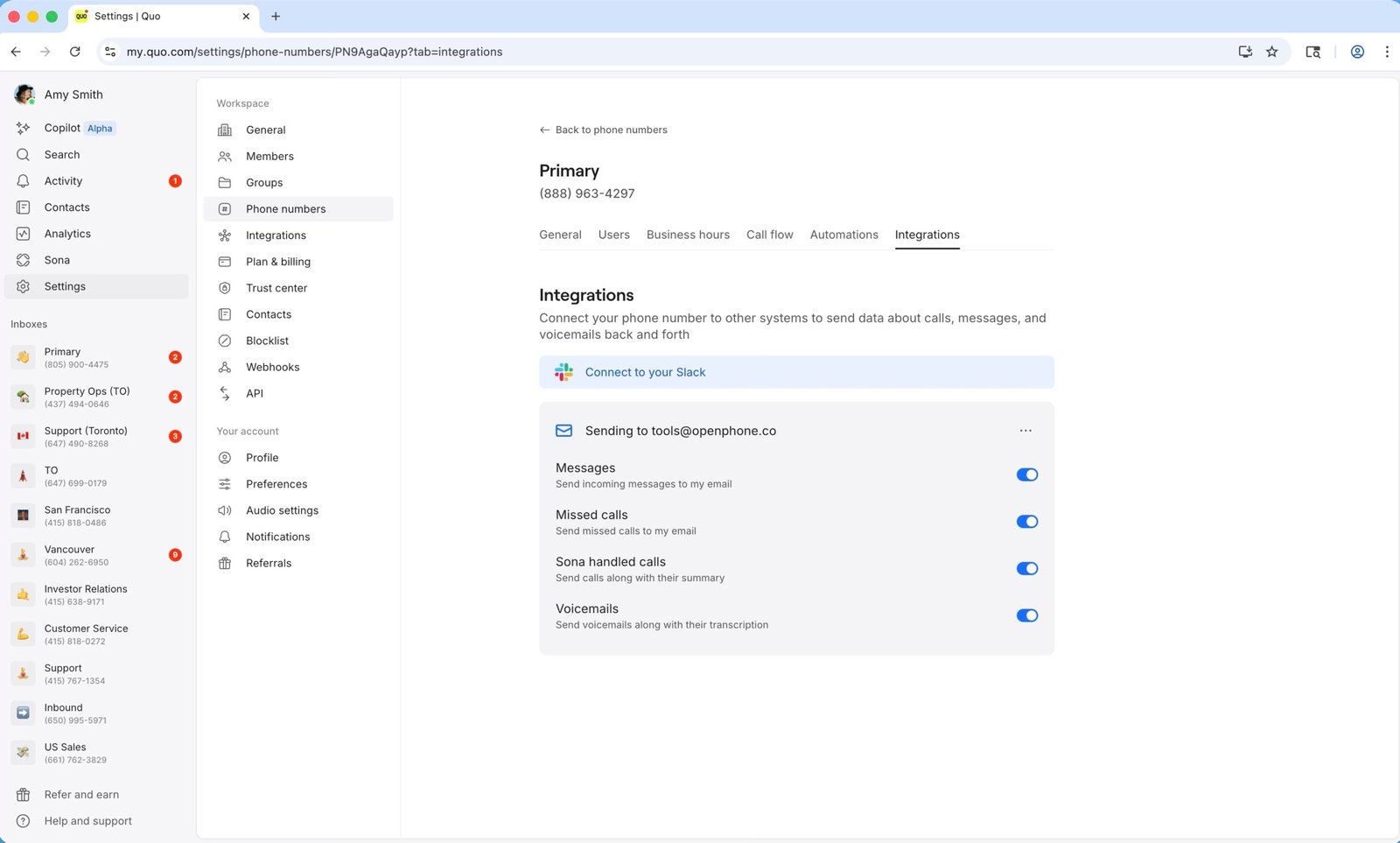
3. What Quo Actually Does
Quo acts as a digital layer over your existing internet connection, breaking voice data down into packets and transmitting it without the need for traditional copper lines or carrier minutes.
It replaces physical hardware with a desktop and mobile app interface. You can port your existing business numbers to Quo for free. Once active, multiple employees can share the same number, meaning when a customer calls the support line, it rings everyone simultaneously (or in a specified sequence) until someone answers. Every text message, voicemail, and call recording is logged into a unified thread, preventing the classic issue of "who talked to this client last?"
4. Core Features
5. The Data: The Cost of Manual Logging
Sales managers and dispatchers spend hours every week listening to call recordings to update CRMs. Here is the operational impact of Quo's AI features in a real-world scenario (Pink's Windows franchise).
6. The Technical Setup (TCR & Compliance)
Setting up Quo is fast, but there are strict industry regulations you must navigate to ensure message deliverability.
To send SMS messages to major US carriers (AT&T, Verizon, T-Mobile), you must register your business with The Campaign Registry (TCR). Quo facilitates this, but it requires a one-time $19.50 fee and a manual review process that takes time. For healthcare or regulated entities, Quo provides a signed Business Associate Agreement (BAA) to guarantee HIPAA compliance and secure PHI storage, available on their Business and Scale plans.
7. Practical Workflow & Deployment
Here is what the onboarding pipeline looks like for an operations manager:
Step 1: Number Acquisition
Sign up for Quo. Either select a new local or toll-free number, or initiate a free porting request to bring your existing business number over.
Step 2: Routing & Menus
Configure your business hours. Set up an IVR (Phone Menu) to route "Press 1 for Sales" directly to the shared inbox of your sales team.
Step 3: AI Configuration
Activate the Sona AI agent to act as your fallback. If all reps are busy, Sona answers, extracts the caller's intent, and logs the lead details instantly.
Step 4: CRM Integration
Connect Quo to HubSpot, Salesforce, or Jobber so that AI call transcripts, recordings, and SMS threads are automatically synced to the correct client record.
8. Example Use Cases
9. The Real ROI (Infrastructure vs. Missed Leads)
Hover over the metrics below to see the baseline operational advantages of adopting a cloud VoIP.
Quo operates entirely via desktop, web, and mobile apps. You do not need to buy or lease expensive physical desk phones.
The Sona AI agent ensures that weekend or late-night calls are greeted professionally, capturing revenue opportunities while you sleep.
10. Who Quo Is Best For
- Startups & Small Businesses: The platform is designed to be set up in minutes without needing an IT department or a complex enterprise contract.
- Teams Using Jobber or HubSpot: The native integrations ensure your phone system talks directly to your CRM, automating data entry.
- Founders Seeking Separation: Giving your team dedicated business numbers allows them to take calls from their personal phones without exposing their private cell numbers.
11. Who Should Avoid Quo
- Massive Enterprise Call Centers: Quo excels at shared inboxes for SMBs, but if you run a 500-seat telemarketing floor requiring complex predictive dialers and legacy hardware routing, it may lack the specific enterprise depth you need.
- Users in Poor Coverage Areas: Because Quo is VoIP, it requires a stable internet connection (WiFi or cellular data). If your team works in rural areas with weak 4G/5G, call quality will suffer.
12. Integration & Operational Synergy
13. Feature Focus: AI Call Tags & Insights
Listening to hundreds of calls to find patterns is impossible. Quo's AI automatically categorizes conversations based on context, applying tags like "complaints," "new leads," or specific customer sentiments. This allows operations managers to quickly filter their call history and identify systemic business issues—like spotting a sudden spike in shipping complaints—without reading every single transcript.
14. Pricing Realities & Feature Tiers
Quo offers straightforward, per-user pricing, with advanced AI and CRM features gated behind higher tiers.
Starter Plan
- 1 Local or Toll-Free Number per user
- Shared Phone Numbers (Up to 10 users)
- Sona AI Agent (Handled calls only)
- Basic Call Forwarding & Menus
Business Plan
- Unlimited Shared Users
- AI Summaries & Transcripts for ALL calls
- HubSpot & Salesforce Integrations
- HIPAA Compliance (BAA)
15. Best Practices: "The Alpha Plan"
To extract maximum efficiency, you must execute the Alpha Plan for unified communications. Stop letting sales and support operate in silos.
16. How Quo Compares
| Feature | Quo | Google Voice (Workspace) | Dialpad |
|---|---|---|---|
| Shared Inboxes | Excellent (Native feature) | Poor (Not built for collaboration) | Good |
| AI Voice Agent | Yes (Sona 24/7) | No | Yes (Enterprise heavy) |
| Setup Speed | Very Fast (Minutes) | Fast | Moderate (IT setup common) |
| Target Audience | Startups & SMBs | Solo Freelancers | Large Enterprise |
17. Limitations & Reality Check
- The TCR Bottleneck: This is not unique to Quo, but it is a frustration for new users. To send SMS messages to US numbers without being blocked, you must pay the $19.50 Campaign Registry fee and wait for manual third-party approval. You cannot instantly blast texts on day one.
- Android Call Waiting Bugs: Some users on the Android platform have reported issues with call waiting—where an incoming Quo call will interrupt or ring loudly over a standard cellular call, requiring software updates to smooth out the dual-handling.
18. PROS & CONS
- Unified inboxes prevent communication silos; everyone sees the calls and texts.
- Sona AI acts as a 24/7 safety net, ensuring no revenue is lost after hours.
- Auto-transcripts and summaries eliminate the need for manual CRM data entry.
- Offers a signed BAA, making it a viable solution for HIPAA-compliant healthcare.
- VoIP architecture strictly requires a strong, stable internet connection.
- Occasionally drops calls or experiences syncing delays across devices according to some user reports.
19. Frequently Asked Questions
1. Does Quo use my cell phone carrier's minutes?
No. Quo is a VoIP system that utilizes your internet connection (WiFi or cellular data), meaning it does not consume your standard carrier minutes. It uses roughly 0.5 MB of data per minute of calling.
2. Do I need to buy special desk phones or hardware?
No. There is no physical hardware required. Quo operates entirely via its desktop, browser, and mobile apps (iOS and Android).
3. Can I keep my existing business phone number?
Yes. You can port your current numbers over to Quo. The platform handles the backend process for free; you simply submit a porting request.
4. What is the TCR fee?
The Campaign Registry (TCR) is a third-party agency chosen by major US cell carriers. To guarantee message deliverability to networks like Verizon and AT&T, you must register your business and pay a one-time $19.50 manual review fee.
5. How does the Sona AI Agent work?
Sona uses conversational AI to answer incoming calls, particularly after hours or when your team is busy. It responds naturally, captures caller details and intent, and routes the summarized information to your inbox so your team can follow up efficiently.
6. Is Quo HIPAA compliant?
Yes. For customers on the Business or Scale plans, Quo provides secure PHI storage, access controls, audit logs, and a signed Business Associate Agreement (BAA) upon request.
7. Does it connect to my CRM?
Yes. Quo natively integrates with major platforms like HubSpot, Salesforce, and Jobber, ensuring that call summaries, text messages, and recordings are automatically synced to your client profiles.
8. How many team members can share a number?
On the Starter plan, up to 10 paid users can share a single phone number. On the Business and Scale plans, an unlimited number of paid users can collaborate on a shared number.
20. Final Verdict
Operating a growing business through a personal cell phone or an outdated, rigid PBX system creates a chaotic customer experience. When team members cannot see conversation histories, leads fall through the cracks and revenue is lost.
Quo is the definitive communications upgrade for startups and small businesses. By consolidating calls, texts, and voicemails into a collaborative, shared inbox, it ensures operational transparency. When you layer on the Sona AI Agent to provide 24/7 coverage and automatic CRM data entry, Quo stops acting just like a phone system and starts functioning like a dedicated, highly efficient employee.
Upgrade Your Business Phone System Today →