

If you are running performance marketing campaigns, relying on your engineering team to hardcode new landing pages is an operational disaster. By the time a developer finishes building the HTML, configuring the CNAME records, and hooking up the lead capture webhooks, the ad trend has already died. Marketing teams need to operate autonomously.
Landingi positions itself not just as a page builder, but as an "AI Landing Page Operation System." It promises to bypass IT entirely, allowing marketers to generate, host, split-test, and dynamically scale hundreds of pages simultaneously. But is it robust enough for enterprise data routing, or just another basic drag-and-drop tool? In this Landingi audit, we deploy their infrastructure to find out.
1. Quick Summary
2. The TL;DR Verdict
The End of Developer Bottlenecks
Landingi completely decouples your marketing operations from your IT department. It provides a visual canvas that outputs clean, fast-loading code, backed by global infrastructure. With the addition of the Lunar AI engine and Smart Sections, a single marketer can deploy and manage 100+ highly personalized, localized campaign pages simultaneously.
Deploy Your First Campaign Free →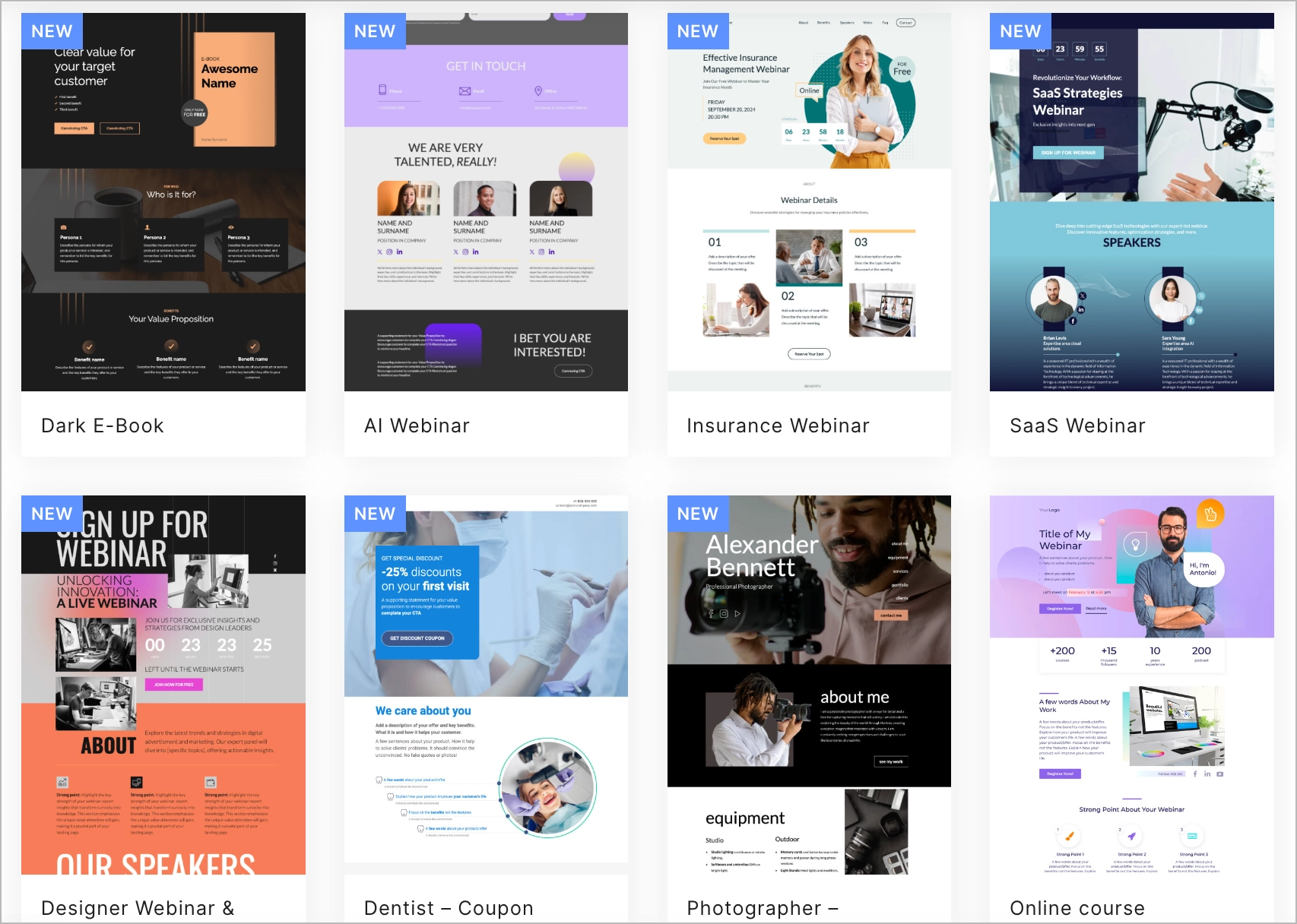
3. What Landingi Actually Does
Landingi acts as a completely managed presentation layer for your marketing stack.
Instead of building pages in your core CMS (like WordPress or Webflow), which can be rigid and slow, you build them in Landingi's drag-and-drop editor. You attach your custom domain via a simple DNS record. The platform handles the global CDN hosting, automated SSL encryption, and server-side A/B testing. When a user submits a form, Landingi instantly routes that data payload directly to your CRM (HubSpot, Salesforce) without requiring a backend server.
4. Core Features
5. The Data: The Cost of Dev Dependencies
Every day a campaign is delayed waiting for engineering resources is lost revenue. Here is the operational difference between hardcoded and visual deployment.
6. The Technical Setup (Webhooks & Infrastructure)
While the builder is visual, the backend routing is highly technical. Landingi allows you to connect native integrations, but power users will rely on the POST & Webhook capabilities.
When a form is submitted, you can instantly push the JSON payload to Make.com or an internal database. For publishing, you simply point a CNAME record (e.g., `promo.yourdomain.com`) to Landingi. Alternatively, if you must keep the URL structure on your root domain for SEO purposes, you can use their native WordPress plugin or Reverse Proxy Publishing feature.
7. Practical Workflow & Deployment
Here is what the campaign deployment process looks like for a performance marketer:
Step 1: Lunar AI Prompting
Input a brief into Lunar: "Create a SaaS webinar registration page targeting CMOs with a dark mode aesthetic."
Step 2: Visual Polish
The AI generates the layout. Use the drag-and-drop builder to tweak padding, swap out brand colors, and add tracking pixels via Google Tag Manager.
Step 3: A/B Variant Creation
Duplicate the page with one click to create "Variant B." Change the H1 headline to test a different value proposition.
Step 4: Go Live & Monitor
Publish to your custom domain. Use Solis AI and EventTracker to monitor exactly which variant is driving higher form completions.
8. Example Use Cases
9. The Real ROI (Speed vs. Autonomy)
Hover over the metrics below to see the baseline operational advantages of using a dedicated page OS.
Stop begging engineering to change a typo. Marketers control the entire asset from ideation to deployment.
Global CDN hosting ensures your pages load instantly, even during massive traffic spikes from viral campaigns.
10. Who Landingi Is Best For
- Performance Marketers: If your job depends on driving Return on Ad Spend (ROAS), the ability to spin up dedicated, highly relevant pages for every specific ad group is mandatory.
- B2B Agencies: The Scale and Enterprise plans feature robust agency sub-accounts, making it easy to manage distinct billing and environments for multiple clients.
- RevOps Teams: Standardizing data capture via Landingi's webhook and native CRM integrations ensures clean, untampered leads enter the pipeline.
11. Who Should Avoid Landingi
- Full CMS Architecture: If you are trying to build a massive, 500-page interconnected corporate blog with complex taxonomy, use Webflow or WordPress. Landingi is for standalone conversion pages.
- Heavy E-Commerce Storefronts: While it has an E-commerce Hub for single-product sales, you wouldn't use it to replace a Shopify store with dynamic cart logic and inventory management.
12. Integration & Operational Synergy
13. Feature Focus: Programmatic Landing Pages
This is the ultimate scaling tool. If you are running localized ads (e.g., "Roofing in Dallas," "Roofing in Austin"), manually building 50 pages is impossible to maintain. Landingi's Programmatic feature allows you to build a single master template. You upload a CSV file containing the dynamic data (City Name, Local Phone Number, Specific Hero Image), and the system automatically generates and publishes 50 unique, localized pages instantly.
14. Feature Focus: Lunar AI & Solis Insights
Landingi doesn't just build pages; it analyzes them. The Lunar AI engine acts as your junior designer, generating the initial layout from text. Once live, the EventTracker and Solis AI take over. Solis monitors micro-conversions (how far users scroll, which buttons they hover over) and provides automated recommendations (e.g., "Move this CTA above the fold") to lift your conversion rates without relying on third-party heatmapping tools.
15. Pricing Realities & Feature Tiers
Landingi utilizes a scalable model based on traffic volume and the complexity of features needed (like programmatic scaling and server-side A/B testing).
Optimize Plan
- 100 active landing pages
- 30,000 visits per month
- Solis AI Insights & EventTracker
- Server Side A/B Testing
Scale Plan
- Unlimited active landing pages
- 100,000+ visits per month
- Programmatic Landing Pages
- Client Sub-accounts & Branding
16. Best Practices: "The Alpha Plan"
If you want to drastically reduce technical debt and maximize conversion rates, you must execute the Alpha Plan for page management.
17. How Landingi Compares
| Feature | Landingi | Unbounce | Leadpages |
|---|---|---|---|
| AI Generation | Lunar AI (Full Page Gen) | Smart Builder (AI Copy/Layout) | Basic AI Copy |
| Programmatic Scaling | Yes (Dynamic CSV generation) | No (Dynamic Text only) | No |
| Agency Sub-accounts | Yes (Scale Plan) | Yes (Higher Tiers) | Limited |
| Server-Side A/B Testing | Yes | Yes | Yes |
18. Limitations & Reality Check
- Credit Systems for AI: The Lunar AI generator and certain background removal tools operate on a monthly credit allowance (e.g., 10,000 credits on the Optimize plan). Heavy reliance on the AI for daily generation may require purchasing credit top-ups.
- Traffic Caps: While the number of conversions is unlimited, visits are capped based on your tier (e.g., 30,000 visits on Optimize). If a campaign goes wildly viral, you will need to upgrade to ensure uninterrupted service.
19. PROS & CONS
- Programmatic features allow for massive SEO and local ad scaling instantly.
- Smart Sections eradicate the nightmare of updating global footers/headers.
- EventTracker and Solis AI provide native, actionable conversion insights.
- Robust agency features make managing multi-client environments seamless.
- Strict traffic limits on lower-tier plans.
- AI generation features are tied to consumable monthly credits.
20. Frequently Asked Questions
1. Do I need hosting or a server to use Landingi?
No. Landingi provides fully managed, secure cloud hosting with automated SSL encryption for all your pages. You simply point your custom domain (via DNS) to their servers.
2. How does the Lunar AI generator work?
You provide a brief text prompt describing your campaign goals, target audience, and desired aesthetic. Lunar processes this and generates a fully designed, editable landing page within the builder.
3. Can I publish pages to my existing WordPress site?
Yes. Landingi offers a dedicated WordPress plugin that allows you to seamlessly publish your landing pages directly to your existing WP domain structure without messing with CNAME records.
4. What happens when I hit my monthly visit limit?
Your pages do not immediately go offline. Landingi will notify you that you are approaching your limit, allowing you to upgrade your plan or purchase a higher traffic tier to accommodate the surge.
5. What are Programmatic Landing Pages?
Available on the Scale plan, this allows you to create one master layout and upload a spreadsheet of data. The system will automatically generate hundreds of unique pages swapping out localized keywords, images, or pricing based on your data file.
6. Are the pages mobile responsive?
Yes. The visual builder allows you to toggle between desktop and mobile views, ensuring you can fine-tune the layout specifically for mobile traffic.
7. Can it integrate with Salesforce or HubSpot?
Absolutely. It features native integrations for major CRMs, and robust Webhook and Zapier support to pipe lead data anywhere in your tech stack instantly.
8. Does it replace Google Analytics?
No. While EventTracker and Solis provide excellent micro-conversion and engagement data, you should still use the native integration to fire Google Tag Manager and Facebook Pixels for your core ad tracking.
Final Verdict
If you are waiting on engineering tickets to deploy marketing campaigns, you are operating too slowly. In modern B2B and performance marketing, agility is your greatest asset.
Landingi provides the ultimate infrastructure for marketing autonomy. By combining an intuitive visual builder with enterprise-grade scaling tools like Smart Sections and Programmatic generation, it allows a single marketer to do the work of an entire web development team. If you want to launch faster, test more variants, and capture cleaner data, Landingi is a mandatory operational upgrade.
Deploy Your Infrastructure Today →