

The days of paying a freelancer on Upwork $300 to read a 5-minute script are officially over. AI voice generation has crossed the threshold from "robotic and awkward" to "indistinguishable from reality." But as content creators rush to automate their audio, a massive divide has opened up between the tools available.
1 The TL;DR Verdict
Choosing between these two giants depends entirely on your workflow. Murf AI is "The Studio." It features a robust timeline editor where you can sync audio directly to uploaded video, adjust the pitch of individual words, and force dramatic pauses. ElevenLabs is "The Talent." It lacks a built-in video editor, but its proprietary text-to-speech model is the most astonishingly human, emotionally expressive AI voice engine on the planet.
2 At a Glance: Feature Showdown
| Core Capability | Murf AI | ElevenLabs |
|---|---|---|
| Primary Focus | Video Sync & Word-Level Control | Deep Emotion & Hyper-Realism |
| Video Timeline Editor | Yes (Upload MP4s directly) | No (Text input only) |
| Voice Cloning Speed | Custom build by enterprise team | Instant Custom Voice Cloning |
| Pricing Model | Minutes generated per month | Characters generated per month |
3 Meet Contender A: Murf AI
Murf was built for creators who need to produce finished videos quickly.
Instead of just pasting text and downloading an MP3, Murf allows you to upload your actual video file into their browser-based studio. You can visually arrange audio blocks along a timeline to ensure the voiceover perfectly matches your visual transitions. It also features granular controls: if the AI reads a sentence too flatly, you can highlight a single word, raise the pitch, and force a 0.5-second pause to add dramatic effect.
4 Meet Contender B: ElevenLabs
ElevenLabs is universally recognized as the frontier of AI voice realism.
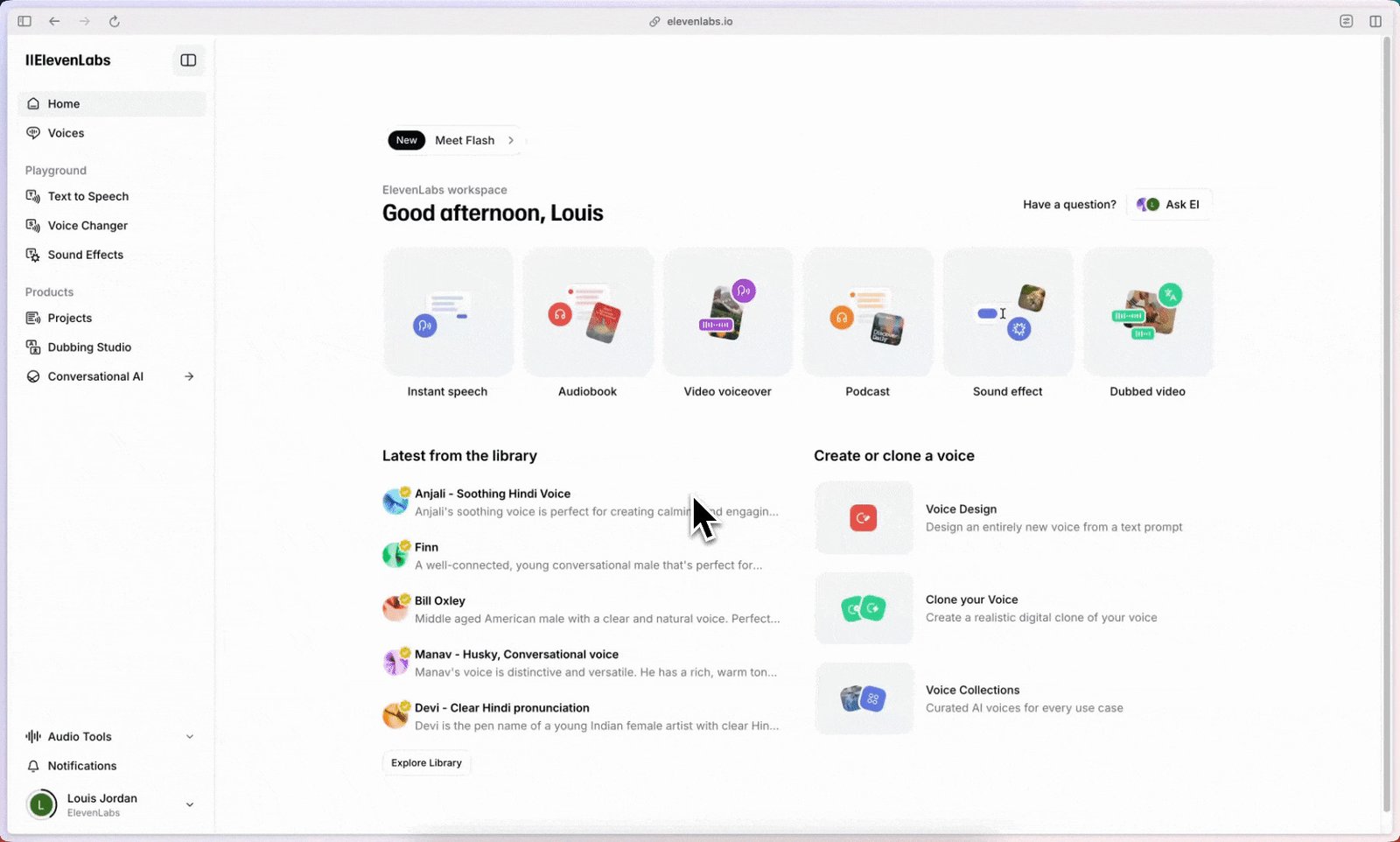
While the UI is just a simple text box, the underlying model is terrifyingly good. It understands context deeply. If you feed it a script where a character is terrified, it naturally adds breathiness and trembling to the voice. It doesn't need you to manually adjust pitch sliders; it infers the required emotion purely from the punctuation and context of the text.
5 Round 1: Voice Quality & Emotional Realism
Murf sounds like a highly paid corporate voice actor in a soundproof booth. It is clean, authoritative, and perfect for e-learning or software demos. However, it can sometimes struggle to replicate genuine, messy human emotion like laughter or exasperation.
ElevenLabs captures the subtle micro-imperfections of human speech. It naturally inhales between sentences, changes cadence dynamically based on the story, and can seamlessly shift from a whisper to an excited shout. It is unmatched in narrative storytelling.
Round 1 Winner: ElevenLabs
For raw, undeniable human emotion and realism, ElevenLabs operates in a league of its own.
6 Round 2: Workflow & Video Sync
Generating audio is only half the battle; syncing it to your visual content is usually where the real time-drain happens in post-production.
ElevenLabs forces you to generate an audio file, download it, open Premiere Pro (or CapCut), and manually trim the audio to match your video clips. Murf eliminates this by letting you upload the video directly into its dashboard. You can slide the generated audio blocks around a timeline until they perfectly match the on-screen action, exporting a finalized MP4 right from your browser.
Round 2 Winner: Murf AI
The built-in video timeline saves video editors hours of tedious alignment work.
7 Round 3: Voice Cloning
Both platforms allow you to clone your own voice so you never have to use a microphone again.
Murf treats voice cloning as an enterprise feature. You have to submit high-quality audio, and their team builds a secure, bespoke model for you. It is highly controlled. ElevenLabs democratizes it: you can upload a 60-second MP3 clip of your voice from your iPhone, and within seconds, you have a near-perfect clone available to use instantly in the dashboard.
Round 3 Winner: ElevenLabs
Instant, consumer-level voice cloning that works flawlessly with minimal audio sampling.
8 Round 4: Fine-Tuning & Control
Murf allows you to be the sound engineer. If the AI emphasizes the wrong word, you click it, adjust the pitch slider, and force it to sound exactly how you want. You have total manual control over the output.
ElevenLabs relies heavily on prompting. If it gets the inflection wrong, you can't manually adjust pitch sliders. You have to tweak the punctuation (adding hyphens, ellipses, or exclamation marks) and regenerate the audio until the AI interprets it correctly.
9 Performance Data: Time to Final Polish
When producing a 10-minute YouTube video, the time spent directing the AI and aligning it to visuals is your biggest overhead.
10 Advanced Strategy: The Hybrid Audio Pipeline
Use ElevenLabs to generate the raw audio. It provides the unmatched emotional resonance and breath control needed to keep viewers hooked. However, instead of fighting with Premiere Pro to sync it, export the clean WAV file from ElevenLabs and upload it directly into Murf AI's Studio timeline alongside your video. You get the raw, emotional realism of ElevenLabs' voice engine combined with the lightning-fast video alignment and background music mixing of Murf’s editor.
11 Pricing Showdown
The billing models differ slightly: Murf charges based on hours of generated audio per year, while ElevenLabs strictly limits the total number of characters you can process per month.
Murf Creator
- 24 Hours of generation per year
- Full Video Editor & Timeline
- Commercial rights included
- 120+ Professional Voices
ElevenLabs Creator
- 100,000 characters per month
- Highest quality voice models
- Instant Voice Cloning
- Commercial rights included
12 Ideal Customer Profiles
- You should use Murf AI if: You are a video editor, corporate L&D trainer, or SaaS founder making software tutorials. You need a clean, authoritative voice and a built-in timeline to sync audio directly to your screen recordings.
- You should use ElevenLabs if: You are an audiobook publisher, storyteller, or faceless YouTube creator. You prioritize raw emotional resonance, whispering, and dynamic pacing to keep viewers emotionally invested in the narrative.
13 The Dealbreakers (What Users Hate)
- ElevenLabs' UI Limits: It is literally just a text box. You cannot add background music natively, nor can you visually align the audio to a video. If you don't know how to use a video editor like CapCut or Premiere, ElevenLabs will feel useless.
- Murf's Flat Deliveries: While Murf gives you granular pitch control, the baseline voices can sometimes default to a "corporate narrator" tone. It lacks the natural gasps and dramatic shifts inherent in ElevenLabs' model.
14 The Missing Piece: Video Assets
15 The Pros & Cons Breakdown
- Full browser-based studio with a video sync timeline.
- Granular control over pitch, emphasis, and pauses.
- Incredible built-in library of royalty-free background music.
- Voices can occasionally sound slightly too "corporate."
- Voice cloning is not instant; requires enterprise approval.
- Unquestionably the most realistic, emotional AI voices available.
- Instant, highly accurate voice cloning from a 60-second sample.
- Incredibly fast generation via text prompt.
- No timeline editor; requires third-party software for video syncing.
- Cannot manually adjust the pitch of individual words.
16 Frequently Asked Questions
1. Can I monetize videos made with these platforms?
Yes. As long as you are subscribed to a paid tier on either Murf AI or ElevenLabs (e.g., the Creator plans), you are granted full commercial rights to use the generated audio for YouTube monetization, client work, and podcasts.
2. Do both platforms offer voice cloning?
Yes, but differently. ElevenLabs offers instant voice cloning on consumer paid tiers—you just upload a minute of your voice. Murf treats voice cloning as an enterprise feature that requires their engineering team to build a custom model for you.
3. Can I sync audio to video inside ElevenLabs?
No. ElevenLabs is strictly a text-to-speech generator. It outputs an audio file (MP3/WAV) that you must manually sync to your video using external software like Premiere Pro or CapCut.
4. How do I fix mispronunciations in ElevenLabs?
Because ElevenLabs lacks granular sliders, you have to use phonetic spelling or punctuation tricks (adding hyphens or commas) to force the AI to pause or emphasize the word correctly.
5. Can I add background music in Murf?
Yes. Murf features a built-in library of royalty-free music. You can lay the music track underneath your generated voiceover and adjust the audio mixing directly on their web timeline.
6. Do they offer API access?
Yes, both Murf and ElevenLabs offer robust APIs. Developers frequently use the ElevenLabs API to power conversational AI agents, while Murf is often integrated into automated content creation pipelines.
7. What languages do they support?
Both platforms support over 20+ languages. ElevenLabs is particularly famous for its multilingual model, which can retain the original speaker's unique voice characteristics even when translating the speech into Spanish or German.
8. Are there free versions to test?
Yes, both platforms offer free tiers. Murf allows you to explore the studio and generate 10 minutes of audio (though downloads are locked). ElevenLabs gives you a monthly quota of 10,000 characters to generate audio for personal use.
17 Final Verdict: Which Should You Choose?
This is not a battle of quality; it is a battle of workflows.
If you are building an audiobook, narrating a terrifying true-crime YouTube channel, or building a conversational AI agent where raw emotion and breathtaking realism are the only things that matter, ElevenLabs is the undisputed champion. It is the best sounding AI voice engine on the market, full stop.
However, if you are a video editor, an agency owner, or an L&D professional creating software tutorials, raw emotion is less important than workflow speed. Murf AI is the superior production tool. By giving you granular control over pitch and allowing you to sync audio directly to your video inside the browser, Murf will save you hours of tedious post-production work.