

If you are an AI developer, machine learning engineer, or a bootstrapped founder building generative AI apps, you know the absolute nightmare of cloud compute. Training an LLM or running high-scale Stable Diffusion on AWS or Google Cloud will drain your startup's bank account instantly. Worse, try getting your hands on an NVIDIA A100 or H100 GPU on those platforms—they are permanently out of stock.
RunPod was built to break the monopoly of the big cloud providers. It is a globally distributed GPU cloud platform that offers on-demand and serverless access to high-end NVIDIA GPUs at a fraction of AWS prices. But is a cheaper cloud actually reliable enough for production deployments? In this RunPod review, we dive deep into their network to find out.
1. Quick Summary
The Developer's Supercomputer
RunPod allows you to spin up an RTX 4090 or an A100 instance in under 60 seconds with pre-configured Docker templates for PyTorch, Stable Diffusion, or Jupyter. By offering both a highly-reliable Secure Cloud and an ultra-cheap Community Cloud, it provides the ultimate flexibility for both testing and production scaling.
Spin Up a GPU in 60 Seconds →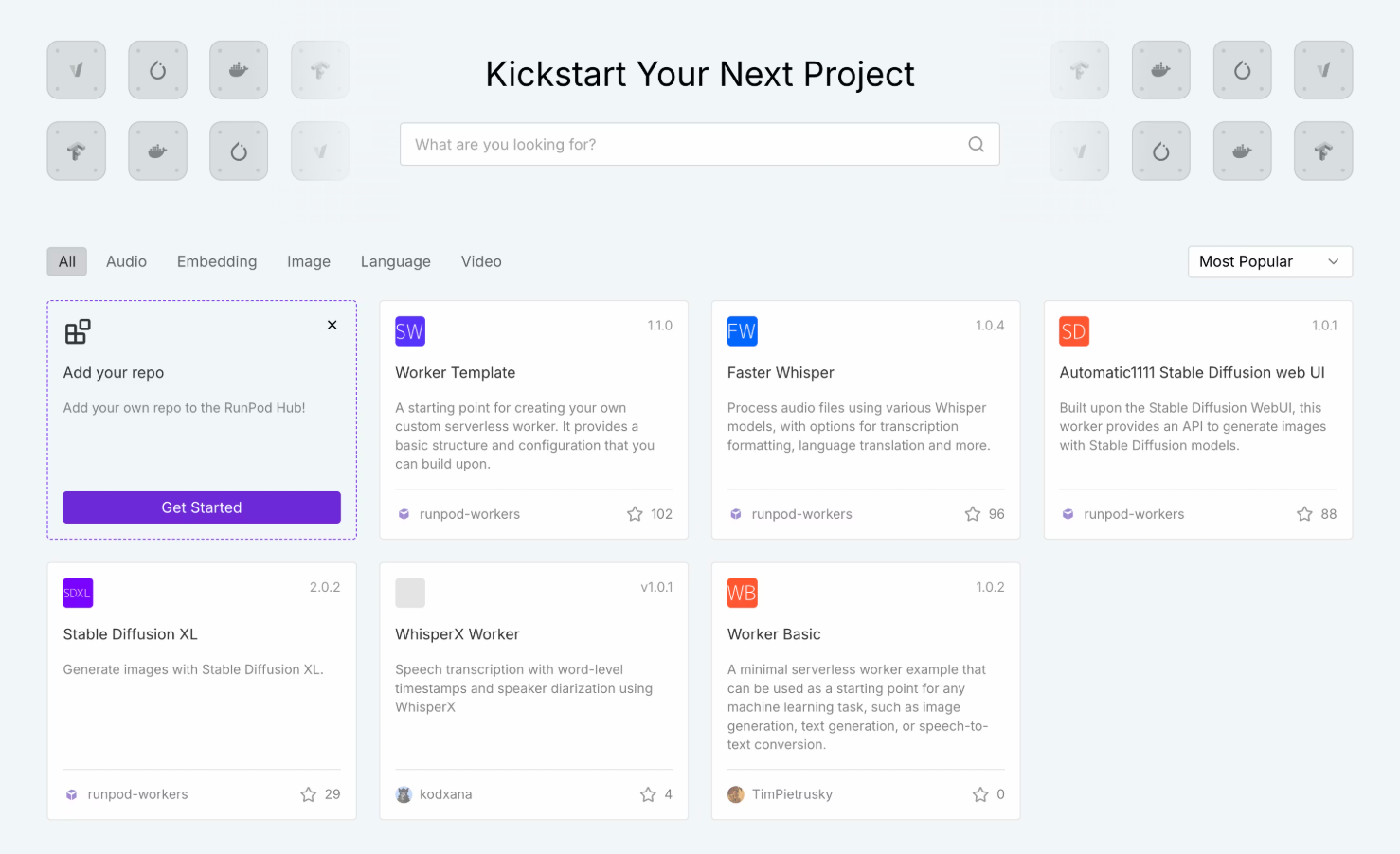
2. What RunPod Actually Does
RunPod acts as a marketplace and provider for raw GPU compute power.
Instead of dealing with the incredibly complex IAM roles, VPC configurations, and hidden networking fees of Amazon Web Services, you log into RunPod, select the GPU you need (like an A100 80GB), choose a pre-loaded template, and click deploy. You are given an IP address or a Jupyter notebook link instantly. You pay only for the exact hours the Pod is running. If you are building an API, their Serverless Endpoints allow you to deploy models that auto-scale based on traffic, charging you by the millisecond.
3. Core Features
4. The Data: The Cost of AI Compute
To understand why RunPod is capturing so much market share from AWS, you just have to look at the hourly pricing for a single NVIDIA A100 (80GB) GPU.
5. The Technical Setup: Two Clouds
RunPod offers two distinct hosting environments depending on your budget and data privacy requirements:
Secure Cloud: These are GPUs owned and operated by RunPod in Tier 3/4 data centers. They offer enterprise-grade security, high availability, and massive network bandwidth. Ideal for production serverless endpoints or handling sensitive corporate data.
Community Cloud: This is a peer-to-peer marketplace. Independent data centers and crypto miners rent out their idle GPUs. It is incredibly cheap (sometimes $0.20/hr for an RTX 3090), but the host can technically interrupt the instance. It is perfect for bootstrapped testing and hobbyist rendering.
6. Practical Workflow & Timeline
The workflow is designed to get you from login to a working Jupyter notebook in under 2 minutes:
Step 1: Funding
Add funds to your account via credit card or crypto. RunPod operates on a prepaid balance system so you never get a shock bill.
Step 2: Selection
Choose between Secure or Community cloud, then select your desired GPU (e.g., RTX 4090 or A100).
Step 3: The Template
Select a Docker template. If you want to run Stable Diffusion, select the pre-built template. If you want raw access, select the PyTorch base image.
Step 4: Connect
Click Deploy. Within 60 seconds, you are provided with a web-based terminal, Jupyter Lab link, or SSH connection string to start working.
7. Example Use Cases
8. The Real ROI (Margins vs. Setup)
Hover over the metrics below to see the baseline operational savings of using RunPod over legacy cloud providers.
Compared to AWS on-demand pricing for equivalent GPU architectures.
Bypass the hours spent configuring AWS VPCs and IAM security roles.
9. Who RunPod Is Best For
- AI Startups: If you are building wrappers, APIs, or custom models, the Serverless feature allows you to scale gracefully without bleeding cash during quiet hours.
- Independent Researchers: Bootstrapped devs who need raw access to 24GB+ VRAM cards (like the 3090/4090) but don't want to buy a $2,000 physical card for their local rig.
- Stable Diffusion Artists: The pre-built Automatic1111 and ComfyUI templates make deploying a personal image generator incredibly simple.
10. Who Should Avoid RunPod
- Non-Technical Users: RunPod provides the infrastructure, not a polished SaaS interface. You still need to understand Docker, command-line interfaces (CLI), or Python to use it effectively.
- HIPAA/Highly Regulated Enterprise: While Secure Cloud is great, if your legal department requires complex BAA agreements, AWS GovCloud is still your required (albeit expensive) home.
11. Pricing & Platform Economics
RunPod operates on a strictly prepaid, usage-based model. You top up your account, and it drains slowly based on your per-hour or per-second usage.
Community Cloud
- Massive cost savings (P2P hosting)
- Access to RTX 3090s and 4090s
- Best for hobbyists & testing
- Subject to host interruptions
Secure Cloud
- Tier 3/4 Datacenter reliability
- Serverless auto-scaling endpoints
- Access to A100s and H100s
- High-speed persistent network storage
12. Best Practices: "The Alpha Plan"
If you want to absolutely crush competing affiliates in the developer/B2B space and secure the lowest possible acquisition costs, you must execute the Alpha Plan for your campaigns.
13. How RunPod Compares
| Feature | RunPod | AWS / GCP | Vast.ai |
|---|---|---|---|
| Pricing | Very Low | Extremely High | Very Low (P2P only) |
| GPU Availability | High (A100s available) | Often Quota-Locked | High (Variable quality) |
| Serverless APIs | Native Support | Yes (Complex setup) | No |
| Ease of Use | 1-Click Templates | Steep Learning Curve | Medium |
14. LIMITATIONS & REALITY CHECK
- Cold Starts on Serverless: If your Serverless endpoint scales to zero to save you money, the very next request might take several seconds to execute because the container has to "wake up" and load the massive model back into VRAM.
- Community Cloud Risks: Do not run a production application on the Community Cloud. While it is cheap, the physical host can technically shut down the machine, killing your job mid-execution. Always use Secure Cloud for APIs.
15. Pros & Cons
- Cuts cloud compute costs by 60-80% compared to AWS.
- Serverless endpoints scale to zero, saving you money while you sleep.
- Incredibly simple UI compared to the nightmare of legacy cloud providers.
- Prepaid billing means you can never be hit with a surprise $5,000 charge.
- Requires technical knowledge (Docker, CLI, SSH).
- Serverless cold starts can cause latency for initial API requests.
16. Frequently Asked Questions
1. Is RunPod cheaper than AWS? +
Significantly. On average, you can expect to pay 60% to 80% less for equivalent GPU compute on RunPod compared to AWS EC2 instances, largely due to reduced overhead and no hidden networking fees.
2. Can I use RunPod for Stable Diffusion? +
Yes, this is one of its most popular use cases. RunPod offers 1-click Docker templates for Automatic1111 and ComfyUI, allowing you to deploy a powerful cloud-based image generator in 60 seconds.
3. What is the difference between Community and Secure Cloud? +
Secure Cloud runs in enterprise data centers with high reliability, perfect for production APIs. Community Cloud utilizes idle GPUs from independent hosts worldwide; it's much cheaper but should only be used for testing and hobby projects.
4. How does Serverless billing work? +
Instead of renting a Pod by the hour, Serverless charges you by the millisecond only when an API request is actively processing. If your app gets zero traffic overnight, your compute cost is zero.
5. Can I save my data if I turn off the GPU? +
Yes. You can attach Persistent Network Volumes to your Pods. This allows you to terminate your expensive GPU instance to save money, while paying pennies to keep your datasets and models saved on the network drive.
6. Do they have H100 GPUs available? +
Yes, RunPod frequently stocks high-end enterprise GPUs like the NVIDIA A100 and H100 (PCIe and SXM), though demand is very high so stock fluctuates.
17. Final Verdict
The AI boom has created a massive bottleneck: everyone needs compute, and the legacy providers are gatekeeping it behind complex interfaces and exorbitant pricing.
RunPod democratizes access to supercomputers. By offering dead-simple, 1-click deployments of top-tier GPUs at a fraction of AWS prices, it allows independent developers and startups to compete with major AI labs. If you are fine-tuning models, generating AI art, or building scalable AI APIs, RunPod is arguably the best cloud platform on the market today.
Deploy Your First GPU Today →