

The classic "Live Chat" widget is dead. If a high-intent prospect lands on your website at 9:00 PM and asks a pricing question, they do not want to see "Our team is currently away, please leave your email." They will click over to your competitor before you've finished your coffee the next morning.
Chatbase promises a fix: an AI support agent trained exclusively on your company's data, answering questions 24/7 and routing real problems to your helpdesk. Once positioned as a simple "chatbot builder," it has repositioned in 2026 as a full AI customer support agent platform — with AI Actions, voice, telephony, and multi-model routing. But is the setup actually no-code, and does the credit-based pricing stay affordable at scale? In this Chatbase review, we built and deployed a live agent to find out.
- Effortless Training: Paste a URL and Chatbase crawls every page into a secure vector database — no LangChain, no dev time.
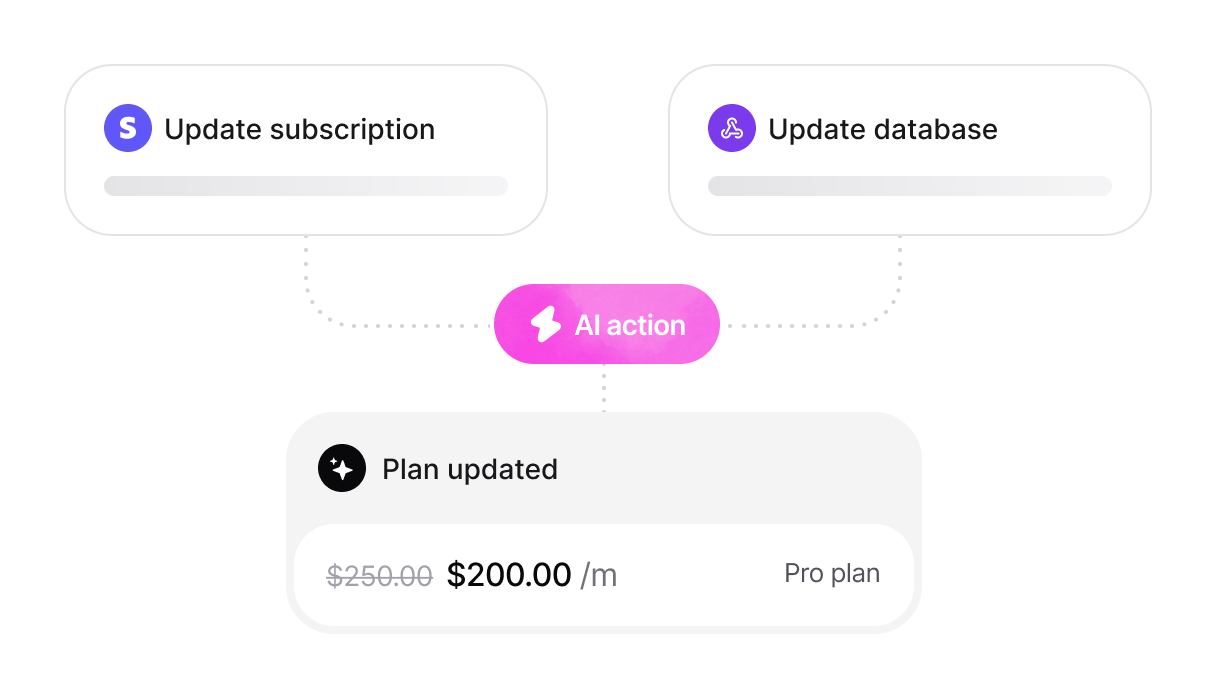
- AI Actions: Agents don't just chat; they book Calendly meetings, look up Stripe billing, capture leads, and open Zendesk/Salesforce tickets.
- Multi-Model Choice: Route replies through OpenAI, Anthropic, Gemini, and others — but note each model draws credits at a different rate.
- Support-First Repositioning: Now built as a customer-support agent with helpdesk routing, voice, and telephony rather than a pure lead-capture widget.
The 30-Second Executive Summary
Your 24/7 AI Support Agent
Chatbase takes the complexity out of custom AI. Paste your website URL or upload your PDFs, and it builds a brand-aligned agent in minutes. With AI Actions, that agent stops being a static FAQ box and starts doing real work — booking demos, capturing leads, and opening tickets. The catch in 2026 is the credit model: premium AI models burn credits fast, so your effective cost depends heavily on which model you choose.
Quick Pros & Cons
- The automated website crawler makes training almost effortless.
- AI Actions turn the agent into a doer: bookings, lookups, ticket creation, lead capture.
- Choice of 9+ model families (OpenAI, Anthropic, Gemini, and more).
- Easy to embed on WordPress, Shopify, or Wix via a single snippet.
- Multilingual out of the box (understands 90+ languages).
- Credit-based billing gets expensive fast with premium models.
- Removing "Powered by Chatbase" costs $1,188/year — a steep add-on.
- No native live-chat inbox; human handoff routes to external helpdesks.
- Free-plan agents are deleted after 14 days of inactivity.
How We Evaluated Chatbase
To cut past the marketing, we deployed a live Chatbase agent on a B2B SaaS test site over a two-week cycle. Our methodology:
- Deployment Speed: Timing how long it took from pasting a URL to a working, embedded agent answering real questions.
- Answer Accuracy: Firing 50 pricing and policy questions at the agent to measure correct, grounded responses versus hallucinations.
- Credit Burn: Running the same conversation set across economy and premium models to see how fast the monthly allowance drained.
- Action Reliability: Testing lead capture and a Zapier-to-CRM handoff end-to-end.
What Chatbase Actually Does
A raw ChatGPT instance will confidently invent answers about your business — the exact failure mode we cover in our guide to chatbots that hallucinate. Chatbase restricts the AI so it only knows what you teach it. You feed it "Sources" (your website, sitemap, Notion docs, PDFs, or raw text), and the platform processes them into a secure vector database using RAG (Retrieval-Augmented Generation). You then write a system prompt defining the agent's personality — "You are a friendly sales rep; keep answers under two sentences" — connect any AI Actions, and paste a single snippet into your site to make the widget appear.
Core Features
The Data: Conversion Impact
Static "Contact Us" forms are high-friction — a problem we've dug into before in our Landbot review. A conversational agent that captures a name and email in exchange for an instant answer converts far better, because the visitor perceives immediate value rather than a cold form.
*Directional figures based on commonly reported conversational-widget benchmarks; your results depend on traffic quality and offer.
The Technical Setup (RAG Architecture)
Under the hood, Chatbase runs a RAG pipeline. When a user asks a question, the agent retrieves the most relevant paragraphs from your uploaded sources, feeds them to the chosen model, and generates a grounded answer. Building this from scratch with Python, LangChain, and a hosted vector database would take a developer weeks and real money in infrastructure. Chatbase abstracts all of that into a no-code interface — which is precisely why 10,000+ businesses, including OpenAI's startup team, use it.
How Message Credits Work in 2026 (Read This First)
Chatbase no longer bills flat "messages." Every AI reply now consumes message credits, and the number consumed depends on the model you choose. This single design decision is the most important thing to understand before picking a plan, because it can quietly quadruple your effective cost:
The practical takeaway: a Standard plan's 4,000 credits is "4,000 conversations" only on economy models. Switch to a 3-credit premium model and that's closer to 1,300 replies. Choose your model to match your volume, not just your quality preference.
Practical Workflow & Timeline
We built an automated pricing assistant for a B2B SaaS site to test deployment speed. The timeline:
Step 1: Data Ingestion
We clicked "Fetch Links," entered the domain, and Chatbase ingested all 45 pages of pricing docs and FAQs in seconds.
Step 2: System Prompting
In Settings we wrote: "You are a sales rep. Answer pricing questions accurately. Always end by asking if they want to book a demo."
Step 3: Lead Capture & AI Actions
We enabled a lead-collection step to capture email before the pricing answer, and attached a Calendly action so the agent could book demos directly.
Step 4: Zapier Handoff
We connected Zapier so every captured email auto-creates a Deal in HubSpot — no manual export required.
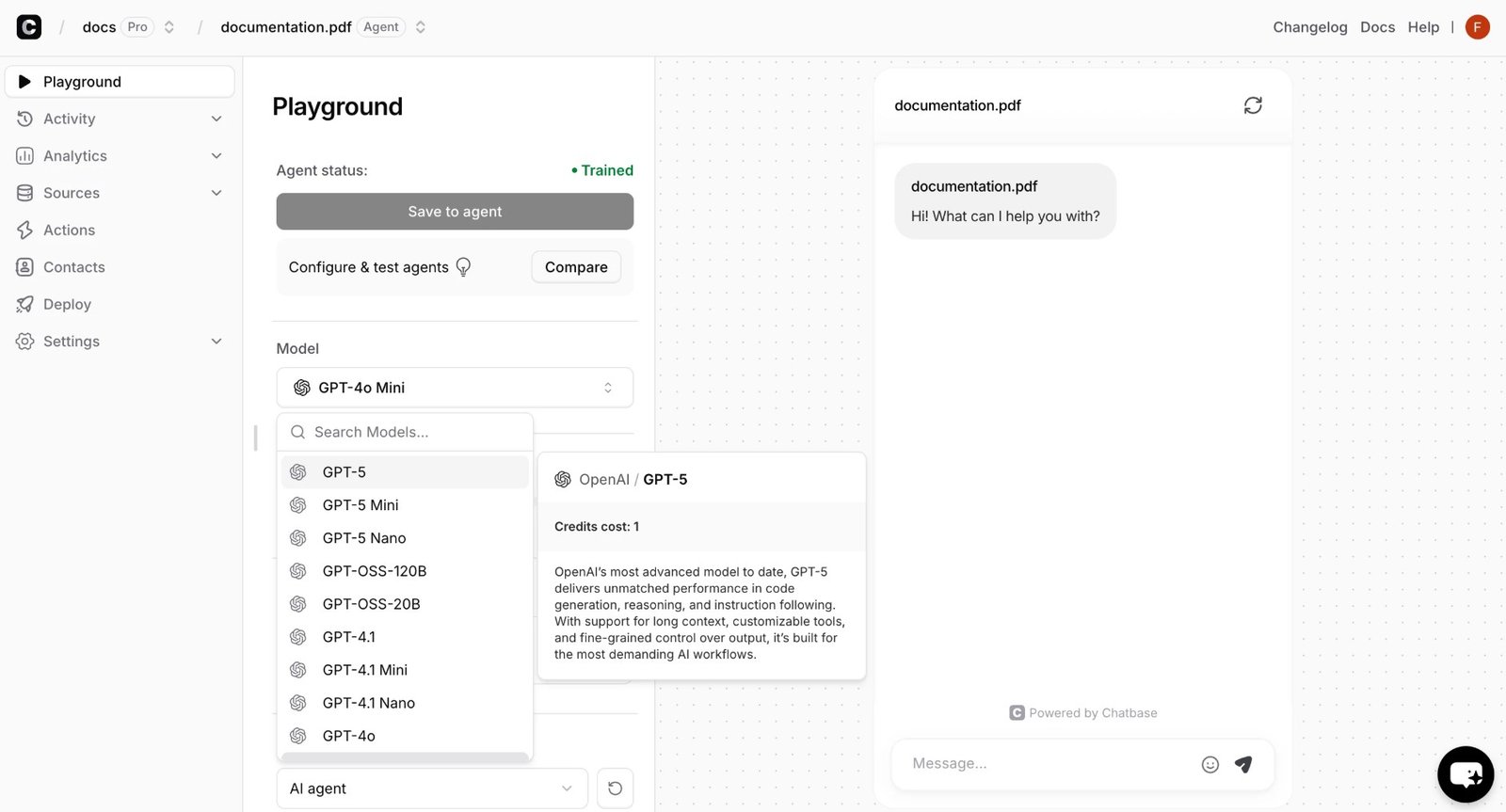
Configuring AI Actions.
Watch: Building a Chatbase Agent in Under 10 Minutes
If you'd rather see the full build before diving in, this walkthrough covers ingestion, prompting, AI Actions, and embedding end to end:
Example Use Cases
The Real ROI (Time vs. Output)
Automating repetitive Level-1 support tickets that used to eat a rep's day.
Answering questions and capturing leads across every timezone, including nights and weekends.
Replying to global visitors in their own language from your English source material.
Who Chatbase Is Best For
- SaaS Founders: Keep support-ticket volume low with a docs-trained agent so the team can focus on the product.
- E-commerce Operators: Native Shopify actions (order tracking, cart, account updates) deflect the highest-volume tickets.
- Agencies: Deploy client support agents fast — though factor the $1,188/yr white-label add-on into your client pricing.
- Support-Heavy SMBs: Teams under ~100–500 daily conversations that want automation without a full contact-center rebuild.
Who Should Avoid Chatbase
- Teams Needing a Live-Agent Inbox: Chatbase has no native inbox where humans answer directly — it routes to external helpdesks. If agent-side live chat is core, look at Intercom or Featurebase, or a flow-first builder like Botpress.
- High-Volume, Premium-Model Deployments: If you want flagship models answering thousands of daily chats, credit burn makes flat-rate competitors more predictable.
- Regulated Enterprise (out of the box): HIPAA-eligible setups and SSO exist only on the custom Enterprise tier, not the self-serve plans.
- Instagram/WhatsApp DM Funnels: It connects to those channels, but it's built website-first, not as a DM sales-setter.
Pricing & Message Credits (2026)
Chatbase runs a free tier plus four paid plans, all metered in message credits. Yearly billing saves 20%; the headline numbers below are the annual rates, with monthly in parentheses.
Free
- 50 message credits / mo
- 1 agent · 1 member
- Limited models · 1 MB training
- Agents deleted after 14 days idle
Hobby
- 500 message credits / mo
- Advanced models unlocked
- 2 members · Integrations
- Basic analytics · Attachments
Standard
- 4,000 message credits / mo
- 3 members · API access
- Voice · Telephony · Outbound
- Advanced integrations (Stripe, Zendesk)
Higher tiers: Pro $400/mo ($500 monthly) with 15,000 credits, 5 members, advanced analytics; and Enterprise (custom) adding SSO, white-labeling, audit logs, HIPAA-eligibility, and SLAs. Verified against chatbase.co, July 2026 — the credit system means real cost varies with model choice, so confirm on the live page.
- Remove "Powered by Chatbase": $1,188/year (~$99/mo). This is the single biggest surprise on the bill for agencies and brand-conscious teams — it's Enterprise-only otherwise.
- Extra AI agents: $300 per agent per year beyond your plan's included count.
- Auto-recharge credits: $40 per 1,000 credits when you run dry. Without it, your widget shows an "unavailable" error the moment credits hit zero.
- Model multiplier: not a line item, but the biggest hidden cost — a flagship model can consume 5x the credits of an economy one for the same conversation.
Best Practices: The Alpha Plan
To get maximum value while keeping your credit burn under control, run this playbook.
How Chatbase Compares
Chatbase sits between no-code simplicity and developer-grade flexibility. If you want a flow-builder with deeper conversational logic, it's worth weighing against Botpress — we put the two side by side in our Botpress vs Chatbase comparison. Against the incumbents, here's how it lines up:
| Feature | Chatbase | Intercom (Fin) | Custom Python/LangChain |
|---|---|---|---|
| Setup Time | Under 10 minutes | Days (complex routing) | Weeks |
| Technical Skill | Zero (no-code) | Medium | High (developer) |
| Model Choice | 9+ families | Mostly proprietary | Any (you build it) |
| Pricing Model | Credit-based | Per resolution + seat | Infra + dev cost |
| Entry Point | $0 free / $32 Hobby | ~$99/mo + usage | $5k+ build cost |
Limitations & Reality Check
- Contradictory data breaks answers. If your live page says "$10/mo" but an old uploaded PDF says "$5/mo," the agent can give the wrong figure. Maintain clean sources.
- Credit math is easy to misread. "4,000 credits" is not "4,000 premium conversations." Model choice is the real cost lever.
- No native human inbox. Handoff means routing to Zendesk, Salesforce, or Sunshine — not answering inside Chatbase.
- Branding tax. The clean, unbranded widget most businesses want costs an extra $1,188/year until Enterprise.
- Media-rich chat is limited. It's text-first; it won't dynamically generate rich image carousels in-chat.
Frequently Asked Questions
How much does Chatbase cost in 2026? +
There's a free tier (50 credits/mo). Paid plans, billed annually, are Hobby $32/mo, Standard $120/mo, and Pro $400/mo, plus custom Enterprise. Monthly billing runs about 20–25% higher (roughly $40 / $150 / $500). Add-ons like branding removal ($1,188/yr) and extra credits ($40 per 1,000) can raise the real total.
How do message credits work? +
Every AI reply consumes credits, and the amount depends on the model. Economy models (e.g. GPT-4o Mini, Claude Haiku) use about 1 credit; premium reasoning models use 2–3; flagship models like Claude Opus use up to 5. So your plan's real capacity in conversations depends heavily on which model you run.
Will the bot hallucinate or make up answers? +
You can enable a setting that forces the agent to say it doesn't know when an answer isn't in your uploaded sources, which sharply reduces hallucination. Keeping your source data clean and non-contradictory is the other half of the equation.
Can Chatbase capture leads and take actions? +
Yes. You can require a name and email before answering to generate a lead, and AI Actions let the agent book Calendly meetings, look up Stripe billing, or open helpdesk tickets. Note that AI Actions are gated by plan — the free tier includes none.
Which AI models can I use? +
On paid plans you can route through advanced models from OpenAI, Anthropic, Gemini, DeepSeek, Meta, Mistral, and others. The free tier is limited to basic models. More capable models cost more credits per reply.
Does it integrate with Zapier, Shopify, and my helpdesk? +
Yes. Chatbase has a native Zapier integration, an official Shopify app (order tracking, cart, account updates), and connectors for Zendesk, Salesforce, Intercom, HubSpot, Freshdesk, Slack, WhatsApp, and more. API access is included from the Standard plan.
Do I need to code to install it? +
No. Once your agent is built, Chatbase gives you a single iframe or JavaScript snippet to paste into your site's header. WordPress, Shopify, and Wix take it in minutes.
How do I remove the "Powered by Chatbase" branding? +
Branding removal is a paid add-on at $1,188/year (about $99/mo), or it's included on the Enterprise tier. Factor this in if you're deploying client-facing or white-labeled agents.
Final Verdict
If you're paying humans to answer the same repetitive questions, or letting late-night traffic bounce because nobody's online, you're leaving money on the table.
Chatbase remains the fastest way to put a genuinely capable, docs-trained AI support agent on your site — and its 2026 move into AI Actions, voice, and helpdesk routing makes it far more than a chat widget. The tradeoff is the credit model: your real cost hinges on model choice and add-ons, so go in with eyes open, default to economy models for volume, and budget for branding removal if you need a clean widget. Do that, and Chatbase turns a static website into an active, around-the-clock support and sales asset.
Deploy Your AI Support Agent Today →