If you want to sell your expertise online, the traditional route is a nightmare. You buy a WordPress domain, install an LMS plugin for the videos, add a membership tier plugin, integrate Stripe for payments, and then pray an update doesn't break your site on launch day. It takes months of development before you even record your first video.
Teachable was built to eradicate this "Frankenstein" tech stack. It is an all-in-one platform that handles your video hosting, landing pages, global tax compliance, and student checkout process in a single dashboard. But with competitors constantly evolving, is it still the best place to launch a digital business? In this Teachable review, we dive deep into their updated feature set to find out.
1. Quick Summary
The Ultimate Monetization Engine
Teachable has evolved beyond just online courses. With deep capabilities for digital downloads, coaching cohorts, and community memberships, it allows creators to spin up highly technical web assets without touching a line of code. Combine that with a built-in AI course generator and automated cart recovery, and you have a pure conversion engine.
Start Building Your Course Today →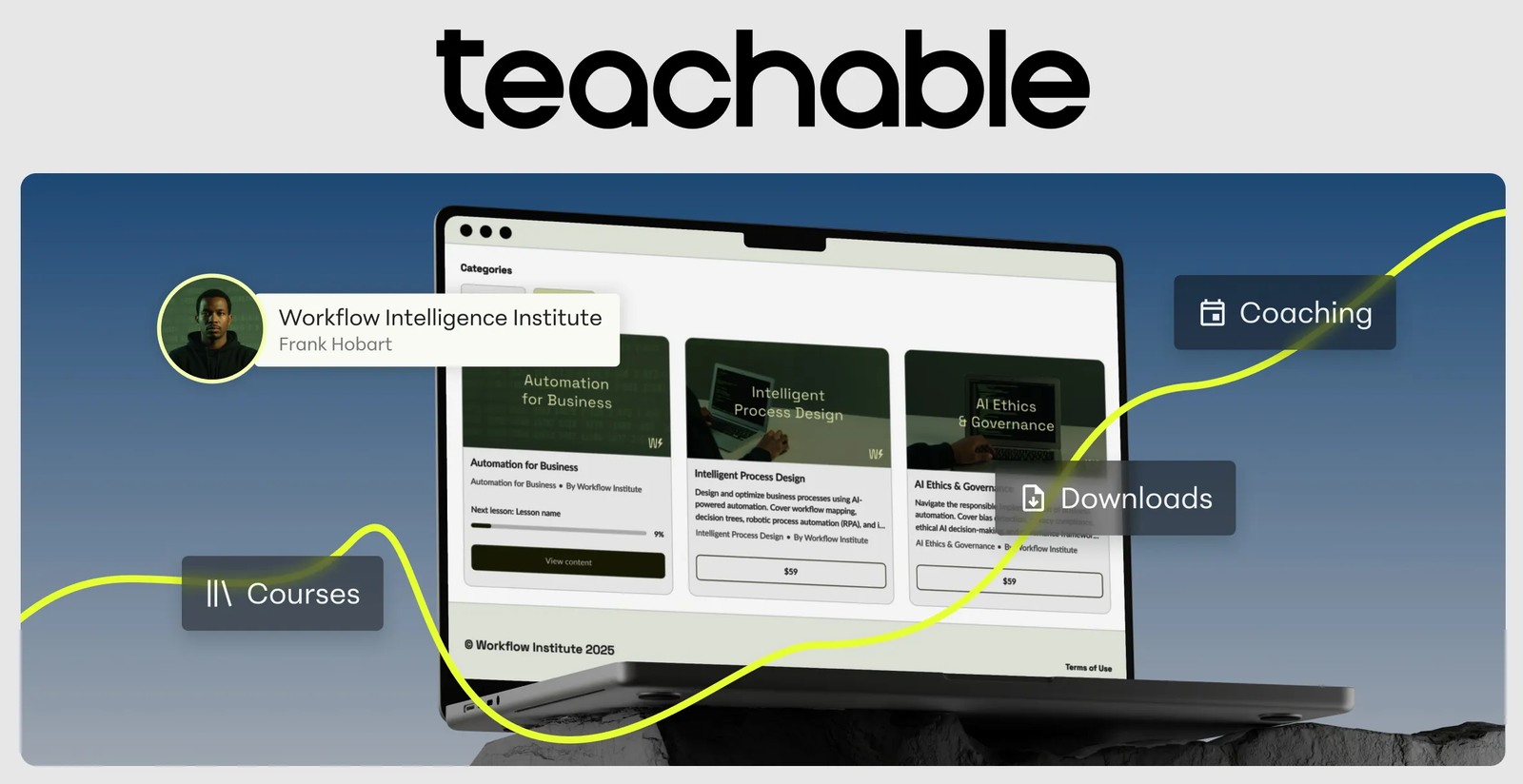
2. What Teachable Actually Does
Teachable acts as your fully managed storefront and delivery mechanism.
You upload your video files, PDFs, and audio directly to their servers (meaning you don't pay extra for Vimeo or Wistia). You use their drag-and-drop site builder to create a high-converting sales page. When a student buys, Teachable handles the complex global tax calculations, processes the credit card, and instantly grants the student secure access to the material via desktop or the native iOS/Android mobile apps.
3. Core Features
4. The Data: Time to Market
The technical barrier to entry kills more courses than bad marketing. Here is why the all-in-one approach is critical for solo entrepreneurs.
5. The Technical Setup (Site Builder & HTML)
While Teachable is designed for beginners via its block-based Site Builder, it leaves the door open for advanced technical web customization.
If you understand CSS styling or HTML/UI development, you can inject custom code directly into the header or specific page blocks. This allows you to build ultra-customized, high-conversion landing pages that seamlessly match your external brand aesthetics without losing the security of Teachable's backend checkout engine.
6. Practical Workflow & Timeline
Here is what the zero-friction launch process looks like for a new creator:
Step 1: Product Selection
Choose your product format: A structured Video Course, a simple Digital Download (PDF/Template), or a recurring Community Membership.
Step 2: AI Outlining & Uploading
Use the AI tool to draft your curriculum. Upload your video files directly to the platform for instant, secure hosting.
Step 3: Pricing & Upsells
Set a one-time price, a payment plan, or a subscription tier. Add an order bump (e.g., a $19 consultation call) to the checkout page.
Step 4: Launch
Publish your sales page. Teachable immediately handles all global tax compliance and delivers the product to buyers.
7. Example Use Cases
8. The Real ROI (Conversions vs. Tech Debt)
Hover over the metrics below to see the baseline financial advantages of utilizing a unified learning platform.
Easily achievable by implementing 1-click upsells and pre-purchase order bumps on your checkout.
Stop paying $20+/month for Vimeo Pro. Teachable hosts all your large video files natively.
9. Who Teachable Is Best For
- Non-Technical Experts: If you are brilliant at fitness, marketing, or design but terrible at managing servers, Teachable completely abstracts the tech layer away.
- Multi-Product Sellers: Because it handles courses, downloads, and coaching, you can easily ascend your audience from a cheap $9 PDF to a $997 coaching package in one system.
- Global Sellers: The built-in handling of complex international tax remittance (like the EU VAT) is an absolute lifesaver for global reach.
10. Who Should Avoid Teachable
- High-Volume Enterprise Academies: If you are building a massive B2B corporate training portal that requires intricate SCORM compliance and deep HR integrations, you will need a dedicated enterprise LMS.
- Penny-Pinching Bootstrappers: While the software is incredible, the Starter plan does take a 7.5% transaction fee. If you have extremely tight margins on low-ticket items, this fee can add up quickly before you upgrade to the 0% tier.
11. Pricing & Feature Tiers
Teachable structures its pricing based on active products and transaction fees. You can eliminate the 7.5% transaction fee entirely by upgrading to the Builder tier.
Starter Plan
- 7.5% transaction fee
- 5 active products allowed
- Create with AI generator
- iOS & Android student apps
- Global payments & taxes
- Upsells & cart recovery
Builder Plan
- 0% transaction fee
- 10 active products allowed
- Integrated Affiliate program
- Course completion certificates
- Real-time support access
- All Starter Plan features
12. Best Practices: "The Alpha Plan"
If you want to absolutely crush competing course-platform affiliates and secure the lowest possible acquisition costs, you must execute the Alpha Plan for your campaigns.
13. How Teachable Compares
| Feature | Teachable | WordPress (LearnDash) | Kajabi |
|---|---|---|---|
| Setup Difficulty | Very Low | High (Tech Heavy) | Medium |
| Video Hosting | Included Natively | Requires Vimeo/Wistia | Included Natively |
| Pricing (Starting) | $29 / mo | Plugin + Hosting Costs | $149 / mo |
| Transaction Fees | 7.5% (0% on Builder) | Payment Gateway Only | 0% |
14. Limitations & Reality Check
- The Transaction Fee Trap: If you are on the $29/mo Starter plan, the 7.5% fee is noticeable. If you sell a $500 course, you lose $37.50 immediately. Once you are making consistent sales, you must mathematically upgrade to the Builder plan to protect your margins.
- Email Marketing: While Teachable handles basic student announcements and cart recovery emails beautifully, it is not a full-scale CRM. If you want to run complex pre-launch email drip sequences, you will need to integrate it with a dedicated tool like ConvertKit or ActiveCampaign.
15. PROS & CONS
- Replaces hosting, LMS, checkout, and video plugins with one dashboard.
- Automates global tax collection (VAT/EU taxes), preventing major legal headaches.
- Native iOS and Android apps drastically increase student completion rates.
- Allows custom CSS/HTML injection for highly technical creators.
- The Starter plan limits you to 5 active products and charges a 7.5% fee.
- Lacks deep, standalone marketing email automation sequences.
16. Frequently Asked Questions
1. What does the AI Course Creator actually do? +
The AI helps cure blank-page syndrome. You input your general topic, and it will generate a structured curriculum outline, draft lesson text, and even build summary quizzes for your students.
2. Can I use my own domain name? +
Yes. While Teachable provides a free subdomain, you can easily connect your own custom domain (e.g., courses.yourbrand.com) to maintain complete brand consistency.
3. Do I have to pay extra for video hosting? +
No. Teachable includes unlimited video hosting natively within the platform, saving you the monthly cost of external players like Vimeo Pro or Wistia.
4. How do I get rid of the 7.5% transaction fee? +
The 7.5% fee only applies to the entry-level Starter plan. By upgrading to the Builder plan ($69/mo billed annually), your transaction fees drop to 0%.
5. Can I sell digital downloads instead of video courses? +
Absolutely. Teachable supports multiple product types, allowing you to seamlessly sell PDFs, Notion templates, audio files, or coaching sessions.
6. Does it have an affiliate program feature? +
Yes, on the Builder plan and higher, Teachable includes a built-in affiliate center. You can generate custom links for your top students or partners and automatically track/pay out their commissions.
17. Final Verdict
Your job as an expert is to teach, not to troubleshoot broken WordPress plugins. Every day you spend fighting with software is a day you aren't making sales.
Teachable remains the gold standard for frictionless monetization. By centralizing the site builder, video hosting, and global tax compliance into one dashboard, it completely removes the technical barrier to entry. If you are ready to turn your knowledge into a scalable asset without the technical headache, this is the platform to use.
Start Building Your Course Today →