


Most cold email platforms charge you per inbox. Connect ten sending accounts and you pay ten times — which is exactly backwards, because deliverability in 2026 requires spreading volume across many mailboxes rather than hammering one. The pricing model actively penalises the thing that makes cold email work.
Instantly broke that convention, and it's the main reason the platform took over the category: unlimited email accounts and unlimited warmup on every paid tier. This Instantly.ai review covers what that genuinely buys you, why the advertised $47 is nowhere near what a working setup costs, and a discrepancy in Instantly's own published limits that you should resolve before you pay.
- Unlimited inboxes is the real product. Competitors charging per connected account get expensive fast at the scale cold email actually requires. This is a genuine structural advantage, not marketing.
- $47 is the sending module, not the platform. The lead database, CRM and capacity add-ons are separate subscriptions. Realistic working stacks land between roughly $94 and $500 a month.
- Growth's 5,000-email cap is severe. One rep sending 50 a day exhausts it in about four days. If you're doing real outbound, Hypergrowth is the actual entry tier.
- Instantly's own pages disagree on Hypergrowth's limit. The pricing page has shown 100,000 emails a month while help centre documentation shows 125,000. Confirm before committing.
- Your inboxes and domains aren't included. Unlimited accounts means Instantly won't charge for them — you still buy them elsewhere, and at volume that exceeds the subscription.
Quick Summary
Unlimited Inboxes, Modular Bill
Instantly solved the structural problem in cold email pricing. Deliverability requires distributing sends across many mailboxes, and every per-inbox competitor makes that progressively more expensive — so removing the per-account charge entirely genuinely changed what a serious outbound setup costs. The warmup network, unified reply inbox and campaign tooling around it are all solid. What keeps this off a 9 is the gap between the marketing and the invoice: the advertised price covers sending only, leads and CRM are separate subscriptions, the entry tier's email cap is unusable for real outbound, and the infrastructure you send through sits outside the bill entirely.
Quick Pros & Cons
- Unlimited email accounts on every paid tier — no per-inbox charge.
- Unlimited warmup included rather than sold separately.
- Adding SDRs doesn't raise the price; it's volume-based, not per-seat.
- Unibox unified reply inbox from Hypergrowth up.
- Dedicated IP infrastructure (SISR) on Light Speed.
- Large built-in lead database available if you need one.
- 20% off annual billing on Outreach plans.
- Lead database and CRM are separate subscriptions.
- Growth caps at 5,000 emails — roughly four days of real sending.
- Several automation and analytics features gated to Hypergrowth.
- Instantly's own pages conflict on Hypergrowth's email limit.
- Domains and mailboxes are your cost, bought elsewhere.
- Capacity add-ons run around $87/month each.
- Published limits and in-app limits don't always match.
What Instantly Actually Does
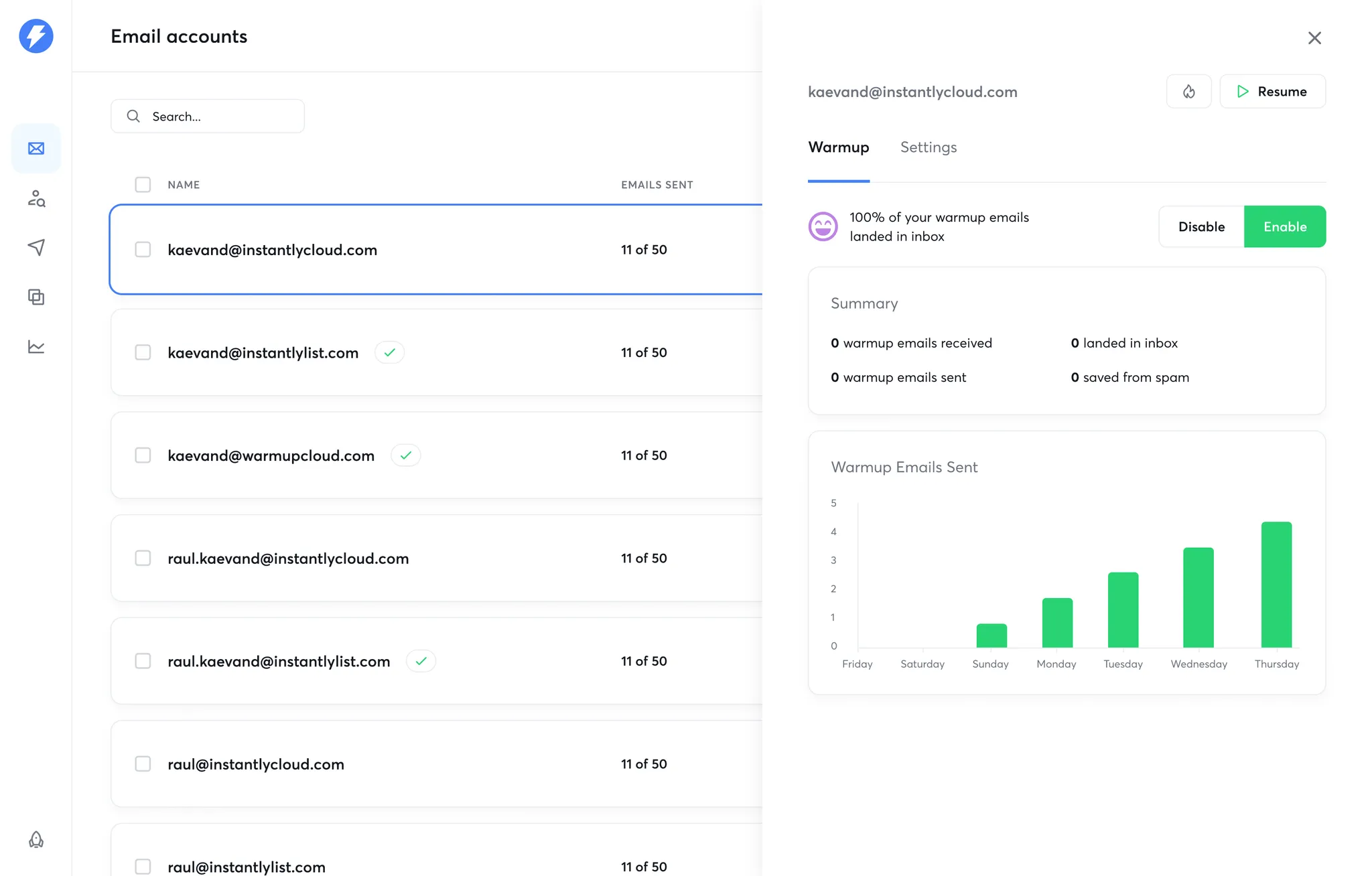
Instantly is sending infrastructure. You connect mailboxes — as many as you like — and it distributes campaign sends across them, warms them up to build sender reputation, runs multi-step sequences with conditional logic, and collects replies into one place. That's the core, and it's what the Outreach subscription pays for.
The reason unlimited accounts matters so much is mechanical rather than commercial. Mailbox providers throttle and flag high-volume senders, so credible cold outreach means spreading a few thousand monthly sends across dozens of mailboxes on multiple domains, each sending a modest daily quota. On a per-inbox platform that architecture gets expensive in direct proportion to how correctly you're doing it. Instantly removes that penalty, which is why agencies migrated to it en masse.
Around the sender sit the modules that aren't included in the headline price: a lead database with several hundred million B2B contacts, a CRM for managing replies and pipeline, AI reply handling, and a managed service tier. Useful, genuinely integrated — and each a separate line on the invoice.
Instantly Pricing in 2026: The Headline vs the Invoice
Instantly meters two things: contacts stored and emails sent per month. Those two ceilings decide your tier — seats and inboxes don't. Annual billing takes roughly 20% off Outreach plans.
Growth
- 5,000 emails/month · 1,000 contacts
- Unlimited accounts & warmup
- Chat support
- Testing only — not real volume
Hypergrowth
- 100,000–125,000 emails/month*
- 25,000 active contacts
- Unibox unified reply inbox
- Premium live support
Light Speed
- 500,000+ emails/month
- 100,000 contacts
- SISR dedicated IP sharding
- For agencies running many clients
Enterprise
- Private deliverability network
- Dedicated account manager
- Shared Slack channel
- Custom volume and contacts
*The asterisk is real. Instantly's own public sources have shown conflicting figures for Hypergrowth's monthly email allowance — the pricing page listing 100,000 while help centre documentation lists 125,000. That's a 25% difference on the tier most buyers choose. Confirm the current figure with Instantly directly before committing. All figures verified September 2026 against instantly.ai and corroborating independent trackers.
- The lead database is a separate subscription. Instantly's B2B contact database and enrichment run on their own credit plans. If you already have verified lists, skip it — if you don't, budget for it as a second line item.
- The CRM is another module. Reply management, pipeline and (on higher tiers) calling and SMS sit outside the Outreach plan.
- Capacity add-ons run about $87/month each, buying roughly 125,000 extra emails and 25,000 extra contacts without changing tier.
- Mailboxes and domains are yours to buy. "Unlimited accounts" means Instantly doesn't charge per inbox — you still purchase the inboxes and domains elsewhere, and at scale that exceeds the subscription.
- Check limits in the app, not the pricing page. Multiple reviewers note that published figures and in-dashboard limits can differ. Verify what your account actually shows.
Before You Send: The Rules That Actually Apply
Cold email is legal in most jurisdictions. Cold email done carelessly is how people get domains blacklisted, accounts suspended, and occasionally fined. No platform protects you from this, and Instantly's scale makes mistakes scale too — so it's worth ten minutes of attention before your first campaign.
Separately from the law, mailbox providers now enforce technical requirements on bulk senders. Since 2024, Google and Yahoo have required authenticated sending — SPF, DKIM and DMARC — one-click unsubscribe, and spam complaint rates held below 0.3%. Those aren't guidelines; miss them and your mail stops arriving regardless of what your campaign tool reports. Instantly's warmup helps with reputation, but authentication is configured at your domain, and that's on you.
The practical version: send to business addresses you have a defensible reason to contact, verify the list before sending, authenticate every domain, keep volumes per mailbox modest, and make unsubscribing genuinely easy. Buying scraped consumer lists fails both the legal and deliverability tests at once. Running lists through a verification tool like Clearout first is the single cheapest thing you can do for your sender reputation.
Core Features
Setting Up Properly
Step 1: Buy domains before mailboxes
Never send cold email from your primary domain. Register separate lookalike domains, typically running two to three mailboxes each, so reputation damage can never reach your main business address.
Step 2: Authenticate everything, then warm up
SPF, DKIM and DMARC on every sending domain before a single campaign email goes out. Then run warmup for two to three weeks. Skipping this is the most common reason new setups land in spam permanently.
Step 3: Verify the list, always
Bounces are the fastest way to destroy a new domain's reputation. Run every list through verification before import — it costs cents per thousand and saves domains.
Step 4: Start slow, scale gradually
Keep daily volume modest per mailbox and add inboxes rather than increasing per-inbox output. This is the whole reason unlimited accounts matters — use it as designed.
Step 5: Watch reply rate, not open rate
Open tracking is unreliable post-privacy-changes and pixel loading can itself hurt deliverability. Replies and positive replies are the only metrics worth optimising against.
How Instantly Compares
| Factor | Instantly | Per-Inbox Platforms | All-in-One Sales Suites |
|---|---|---|---|
| Inbox Pricing | Unlimited, no charge | Charged per account | Usually per seat |
| Adding Team Members | Doesn't raise price | Varies | Per-seat cost |
| Lead Database | Separate subscription | Usually none | Typically included |
| Warmup | Unlimited, included | Often an add-on | Varies |
| Entry Price | $47 (sending only) | Often lower for 1 inbox | Higher |
| Best At | High-volume sending | Small, simple setups | Full sales workflow |
Who Instantly Is Best For
- Lead generation agencies. Running dozens of client campaigns across hundreds of mailboxes is exactly what the pricing model was built for, and Light Speed's IP isolation exists for this case specifically.
- SDR teams scaling headcount. Volume-based rather than per-seat pricing means adding your third and fourth rep costs nothing extra on the platform side.
- Founders doing serious founder-led outbound. If you're sending thousands of emails a month rather than dozens, the infrastructure advantage is real and immediate.
- Teams that already own their data. If you source leads through Hunter or a similar provider, you skip Instantly's database entirely and the total cost drops substantially.
- Anyone whose deliverability is currently failing. Unlimited warmup plus proper inbox distribution fixes the most common structural cause of cold email landing in spam.
Who Should Skip It
- Low-volume senders. Under a few thousand emails a month from one or two mailboxes, per-inbox competitors are genuinely cheaper. Growth's cap exists for testing, not for operating.
- Anyone wanting one subscription for everything. The modular model means budgeting three or four line items. If that irritates you, an all-in-one suite will feel cleaner even at a higher headline price.
- Teams without a compliance process. Volume amplifies mistakes. If nobody owns list provenance and authentication, scaling sends scales risk.
- Highly personalised, low-volume outreach. Twenty carefully researched emails a week to enterprise accounts doesn't need this infrastructure at all.
Limitations & Reality Check
- The modular pricing is the main criticism, and it's fair. Comparing Instantly's $47 to a competitor's all-inclusive tier isn't a like-for-like comparison, and Instantly's own marketing doesn't go out of its way to clarify that.
- Published limits have been inconsistent. Conflicting email allowances across Instantly's own pages on the most popular tier is a genuine transparency problem. Verify in-app.
- Growth is a trial tier in practice. 5,000 emails a month cannot support real outbound. Treat $97 as the actual entry price.
- Infrastructure is the hidden majority cost. At volume, mailboxes and domains routinely exceed the subscription — the calculator above will show you where that crossover falls for your numbers.
- No tool fixes a bad list or a bad offer. Deliverability infrastructure gets your message delivered; it does not make it welcome. Reply rates are a function of targeting and message quality, which sit entirely outside the platform.
- Warmup networks have inherent limits. They build reputation signals, but mailbox providers continually adjust how much weight those signals carry. Treat warmup as necessary rather than sufficient.
Best Practice: Price the Stack, Not the Subscription
Frequently Asked Questions
How much does Instantly.ai cost in 2026?
Outreach plans are Growth at $47/month ($37.60 annual), Hypergrowth at $97 ($77.60 annual), and Light Speed at $358 ($286.30 annual), with Enterprise quoted. Annual billing saves roughly 20%. Those figures cover sending only — the lead database, CRM and capacity add-ons (around $87/month each) are separate subscriptions, so realistic working stacks commonly land between $94 and $500 a month.
Does Instantly really include unlimited email accounts?
Yes, on every paid tier, along with unlimited warmup. This is Instantly's core differentiator — most competitors charge per connected mailbox, which penalises the inbox distribution that cold email deliverability actually requires. The caveat is that unlimited means Instantly won't charge you per inbox; you still buy the mailboxes and domains from a provider, and at volume that cost can exceed the subscription itself.
How many emails can I send on Hypergrowth?
This is genuinely unclear, and it's worth resolving before you pay. Instantly's own public sources have shown conflicting figures — the pricing page listing 100,000 emails per month while help centre documentation lists 125,000. That's a 25% difference on the most popular tier. Confirm the current allowance directly with Instantly and check what your own dashboard reports after signing up.
Is the Growth plan enough to start with?
For testing the platform, yes. For real outbound, no. The 5,000 emails per month cap works out to roughly four days of sending for a single rep doing 50 a day. Most teams running genuine cold email treat Hypergrowth at $97 as the practical entry tier, and several automation and analytics features are gated to that level anyway.
Do I need Instantly's lead database?
Only if you don't already have verified lists. The database is a separate subscription on its own credit tiers, so if you source contacts through a dedicated prospecting tool you'd be paying twice for the same capability. Many teams run Instantly purely as sending infrastructure and bring their own data.
Is cold email legal?
It depends on jurisdiction and how you do it. US CAN-SPAM permits unsolicited commercial email with accurate headers, a physical address and working opt-outs. EU GDPR requires a lawful basis, where legitimate interest can cover B2B outreach but needs a documented balancing test. Canada's CASL is stricter and generally requires consent. Separately, Google and Yahoo require bulk senders to authenticate with SPF, DKIM and DMARC, offer one-click unsubscribe, and keep spam complaints below 0.3%.
Instantly vs Lemlist — which should I choose?
It comes down to volume and inbox count. Instantly's flat, volume-based pricing wins decisively once you're running many mailboxes, which is why agencies favour it. Lemlist's per-account model can be cheaper for small, highly personalised campaigns from one or two inboxes, and it leans harder into personalisation features. Compare on the same volume assumptions rather than headline prices.
How many mailboxes do I actually need?
Divide your target monthly volume by roughly 40 sends per mailbox per day across about 22 sending days. Twenty thousand emails a month therefore needs somewhere around 23 mailboxes. Keeping per-inbox volume modest and adding accounts instead is the approach that protects deliverability — and it's exactly what Instantly's unlimited-account model is designed to make affordable.
Final Verdict
Instantly earned its position by fixing something structurally broken in how cold email was priced. Deliverability requires distributing sends across many mailboxes, and charging per inbox made doing it properly progressively more expensive. Removing that penalty didn't just save money — it made correct sending architecture affordable, which is why agencies moved across in numbers.
Buy it with clear eyes on two things. The $47 is the sending module, not the platform — price the lead database, the CRM and especially your mailbox infrastructure before comparing it to anything else, because at volume the inboxes cost more than the subscription. And Growth is a testing tier; treat $97 as the real entry point for actual outbound. Run your own numbers through the calculator above, sort your domains and authentication weeks before your first campaign, and Instantly is the strongest sending infrastructure available. Skip that preparation and you'll have excellent infrastructure delivering mail nobody sees.
Explore Instantly's Plans →